Ten years ago a trader on the MQL5 forum opened a thread with one line. “I want to write my own trade copier, because all available paid and unpaid do not meet my needs.” Two pages later he had been through named pipes, sockets and a moderator’s help. He was still stuck on the only question that matters. “Other trade copiers do communicate somehow… question is How?” (Georgiy Liashchenko, March 2016).
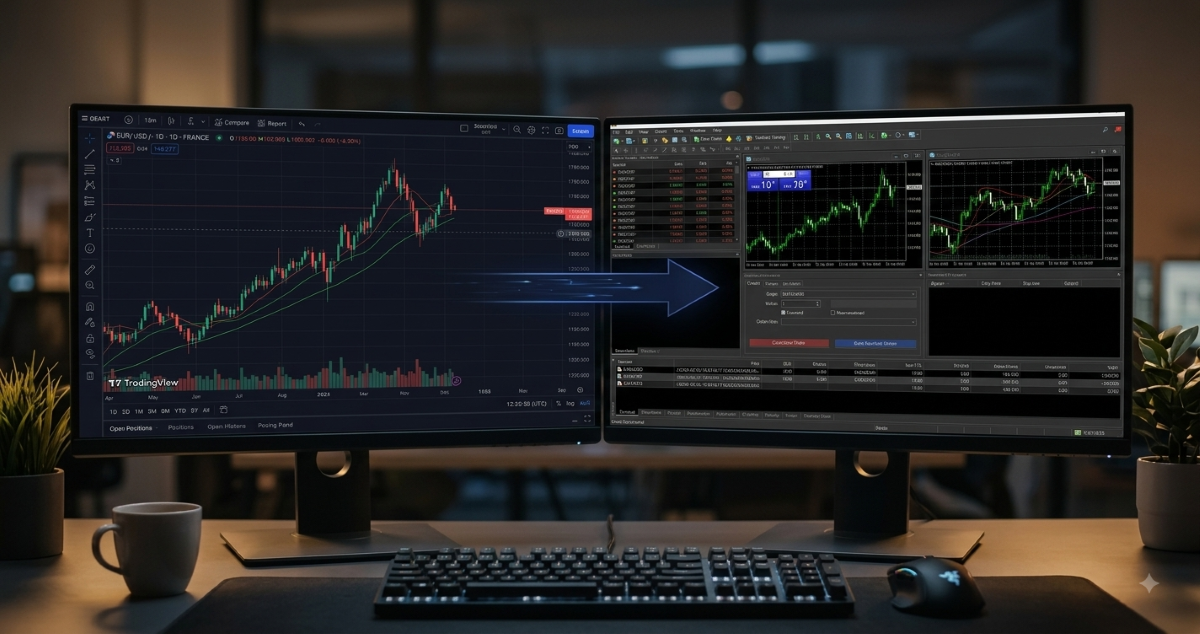
You probably have his problem in a different shape. Your strategy lives on TradingView. Your broker account lives in MetaTrader 4, or MT5, or NinjaTrader 8. TradingView doesn’t place orders, and MetaTrader doesn’t run Pine Script. So you copy by hand, and you miss the 3 AM signal, hesitate on the reversal, and fat-finger a lot size. The strategy is fine. The human in the middle is the leak.
A trade copier is the thing that removes the human. In this article, I’ll show you what it actually is and the three parts every copier is built from. You’ll see the four kinds you’ll meet, how they route a trade, where each one breaks, and the one question I’d ask before buying any of them. By the end you’ll know which architecture fits your setup and which one to walk away from.
A trade copier is software that takes a trade instruction from one place and executes it in another, with no hand in between. The instruction can come from a TradingView alert, from another broker terminal, from your own algorithm, or from a button you press. The destination is the terminal where the real broker order goes: MT4, MT5, NinjaTrader 8, or cTrader.
The copier sits in the middle. It receives, it routes, it places the order. That is the whole job, and it is worth being clear about what the job is not. A copier is not a signal service and it has no opinion about the market. It doesn’t generate ideas and it doesn’t filter yours. It sends exactly what you or your strategy told it to send, losses included.
Every copier, whatever the brand and whatever the price, is built from the same three parts. Once you can name them, you can read any product page in a minute.
This is where the instruction is born. In a TradingView setup it is a webhook alert: an HTTP POST that TradingView fires the moment your alert condition is met. In a terminal-to-terminal setup it is usually an Expert Advisor or script on the master account. Either way, the message carries the same things: direction, instrument, lot size, and optionally a take profit and a stop loss. What a webhook message actually looks like is in What Is a TradingView Webhook.
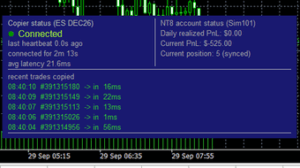
This is the middle. It receives the instruction, checks it, and hands it to the receiver. A cloud copier routes through a server the provider runs. A local copier routes through shared memory or a pipe between two terminals on the same machine. The routing layer is also where the logging should live. A panel that records every incoming alert, its timestamp and what happened to it is the difference between diagnosing a missed trade in two minutes and guessing for two days.
This is the part inside your broker terminal. On MetaTrader it is usually an Expert Advisor. On NinjaTrader it is a strategy or add-on. It keeps a live connection to the routing layer and places the order the moment an instruction arrives. And here is the rule that decides more outcomes than any latency figure: the receiver has to be running. If the terminal is offline when the signal comes in, the order doesn’t happen. Signals are not queued and they are not replayed later.
That is why the forum trader above got stuck. He was trying to build layer two out of named pipes and sockets. The moderator helping him had already been there. “There are tries to connect mt4 to a socket – but finally I gave up :(” (Carl Schreiber, MQL5 moderator, March 2016). Pipes, as he put it, are bound to one PC. Going remote is not a feature you add to a local copier. It is a different architecture.
The architecture decides what a copier can and can’t do for you. Four kinds cover almost everything on the market.
| Type | How it routes | What you need | Where it stops |
|---|---|---|---|
| Local, same machine | Shared memory or a pipe between two terminals | Both platforms on one PC | No remote execution. The PC has to stay on. |
| Server-based, cloud | Signals go through a remote server | A subscription, a receiver in the terminal | The terminal must be online. Server hops add to total time. |
| Webhook / API | The source sends an HTTP POST to a cloud endpoint | A paid TradingView plan, a cloud receiver | Delivery timing depends on TradingView and your connection. |
| Message-based, Telegram etc. | A bot reads channel messages and parses them into orders | A bot and API access | Parsing is fragile. No execution confirmation. |
For TradingView-to-broker automation the winning combination is webhook plus cloud server plus receiver. It is the only path where the two platforms don’t have to share a machine. And if you plan to copy someone else’s signal onward to more accounts, read the fine print first. A trader asked how to fan an MQL5 signal out to three accounts on a VPS. The answer was straight. “I am sure it could be done, but I am also sure that it would be against the mql5 website, signals agreement” (Michael Charles Schefe, June 2024). Copy your own instructions freely. Re-broadcasting a paid signal is someone else’s terms of service.
Take a cloud webhook copier, since that is what most of you will end up with. This is how one trade travels from a TradingView alert to a filled order at your broker.

The whole cycle normally completes in about a second. On our own infrastructure we measure roughly 0.5 seconds end to end, TradingView to broker. The slow parts are rarely the copier’s own processing. They are TradingView’s webhook dispatch and your broker’s order handling, and neither of those is yours to tune.
Here is the sentence I’d want you to keep from this article. A trade copier can’t add reliability. It can only inherit it from every component it depends on. Four of those components fail often enough to plan for.
When a trade does go missing, the fault is almost always in one of those four places, and each one leaves its own evidence. We wrote a layer-by-layer diagnostic for exactly that day: TradingView Alert Fired But No Trade Executed.
Almost every first conversation about copiers starts with latency. How many milliseconds from alert to fill? It is a fair question and, for most of you, the wrong first one. A 200 ms difference between two copiers means nothing to a strategy that trades off the hourly chart. It starts to matter on one-minute and tick charts, where the entry window is narrow. When speed does and doesn’t matter is measured, not guessed, in When ~0.5s Execution Actually Matters in Automated Trading.
The question I’d ask first is different: what does this copier do when my terminal is dark? Does it tell me, right then, on my phone? Does the panel show me the alert arrived and nobody was home? Or does it drop the signal silently and let me find out from my P&L on Monday? That answer separates copiers far more than 200 milliseconds ever will.
A trade copier is the right tool if you run a strategy on TradingView and want it executed at a broker without placing orders by hand. It is also the right tool if you manage several accounts and want all of them to receive the same instruction from one source. And it fits if you want one strategy running on two platforms at once, say an MT4 account and an NT8 account from the same alert.
It won’t solve your problem if what you want is someone else’s signals. A copier moves your own instructions, and passing on a paid signal is a question of the provider’s terms, not of software. And if your two terminals will never share a machine, a local copier is off the table. Going remote is a different architecture, not a setting you switch on later.
Decide where your terminals live before you compare features. That one fact narrows the list more than any spec sheet.
Nordman Connector is a cloud webhook copier built on the three layers above. A TradingView alert, our server in Frankfurt, and a Receiver inside your terminal, for MT4, MT5 and NinjaTrader 8, plus terminal-to-terminal copying between them. Its strong side is the question from the band above. Every alert and execution is logged in the panel with a signal ID. The moment a Receiver drops its connection, you get a Telegram message. Based on our internal measurements the whole chain runs in about 0.5 seconds end to end. One subscription, €25 a month, covers every copier and indicator, and the first five days are free. You can watch the full chain run in TradingView to NinjaTrader in ~0.5 Second, and the platform-by-platform setup is in Can You Connect TradingView to MT4, MT5, and NinjaTrader 8?
Want a copier with your own rules, filters or account logic? We build automation to order → Forex EA Programming Services
Nordman Algorithms provides software infrastructure for trade automation and does not offer financial advice, trading signals, or managed trading services. This article is for informational and educational purposes only. Forum quotations are reproduced verbatim from public threads for illustration and do not constitute endorsement. Trading leveraged instruments such as Forex, CFDs and futures carries a high level of risk and may not be suitable for all investors. Only risk capital should be used. Full Risk Disclosure: https://www.nordman-algorithms.com/risk-disclosure/