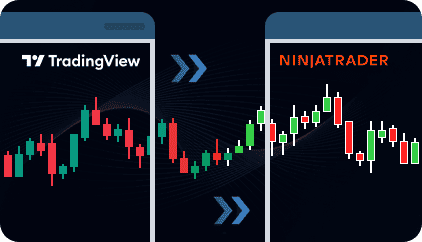
Connect TradingView alerts to NinjaTrader 8 through a cloud-based webhook infrastructure.
The same system supports manual trade triggering, strategy automation, and indicator-based workflows,
with no browser extensions or symbol mapping required.
Select how you want to send trades from TradingView to NinjaTrader, then configure the required TradingView alerts for that workflow.
The cloud server receives the webhook signal from TradingView, validates the request, assigns a unique identifier, and records the alert in the dashboard.
This allows incoming alerts and trade executions to be monitored through a centralized control panel with alert and execution history.
The NinjaTrader Receiver Strategy maintains a persistent connection with the cloud server and listens for new execution requests.
Attach the Receiver Strategy to the NinjaTrader chart where trades should be executed.
Once the signal is received, the Receiver Strategy executes the corresponding market action in the NinjaTrader receiver terminal.
Execution details are recorded in the dashboard together with timestamps and signal identifiers.
Use the TradingView to NinjaTrader Trade Copier for manual trading, strategy automation, or indicator-based automation. Select the workflow that matches how you want to send trades from TradingView.
Use TradingView alerts as manual trade triggers for:
When you identify a setup on the chart, simply activate the corresponding alert from the TradingView interface. The webhook signal is sent to the cloud server, and the trade is automatically executed on the NinjaTrader receiver side.
This workflow is designed for discretionary traders who prefer making trading decisions manually, while still using TradingView alerts to execute trades through an external NinjaTrader 8 terminal.
It can also be useful for traders who have not fully automated their workflow yet or simply prefer maintaining manual control over trade entries and exits.
Watch how TradingView alerts can be used as on-demand trade triggers for manual execution on the NinjaTrader Receiver terminal.
Use this workflow when you have access to the Pine Script strategy code and want to configure alert messages directly inside the strategy.
The strategy generates automated trade signals, and TradingView forwards them to the copier through the webhook connection.
This workflow is suitable when you or your developer can edit the strategy and configure the alert logic around specific entry and exit conditions.
Watch how automated TradingView strategy alerts can be integrated directly inside Pine Script strategy logic.
Use this workflow when you do not have access to the strategy source code or prefer not to edit Pine Script manually.
Simply copy and paste the ready-to-use webhook message provided in the client area into the TradingView alert settings.
No Pine Script editing or custom message formatting is required.
You do not need to configure separate alert messages for each trade action when the strategy alert already contains the necessary execution information.
See how strategy-generated alerts can be connected using the universal ready-to-use webhook message provided in the client area without editing Pine Script.
Use this workflow when you have access to the Pine Script indicator code and can configure alert conditions for specific signal events.
This workflow is useful when the indicator contains clearly defined bullish, bearish, or exit conditions and you want to control how each signal is forwarded to the NinjaTrader Receiver terminal.
Supported Signal Actions
Each signal condition can be linked to the corresponding Receiver-side trade action.
Watch how custom indicator alert conditions can be connected to the NinjaTrader Receiver terminal.
Use this workflow when the indicator source code is not available or when you prefer not to edit Pine Script.
Configure the TradingView alert using the available indicator alert conditions and insert the provided ready-to-use webhook message provided in the client area into the alert settings.
This workflow is designed for traders who want to connect existing TradingView indicators to the NinjaTrader Receiver terminal without modifying the indicator source code.
Watch how indicator alerts from TradingView can be connected to the NinjaTrader Receiver using a ready-to-use webhook message.

Use TradingView alerts for manual trading, strategy automation, or indicator automation through a unified cloud-based execution workflow.

Connect supported TradingView alerts using ready-to-use webhook messages provided in the client area without editing Pine Script or modifying protected indicator source code.

Trades are executed on the NinjaTrader chart where the Receiver Strategy is attached, avoiding symbol-mapping issues between platforms.

Trades are executed as market orders in NinjaTrader based on TradingView alerts. Take Profit and Stop Loss levels can either be passed from the TradingView signal or overridden with fixed values in ticks inside the NinjaTrader Receiver Strategy settings.
Choose fixed, risk-based, or balance-based position sizing. Apply multipliers to incoming signals or fully override order quantity based on your NinjaTrader account configuration.

Receive Telegram connectivity notifications if the NinjaTrader Receiver Strategy loses connection to the cloud server.
Monitor incoming alerts, trade executions, connected Receivers, and completed executions through a centralized admin panel. Every alert and executed trade is logged with a timestamp and a unique signal ID for traceability.

A single TradingView signal source can be connected to multiple NinjaTrader Receiver installations across different machines. There is no limit on the number of connected terminals. Each Machine ID requires its own active license.

Define when trades are allowed to be executed based on chart time. Restrict execution to selected sessions or allow execution at any time.

Choose which side of the Connector is responsible for closing trades — NinjaTrader or TradingView. This helps prevent potential overfills when NinjaTrader-managed TP/SL orders and incoming TradingView exit signals occur at the same time. Use NinjaTrader-side management for local TP/SL handling, or TradingView-side management to keep the NinjaTrader position synchronized with TradingView signals.

Distribute user-configured TradingView alerts to connected NinjaTrader Receiver terminals through the cloud infrastructure for multi-recipient execution workflows.

Run multiple TradingView strategies or symbols simultaneously within the same NinjaTrader terminal. Each Receiver Strategy operates independently, helping prevent execution conflicts between separate trading workflows.
The Receiver Strategy requires your NinjaTrader 8 terminal to be running and connected to the internet to execute trades. Signals are processed only when the terminal is active at the moment the alert is triggered.
Signal processing and trade execution typically occur within approximately one second. Actual speed depends on internet connection quality, broker server response times, VPS performance, and TradingView webhook delivery speed.
If your NinjaTrader 8 terminal is closed or disconnected when an alert arrives, the signal will not be queued or executed later once you reconnect. The system processes live signals in real time.
Read the guides: Connecting TradingView to NinjaTrader 8: Every Method Compared · Can You Connect TradingView to MT4, MT5, and NinjaTrader 8? · TradingView Alert Fired But No Trade Executed — 7 Reasons
To begin using the TradingView to NinjaTrader Trade Copier, follow these steps.
Click Start Free Trial or Subscribe to All Indicators at the top of the page to activate your subscription. After registration, you will receive an email containing your login credentials for the admin panel:
nordman-connector.com
The Receiver Strategy is available through MEMBER ACCESS. Enter the email address used for your subscription, and the download will begin automatically once verified. Install the Strategy in your NinjaTrader 8 terminal.
Detailed setup instructions are available inside the admin panel.
The system supports multiple trading workflows and setup methods:
Once your Receiver Strategy and TradingView alerts are configured, the system will begin processing incoming signals and trade executions.
A 5-day free trial is available so you can test the trade copier before continuing with a paid subscription. The trial is activated as a subscription, but no payment is charged during the first 5 days. If the trial is not cancelled within 5 days, the monthly subscription will start automatically. You can cancel the subscription at any time through your PayPal account. If you cannot cancel the subscription yourself, please contact us and we will assist you.
Each license is locked to one NinjaTrader 8 Machine ID. This allows you to run the Receiver Strategy on the machine where your NinjaTrader terminal is installed.
Each NinjaTrader installation that receives and executes signals must have its own license tied to its Machine ID. If additional users want to receive the same signals on their own NinjaTrader machines, they must purchase their own license.
Your subscription provides access to all products available on the Nordman Algorithms website. You can use other Nordman Algorithms tools under the same subscription without purchasing additional licenses.
We strongly recommend testing the system on a demo account before using it on a live account. Make sure you fully understand how the system works and how it behaves under different market conditions. Only after you are confident in its operation should you consider using it on a live account.
If you have questions, encounter errors, or experience any issues while using the system, please contact our support team.
Nordman Algorithms is a trade name of Nordman Algorithms OÜ (Reg. No. 14435535), registered in Tallinn, Estonia.
Software Nature & User Responsibility — Nordman Algorithms provides software tools only and is not liable for risks associated with trading activities conducted using the software. All trading actions, configurations, and trade copying processes are initiated and controlled solely by the user.
No Financial Advice or Regulated Services — Nordman Algorithms does not provide financial advice, trading signals, investment recommendations, managed copy trading services, or any other regulated financial products or services.
Software Function & Signal Execution — The software is a technical utility that automates the execution or replication of user-defined trading signals between supported platforms and trading accounts. Signals may originate from user-configured alerts, trading algorithms, indicators, strategies, expert advisors, or other automated systems defined by the user. The software solely transmits or executes these user-originated signals and does not generate, modify, analyze, or manage trading decisions independently.
Accuracy & Performance Disclaimer — Nordman Algorithms does not guarantee the accuracy, completeness, reliability, or trading performance of any software outputs, signals, or execution results.
Third-Party Platforms & Connectivity — Nordman Algorithms is not responsible for failures or delays caused by third-party platforms, user-side hardware or terminal availability, broker execution conditions, server availability, or external services used in conjunction with the software. Execution prices, spreads, slippage, and order fills may differ from the originating signal due to broker-specific market conditions and liquidity.
Trading Risk Warning — Futures, Forex, and options trading involve significant risk. Risk capital is money that can be lost without jeopardizing financial security. Only risk capital should be used for trading. Past performance is not indicative of future results. View Full Risk Disclosure: https://www.nordman-algorithms.com/risk-disclosure/
ESMA Risk Warning — Financial instruments, especially those involving leverage such as CFDs and Forex, are complex and carry a high risk of rapid financial loss. Our software provides technical automation based on user-defined conditions and does not mitigate or reduce inherent market risks. You should carefully consider whether you understand how leveraged financial instruments work and whether you can afford the high risk of losing your capital.
CFTC Rule 4.41 — Hypothetical or simulated performance results have inherent limitations. Unlike actual performance records, simulated results do not represent real trading. Because trades have not actually been executed, these results may under- or over-compensate for the impact of market factors such as liquidity. No representation is being made that any account will achieve profits or losses similar to those shown.
Trademark Notice — NinjaTrader® is a registered trademark of NinjaTrader Group, LLC. No NinjaTrader company has any affiliation with the owner, developer, or provider of the products or services described herein, or any interest, ownership or otherwise, in any such product or service, or endorses, recommends or approves any such product or service.