In August a trader in the Nova Volume thread on Forex Factory asked the question this whole article is about. “Even if you are analyzing 15s in TradingView, how you are executing on MT4?” (mazibee, Forex Factory, Aug 2026). The answer he got was honest and a little deflating. “Use TV for all the signals and then execute on mt4.” Two windows, side by side, and your own hand on the buy button.
That is where most people start, and a lot of them stay there. It works until the day you aren’t at the screen. Four days later, in the same thread, another member posted a late entry. His note: “I had to fight Tradingview to open the position” (MonarchZ, Forex Factory, Aug 2026). The signal was fine. The hand was slow.
So, can you connect TradingView to MT4, MT5 and NinjaTrader 8? Yes, and there are exactly three ways to do it. In this article I’ll show you what TradingView actually sends when an alert fires, and why the terminal side is the hard part on every platform. Then I’ll compare the three routes on cost, uptime and who fixes it at 3 AM. By the end you’ll know which one fits your setup, and which one to skip.
TradingView does not place orders in MT4, MT5 or NinjaTrader. It has a list of integrated brokers you can trade through inside its own interface, and those three platforms are not on it. What TradingView can do is fire an alert. An alert can go to your phone, to your email, or to a URL as a webhook. The webhook is the one that matters here.
A webhook is a single HTTP POST. When your alert condition is true, TradingView sends the message you typed in the alert box to the address you gave it. That is the whole feature. It doesn’t know what MT4 is, it doesn’t retry if nobody answers, and it expects a quick reply. If the receiving server is slow, the request is cancelled (TradingView Support, “About webhooks”). Webhooks are also a paid-plan feature, so a free account can’t send them at all. The message format and what to put in it are covered in What Is a TradingView Webhook.
So from the TradingView side, connecting to MT4, MT5 or NT8 is identical. One POST, one address. Every difference between the platforms, and every difference between the products that promise to connect them, lives on the other end of that POST.
Here is the fact that explains the entire connector market. None of the three terminals can receive a webhook. MetaTrader 4 and MetaTrader 5 have a WebRequest function, and it only sends. An Expert Advisor can call out to a server, but nothing on the internet can call in to your terminal (MQL4 Reference, WebRequest). NinjaTrader 8 has an Automated Trading Interface that accepts orders from outside, through a DLL, an email inbox or an order-instruction file (NinjaTrader 8 Help Guide, ATI). It also has no webhook listener.
So something has to sit between TradingView’s POST and your terminal. That something needs three things. A public address that is reachable 24/7, a way to hand the message to the terminal, and code inside the terminal that turns the message into an order. Every product and every DIY setup you’ll find is one answer to those three requirements. Once you see it that way, the comparison gets simple.
On the Platform Tech board, a trader who runs his TradingView strategies through a bridge to Interactive Brokers asked what else people use (pipcruiser, Forex Factory, Dec 2024). The one reply he got, two years later, laid the routes out in order of effort. On the cheapest one, self-hosted, the reply put it plainly: “you own uptime, reconnect logic or order handling, and per-symbol lot sizing yourself” (JQX, Forex Factory, Sep 2026). I’d add the manual route in front of it, because that is where most people actually are.
| Route | How it works | What you need | Where it breaks |
|---|---|---|---|
| 1. Manual, split screen | TradingView alert on your phone, you place the order in the terminal by hand | Nothing. Any TradingView plan, any terminal | You. Sleep, meetings, a slow hand on a fast candle. Every entry carries your reaction time |
| 2. Self-hosted webhook + your own EA | TradingView posts to a small server you run, which passes the message to an EA or NinjaScript you wrote or bought | A VPS, a paid TradingView plan, code for the receiver, and the time to maintain both | Reconnects, symbol mapping, lot rounding, and the 3 AM outage are yours to fix. No log unless you build one |
| 3. Cloud connector | TradingView posts to the provider’s server, which relays to a ready-made receiver in your terminal | A subscription, a paid TradingView plan, the terminal online | The terminal still has to be up. You depend on the provider’s uptime and on whether it tells you when something drops |
Route 1 is not a beginner’s mistake. It is a legitimate way to trade, and the Forex Factory regular who recommended it trades that way on purpose. Its weakness is exactly one thing: it needs you at the screen. If your strategy fires twice a week during London and you are always awake for it, the other two routes solve a problem you don’t have.
Route 2 is where the DIY crowd lives, and the honest cost is not the $5 server. It is the list of things that only show up in production. The reply above named the one that bites first. “If your strategy computes a lot size that doesn’t align to the broker’s SYMBOL_VOLUME_STEP, the order either gets rejected or silently rounds” (JQX, Forex Factory, Sep 2026). Add symbol suffixes, futures contract rolls and a terminal that restarts after a Windows update, and you have a second job. If you enjoy that job, this route gives you the most control for the least money.
Route 3 buys back the maintenance. Someone else runs the public address, wrote the receiver, and handles mapping and sizing. What you keep is the rule from the previous section, plus one detail: the receiver has to be attached to a chart, on your PC or on a VPS. The differences between connectors are mostly about what happens when that isn’t true, which is the next section but one.
The TradingView side never changes. The receiver side does, and here is what changes on each platform.
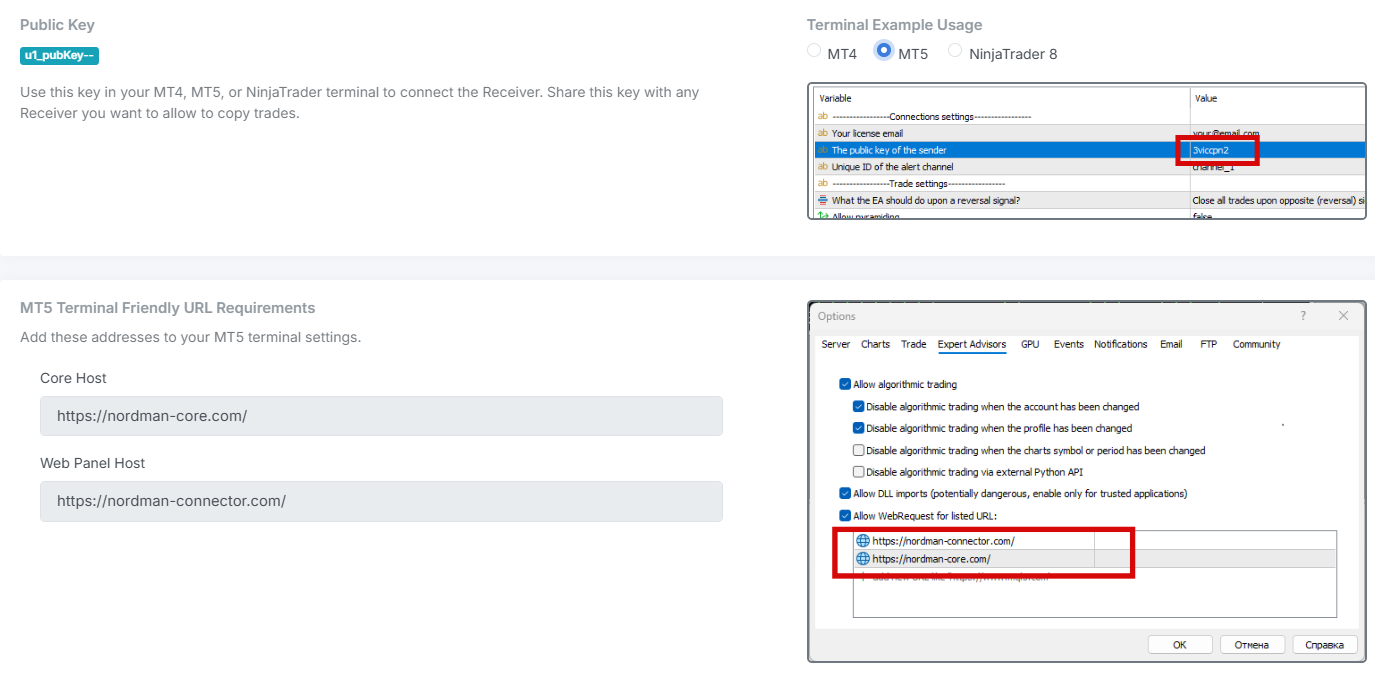
On MT4 the receiver is an Expert Advisor. You drop it on one chart, enable AutoTrading, and it keeps a connection to the routing server from inside the terminal. The classic MT4 traps are symbol suffixes and lot steps. Your broker’s EURUSD.ecn is not TradingView’s EURUSD, and a lot of 0.013 does not exist. A good receiver reads the chart’s own symbol instead of asking you to map it, and rounds the lot to the broker’s step before sending. If yours doesn’t, you find out on the first order. The symbol problem in full is in What Is Symbol Mapping.
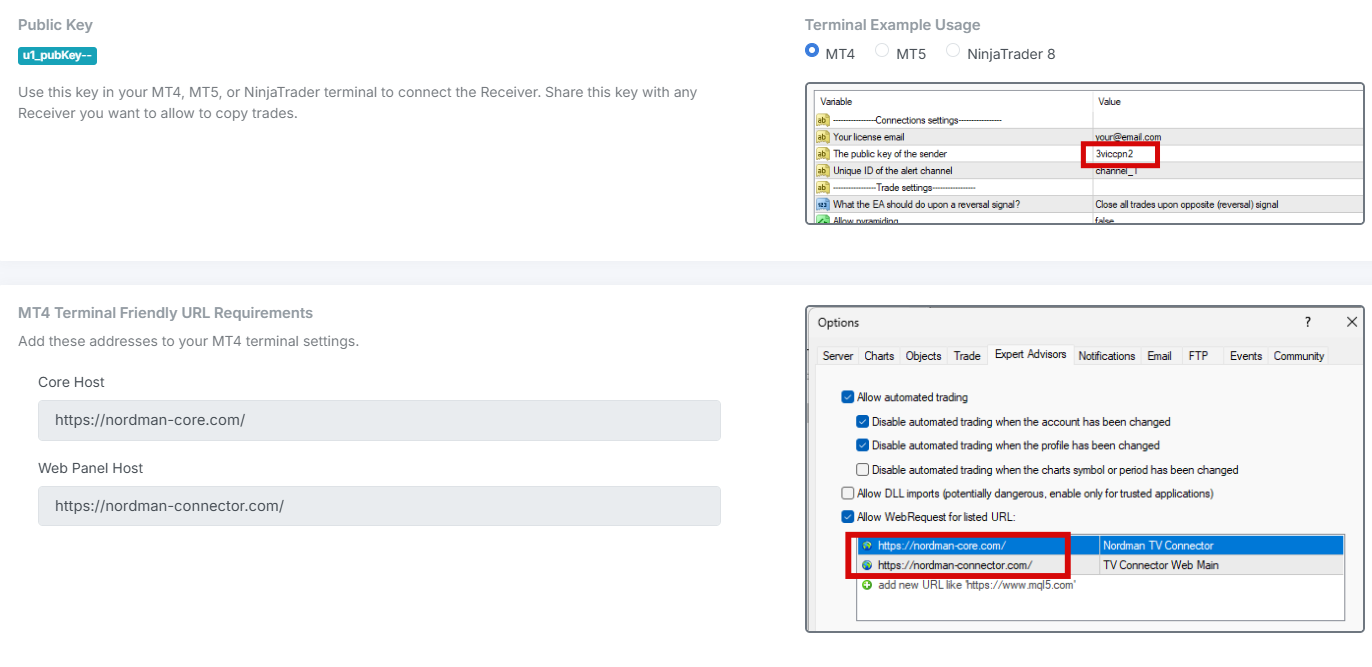
MT5 works the same way with one difference that matters for automation. MT5 accounts can be netting or hedging. On a netting account a second buy adds to the first position, and a sell of equal size closes it. On a hedging account they are two separate tickets. Your TradingView strategy has an opinion about which one it expects, and the receiver has to match it. Check the account type before the first live alert, not after. Everything else, the EA on a chart, AutoTrading on, the terminal online, carries over from MT4.
NT8 is the platform most connectors skip, and the one with the most ways to do it yourself. The receiver here is a NinjaScript strategy or add-on. The traps are different from MetaTrader. Futures contracts roll, so an alert for NQ1! has to become the current front month, NQ 12-26 and later NQ 03-27, without you editing anything. Orders also need an account name, because one NT8 install can hold a live account, a sim account and several prop-firm evaluations at once. A receiver that sends your alert to the wrong one is worse than no receiver.
On the DIY side, the ATI file interface is the oldest route: your server writes an order-instruction text file into a folder, NT8 picks it up. It works, and the feedback comes back as another file in another folder, so a rejected order is easy to miss. The full list of NT8 options, with the trade-offs of each, is in Connecting TradingView to NinjaTrader 8: Every Method Compared. A trader on the NinjaTrader forum summed up why people bother at all. “Tradingview offers limited backtesting so I would love to be able to use it on NinjaTrader” (scuzzball, NinjaTrader forum, Nov 2025). Connecting is the middle path between rewriting your Pine Script in C# and staying manual.

Read enough connector pages and you’ll notice they compete on speed. Half a second, a quarter of a second, “instant”. Speed is real and it is measurable, and it is not what decides whether your setup works. What decides it is the question nobody puts on a pricing page.
When your terminal goes dark at 3 AM and an alert fires, who knows, and how soon? On the manual route, you do, because you weren’t there anyway. On the self-hosted route, nobody knows unless you wrote the alerting yourself. On a cloud connector it depends entirely on the product. Some log the alert, see that no receiver is connected, and message you. Some drop it and let Monday’s P&L tell you.
This is why the VPS question is really an uptime question, not a speed question. A VPS keeps the receiver running when your laptop sleeps, and it does nothing about the receiver crashing or the broker connection dropping. Whether you need one at all depends on your route and your hours, and we go through it honestly in Do You Need a VPS to Automate TradingView Alerts. When an alert fires and no trade appears, the seven places it can have died are in TradingView Alert Fired But No Trade Executed.
Match the route to your hours and your patience, not to the fastest number on a landing page.
| Your situation | Pick | Why |
|---|---|---|
| A few signals a week, always during hours you are awake and at the desk | Manual | Free, and the reaction-time cost is small at that frequency. Automate later if the strategy earns it |
| You can write or maintain an EA, you want zero subscription, you accept being the on-call engineer | Self-hosted | Most control, least money. Budget real hours for mapping, lot rounding and reconnects before it pays off |
| Signals at any hour, on more than one platform or account, and you’d rather not maintain servers | Cloud connector | You pay for someone else’s uptime and receiver. Test the disconnect behaviour on a demo before trusting it with a funded account |
| You trade futures on NT8 and the connector you liked only lists MT4 and MT5 | Check NT8 support first | Most connectors don’t. Either pick one that does or budget for the self-hosted route on NT8 |
Whichever you pick, run it on a demo account for a week of real alerts first. Watch for three things: the symbol it traded, the lot it sent, and what it did the first time the terminal was closed when an alert fired. Those three answers tell you more than any latency figure.
Connecting TradingView to your terminal makes sense if your strategy already produces alerts you act on. It makes sense if you are losing entries to the gap between the alert and your hand. It makes sense if you trade at hours you can’t cover, or if the same alert needs to reach an MT5 account and an NT8 account at once. And it makes sense if you have been on the manual route for months and can name the trades it cost you.
It won’t help if your signal doesn’t come from TradingView in the first place. An MT5 EA that makes its own decisions has nothing to connect. It only needs its terminal kept running. It is also the wrong project if your alert fires once a week on a daily close, because typing that order takes a minute and a connector saves you nothing. And every route on this page has a point where someone reads a log after a missed trade. If nobody on your side will do that, pick the route where that someone is the vendor.
Pick by one question before any other: who keeps the receiving side running while you’re away?
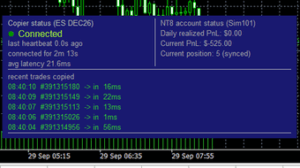
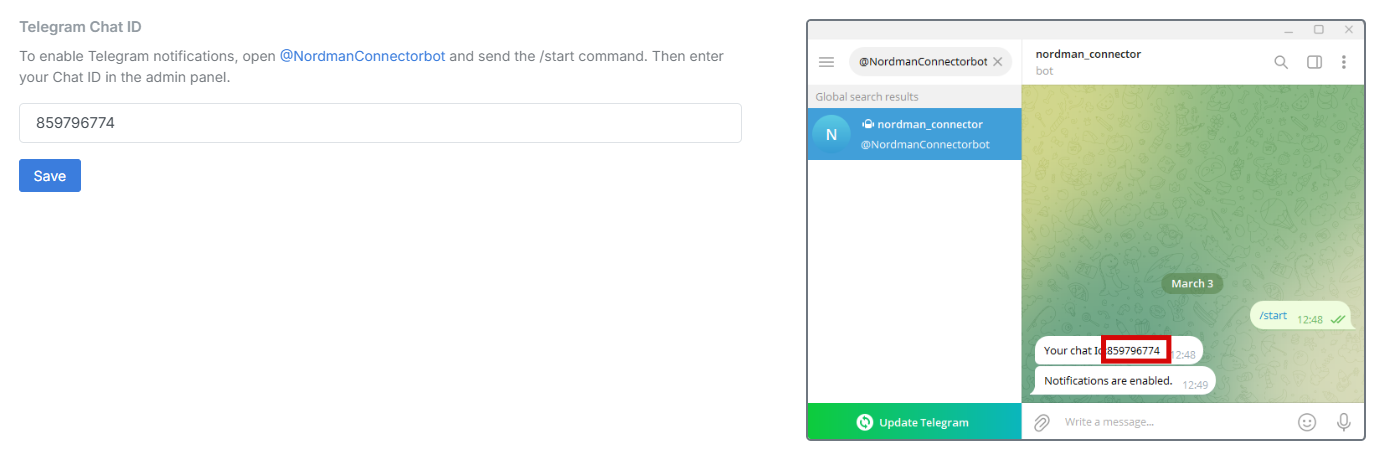
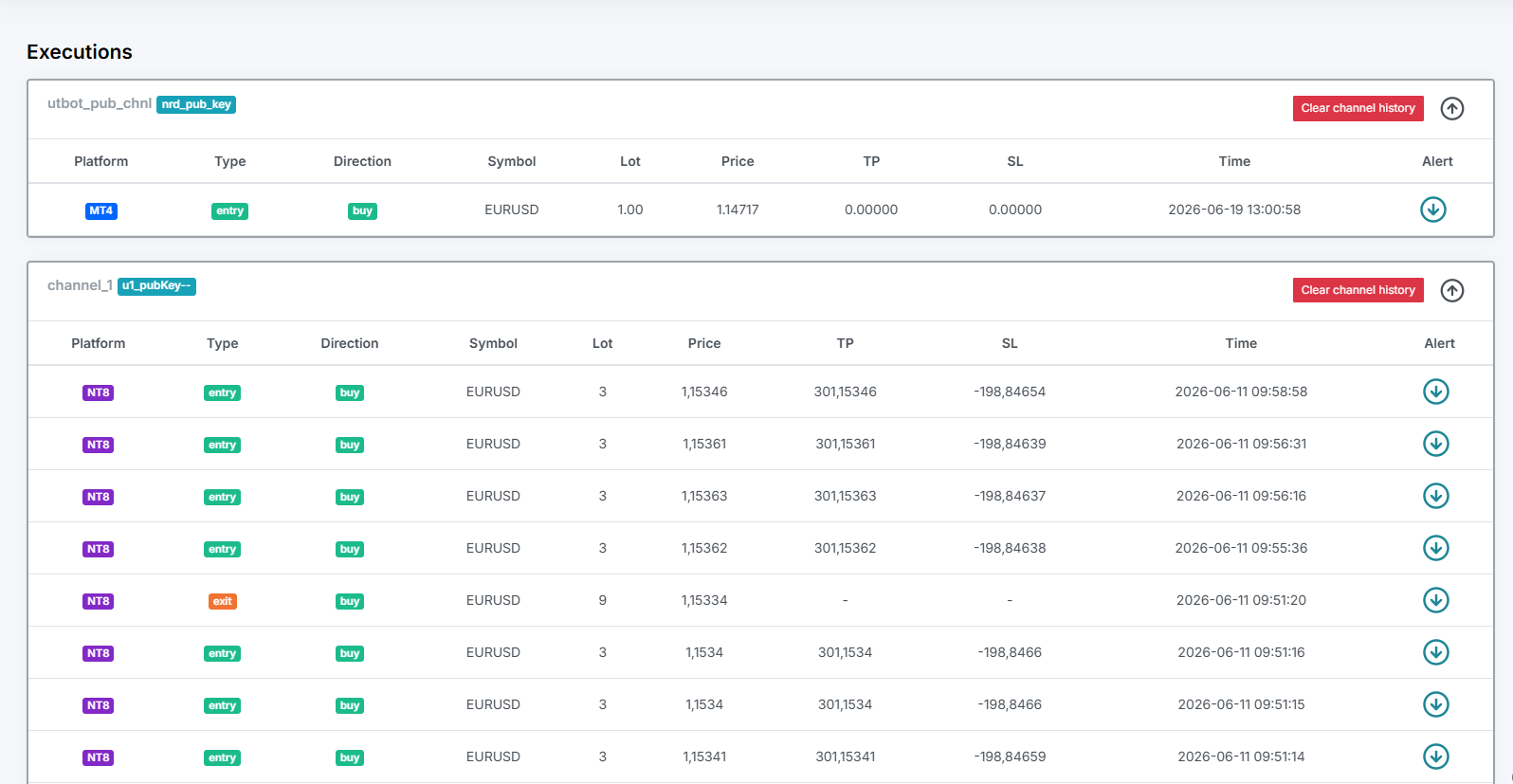
Nordman Connector is route 3, built the way the hidden-driver section asks for. Your alert lands on our Frankfurt server, and a Receiver attached to your chart places the order, on MT4, MT5 and NinjaTrader 8 alike. Its strong side is the NT8 support most connectors lack, on the same subscription as the MetaTrader receivers. The Receiver reads the symbol from the chart it sits on, so there is no mapping table, and the dashboard writes the alert message for you. Every alert is logged with its outcome, and a Receiver that drops off the server triggers a Telegram message to you within seconds. Our internal measurements put the whole path at about 0.5 seconds. It is €25 a month on one subscription, all copiers and indicators included, with a 5-day free trial in front.
Need something custom built, a receiver with your own filters or account logic? We develop automation to order → Forex EA programmer
Nordman Algorithms provides software infrastructure for trade automation and does not offer financial advice, trading signals, or managed trading services. This article is for informational and educational purposes only. Forum quotations are reproduced verbatim from public threads for illustration and do not constitute endorsement. Trading leveraged instruments such as Forex, CFDs and futures carries a high level of risk and may not be suitable for all investors. Only risk capital should be used. Full Risk Disclosure: https://www.nordman-algorithms.com/risk-disclosure/