In January a trader on Forex Factory explained why he was giving up on his own Renko strategy. The signals were rare, and “you need a VPS to receive signals on your smartphone, but even with that it’s a problem” (valdecchio, Forex Factory, Jan 2026). His conclusion was the one every automation guide pushes you toward. “I don’t want to be dependent on the charts anymore… the money must work automatically for me!”
Notice what he did there. He put “VPS” and “automatic” in the same breath, as if one came with the other. Most guides do the same thing. Rent a server, install the terminal, keep it on 24/7, pay $10 to $20 a month, and you are automated. Two months later a NinjaTrader forum member with two machines on two continents reported the opposite result. Both “lost connection and all my strategies turned off around 4 hours before close” (vipinb, NinjaTrader forum, Mar 2026). He had the servers. He did not have the automation.
So do you need a VPS to automate TradingView alerts? Sometimes, and less often than you’ve been told. In this article I’ll show you what a VPS actually does in the alert-to-order chain, which of the three automation architectures needs one and which don’t, and the failure a VPS never fixes. By the end you’ll be able to answer the question for your own setup in about a minute, with a table you can keep.
A VPS, a virtual private server, is a Windows or Linux computer you rent in a data centre. It runs around the clock. You connect to it over Remote Desktop, install whatever you’d install at home, and log off. The machine keeps going when your laptop sleeps, when your ISP drops, and when Windows decides to update at 3 AM. That is the whole product, and it is worth stating that plainly, because everything else people expect from a VPS is something else.
The reason traders started renting them is specific. An Expert Advisor in MetaTrader and a strategy in NinjaTrader 8 run inside the terminal, on the machine where the terminal is open. Close the terminal and the strategy stops. So if your automation lives inside the terminal, the terminal needs a home that never closes. A VPS is that home. In 2015, with a MetaTrader EA generating the signals, this was the only sensible design.
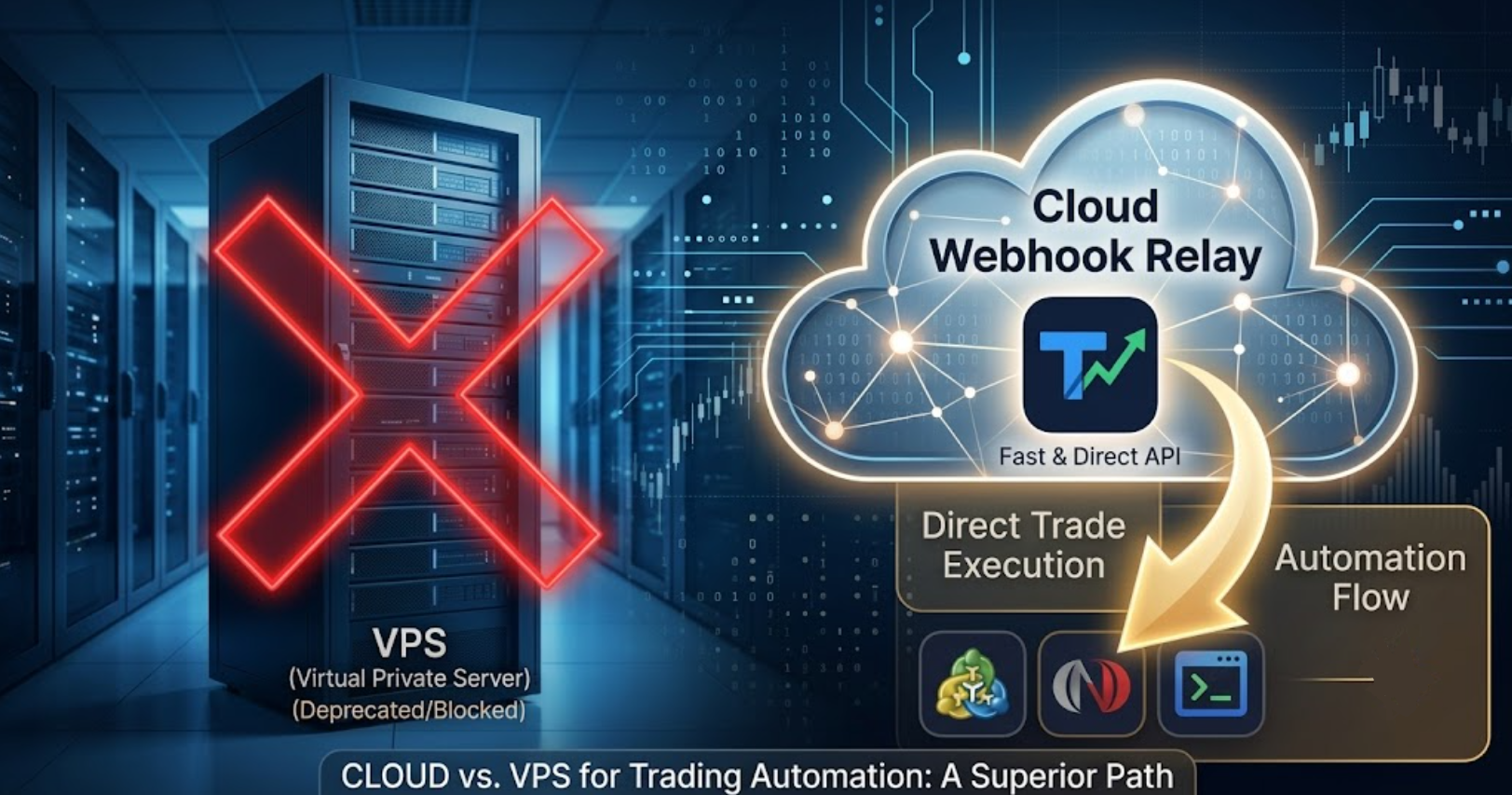
TradingView changes the shape of the problem. The signal is no longer born inside your terminal. It is born on TradingView’s servers and leaves as a webhook, an HTTP POST to a URL you provide. The question is no longer where your EA lives. It is who answers that POST and who turns it into an order. Depending on your answer, a VPS is mandatory, optional, or beside the point.
Every TradingView automation is a chain of three links: the alert, something that receives it, and something that places the order. There are three common ways to build that chain, and they don’t need the same infrastructure.
You write a small web server, usually Python, that listens for TradingView’s POST, parses the message and calls your broker’s API. That server needs a public address, needs to answer within TradingView’s timeout, and needs to be up whenever an alert can fire (TradingView Support, “About webhooks”). A laptop behind a home router can’t do that, so the server goes on a VPS. Budget $10 to $20 a month for the machine (MyForexVPS pricing, March 2026) and considerably more of your own time. This route is right if you enjoy running infrastructure. It is the only route where the VPS is the automation.
You install MT4, MT5 or NinjaTrader 8 and attach a receiver, an EA or NinjaScript that keeps a connection to a routing server and places orders when a message arrives. The routing server belongs to a provider. Your terminal still has to be online, because the receiver runs inside it, so the question becomes where the terminal lives. On your desk, it runs while your PC does. On a VPS, it runs all the time. The VPS is not doing the automation here. It is keeping the terminal awake. Whether that is worth $10 to $20 a month depends on your hours, which is the next section.
Some setups don’t need a terminal at all: the alert goes to a cloud service that holds your broker API keys and places the order itself. No receiver, no machine of yours involved. This exists for brokers with a public trading API. It does not exist for MT4, MT5 or NinjaTrader 8, because none of them accepts orders from the internet. If your account lives in one of those three, you are in Architecture 2 whether you like it or not, and the only VPS question left is where the terminal sits.
| Architecture | What runs where | VPS? | What you maintain |
|---|---|---|---|
| 1. Self-written bridge | Your web server receives the webhook and calls the broker API | Required. The server is the automation and must be public 24/7 | Server, code, restarts, broker API changes, symbol and lot mapping |
| 2. Terminal + receiver | Provider’s server receives the webhook; a receiver inside your MT4, MT5 or NT8 places the order | Optional. Needed only if you want the terminal up when your PC isn’t | The terminal being open and connected; the receiver attached to a chart |
| 3. Cloud end to end | A cloud service holds broker API keys and trades directly | None | Nothing local. Not available for MT4, MT5 or NinjaTrader 8 |
Read the middle row twice, because it is where most TradingView traders on MetaTrader or NinjaTrader actually are. The routing is done for you. The one thing a VPS still buys is a terminal that stays open when you close the lid. That is a real benefit. It is also a much smaller one than “you need a VPS to automate” implies.
Here is the part the VPS guides leave out, and the NinjaTrader forum spelled it out in March. The thread opened with a trader whose two machines “SILENTLY loses connection … So it looks like its still connected (green bubble) but no data” (ezrollin, NinjaTrader forum, Mar 2026). The machines were up. The terminals were open. The green light was on. And nothing was trading.
A VPS solves exactly one failure: the machine going dark. It does nothing about the terminal losing its broker feed, the receiver silently dropping its connection, or a strategy that stops after a reconnect. Those are the failures that actually cost trades in 2026, and they happen on a $20 server precisely as often as on your desk.
That is why the vipinb post above matters more than any uptime figure. Two servers, two continents, and every strategy on both switched off within the same hour. His VPS bill was paid. What he needed was something that watched the receiver, not the machine. On the manual and self-hosted routes, nobody watches unless you build it. On a hosted route it depends on the product: some log every alert and message you the moment a receiver disconnects, others drop the alert quietly and you learn about it from your statement. That question, not the VPS question, is the one to ask a provider. If an alert fired and no order appeared, the seven-step diagnosis is in TradingView Alert Fired But No Trade Executed.
| Your situation | VPS? | Why |
|---|---|---|
| You wrote your own webhook bridge | Yes | It needs a public address and 24/7 uptime. There is no other place to put it |
| Your strategy fires at hours you can’t cover: Asia session, overnight futures, weekends on crypto | Yes | The terminal has to be open when the alert lands. Your sleeping laptop won’t be |
| Your home internet or power is unreliable and you trade through the outages | Yes | Same reason. The VPS is a better-connected machine than yours |
| You trade a session you are awake for, from a desktop that stays on | No | The terminal is already open. A VPS would duplicate what your PC does |
| You place alerts a few times a week and can act within minutes | No | Automation itself is optional at that frequency, never mind the server |
| Your terminal is up but trades are missing | Not the fix | That is a receiver or feed problem. Look at the disconnect log first |
If you land on “yes”, size it honestly. A terminal with one receiver and a couple of charts is light. The cheapest plan that runs Windows reliably is enough, and putting it in the same region as your broker’s servers matters more than the CPU count. If you land on “no”, keep the money and spend the attention on the thing in the previous section: knowing, within seconds, when the receiver goes quiet.
This decision matters if your alerts come from TradingView and your orders land in MT4, MT5 or NinjaTrader 8, and you are about to pay for a server because a guide said so. It matters if you already pay for one and still miss trades, because the fix is probably not a bigger server. And it matters if you run more than one terminal, where “keep them all awake” and “know when one goes quiet” are two different bills.
It doesn’t apply if your automation lives entirely inside a MetaTrader EA that generates its own signals. That EA needs a terminal open around the clock, and a VPS is still the plain answer. It doesn’t apply if you trade through a broker’s own API from your own code, where you never had a terminal to keep awake. And it won’t help if what you want is a strategy that trades better. Servers and receivers execute; they don’t improve.
If that’s you, you have your answer already and it isn’t a subscription. Keep the €25 a month and the tab.
Nordman Connector is Architecture 2 with the hidden-driver question answered. The webhook lands on our Frankfurt server, so you never host the public address, and a Receiver inside your MT4, MT5 or NinjaTrader 8 places the order. Where that terminal runs is your call: a desktop for a session you’re awake for, a VPS for the ones you aren’t. What we add is the watching. Every alert is logged against what happened to it, and when a Receiver drops off the server, a Telegram message reaches you within seconds instead of on Monday. End to end, our internal measurements put the path at about 0.5 seconds. One PayPal subscription at €25 a month covers all copiers and indicators, with a 5-day free trial first. How the connector compares with the other two routes is in Can You Connect TradingView to MT4, MT5, and NinjaTrader 8?
Need a receiver or a watchdog with your own rules? We build automation to order → NinjaTrader developers
Nordman Algorithms provides software infrastructure for trade automation and does not offer financial advice, trading signals, or managed trading services. This article is for informational and educational purposes only. Forum quotations are reproduced verbatim from public threads for illustration and do not constitute endorsement. Trading leveraged instruments such as Forex, CFDs and futures carries a high level of risk and may not be suitable for all investors. Only risk capital should be used. Full Risk Disclosure: https://www.nordman-algorithms.com/risk-disclosure/