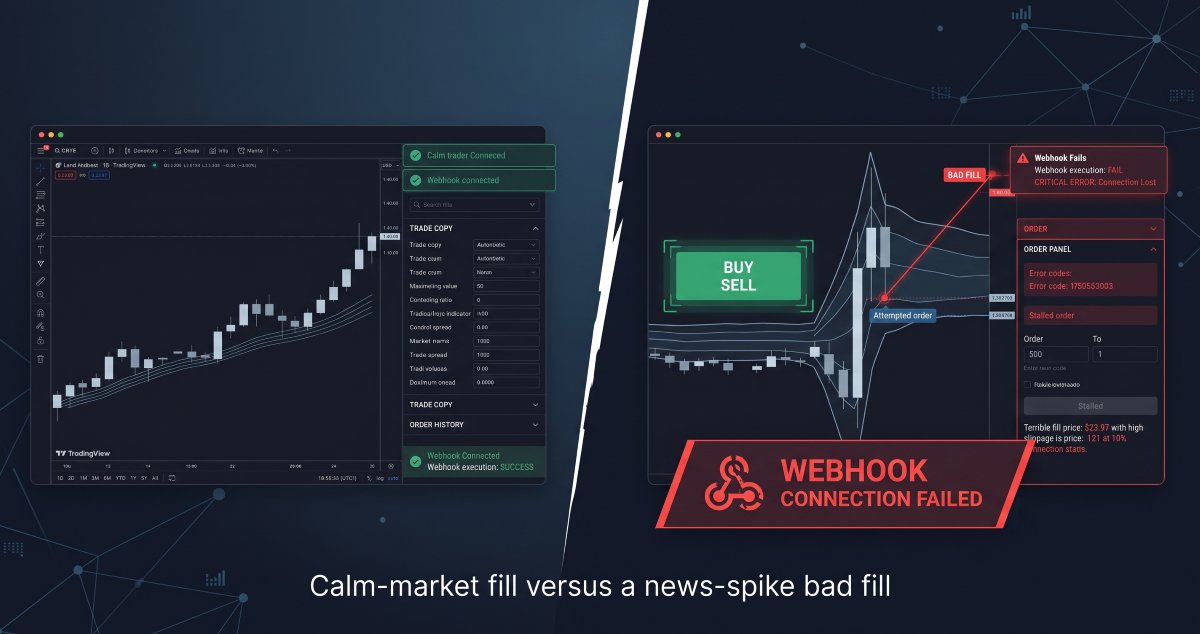
You built the setup and tested it on a quiet afternoon. Every alert fired, every order landed, every fill matched the chart. Then the first NFP print hit and it fell apart. Silence on two alerts, and a fill six ticks from the alert price on the third. Same webhook, same script, opposite result.
A NinjaTrader forum member described the quiet version of this failure in March. “Everything looks normal, and prices may even be updated, but after the reconnect no trades are taken, meaning I’m missing entries and exits” (Steve_NinjaMastery, NinjaTrader forum, Mar 2026). Nothing in his setup was broken in the sense of a bug. It met a market state it had never seen in testing, and it had no plan for it.
That is what a news release does to a webhook chain. In this article I’ll walk you through the five places a TradingView webhook that passes every calm-market test breaks during a release, what you see in each case, and the specific fix for each. Then I’ll show you how to run one release as the test, so the next one doesn’t surprise you.
TradingView documents a hard limit. If the server receiving the webhook doesn’t respond within three seconds, the request times out and is dropped. The causes it lists are an overloaded server and network problems. DNS resolution time counts against the same window, before your endpoint even sees the request (TradingView Support, “What do errors mean when sending webhooks”).
In a calm market your endpoint answers in milliseconds, so you never come near the ceiling. During a release, alerts fire in bursts. If you host your own receiver on a small VPS, that box is now parsing payloads, calling a broker API and handling errors inside the same three seconds. Cross the line and TradingView doesn’t wait. The signal is gone, and what you see is silence.
What you see: the alert shows as fired in TradingView’s log, nothing arrives at the terminal, and there is no error anywhere. Fix: make the endpoint’s only job fast. Accept the POST, return 200 immediately, and do the broker work after you’ve already answered. If you’re on a shared or underpowered server, that is the first thing to size up. If you’re on a hosted connector, this leg isn’t yours, and the question to ask the provider is how their receiver answers, not how fast it trades.
This one is broker-side and it hits everyone, automated or manual. In testing the spread is tight, so a market order fills close to the chart price. During NFP or CPI the spread can open to many times its resting width for a few seconds. A market order sent into that window gets the worst available price. That is your bad fill, and the webhook did its job perfectly.
What you see: the order is in the terminal, the fill is far from the alert price, and the trade is already underwater before the market has moved. Fix: a maximum-spread check before execution. Set a ceiling. If the live spread is above it when the signal arrives, skip the trade instead of taking the fill. This is the single guardrail that turns a bad fill into a decision, and it is worth more than any latency figure during news.
Even if the webhook lands and the spread is acceptable, the broker still has to fill you. During a release liquidity thins while order flow spikes, so your market order can be requoted or slipped. This is broker and liquidity behaviour. Your alert layer doesn’t control it and no copier removes it for you.
What you see: a requote message, or a fill a few ticks worse than the price at the moment the order left. Fix: there is no signal-side switch for this. Use limit-style handling where your workflow supports it, and don’t fire market orders into the first seconds of a release. Size your positions for the execution you’ll get during news, not the clean fills you got in testing.
Real-time systems, TradingView’s dispatch and most receivers included, process your signals as they arrive and don’t replay the ones you missed. If a webhook times out, or your terminal loses its connection for two seconds during the release, that signal isn’t queued for later. And the loss is often silent. A NinjaTrader add-on vendor described it in the same thread. “Flowing data will suddenly seize and go stagnant, with no indication in the Control Panel logs that anything is wrong” (CrossTrade, NinjaTrader forum, Apr 2026).
What you see: often nothing at the time. You find the gap later, when a position that should have been closed is still open, or an entry that should exist doesn’t. Fix: you can’t recover a dropped signal after the fact, so the work is upstream. A stable connection, a receiver on a machine that stays up through the release, and a disconnect alert that reaches you within seconds instead of at the end of the day. The seven-step diagnosis for a fired alert with no trade is in TradingView Alert Fired But No Trade Executed.
This is the part almost nobody frames directly. A calm-market test can’t fail the way news fails, because the failure conditions don’t exist in a calm market. The three-second window is never stressed. The spread never opens. The book is never thin. Your test wasn’t wrong. It just never met the market state that breaks the chain.
What you see: a setup that “worked for weeks” and then didn’t. Fix: the only honest test of a news-time setup is a news-time setup. Run it live, small, through one release, and watch where it actually breaks. Everything above is a candidate. The release tells you which ones are yours.
| Failure mode | Root cause | Fixable? | Impact |
|---|---|---|---|
| Alert fires, no trade, no error | 3-second timeout on a self-hosted receiver | Yes: answer first, trade after; size the server | Critical |
| Bad fill, far from the alert price | Spread opens on the release | Yes: maximum-spread check, skip when wide | Critical |
| Requote or slippage on a market order | Thin liquidity during the release | Partly: limit handling, timing, sizing | High |
| Signal lost during a terminal blip | No replay; real-time only | Partly: stable host, disconnect alert within seconds | High |
| Setup “works” in testing, fails live | Calm-market test never stresses the chain | Yes: test live through one release | Moderate |
Here is how that one-release test looks in practice, using the smallest size your broker allows.
One release costs you a few dollars of size. It answers the question a month of calm-market testing can’t, and it gives you timestamps to argue with, instead of your feeling that “it broke”.
Split the causes into two piles. In the first pile are the things you can harden: an endpoint that answers before it trades, a machine that stays up, a disconnect alert, a spread ceiling set before you go live. In the second are the things no software removes: broker requotes, thin-liquidity slippage, a broker hosted a continent away from your receiver. Be honest about the second pile and size around it. Spend your effort on the first.
The spread check is the highest-value item in the first pile, because it converts a bad fill into a skipped trade. The three-second timeout is second, and it is the one where architecture decides the outcome. A receiver that runs inside your terminal and answers the routing server immediately doesn’t have a three-second problem. One that does broker work synchronously on a small server does. If you’d rather not build that yourself, the Nordman Receiver ships with a maximum-spread filter, trading-hours windows and a Telegram alert on disconnect, for MT4, MT5 and NinjaTrader 8. Whether a VPS belongs in your first pile at all is covered in Do You Need a VPS to Automate TradingView Alerts.
Need something custom built? We develop automation to order → MT4 programmers for hire
Nordman Algorithms provides software infrastructure for trade automation and does not offer financial advice, trading signals, or managed trading services. This article is for informational and educational purposes only. Forum quotations are reproduced verbatim from public threads for illustration and do not constitute endorsement. Trading leveraged instruments such as Forex, CFDs and futures carries a high level of risk and may not be suitable for all investors. Only risk capital should be used. Full Risk Disclosure: https://www.nordman-algorithms.com/risk-disclosure/