Request A Free Quote
Forex · MT4 · MT5 · cTrader

Automated Forex Trading — Forex EA & Trading Bot Development

Hire a forex programmer to build, fix or convert Expert Advisors, indicators and trading bots for MetaTrader 4, MetaTrader 5 and cTrader — including prop firm EAs, trade copiers and TradingView alerts.

3,000+ Projects Delivered Company-Wide
Clear Scope, Price & Timeline
Source Code & IP Ownership
Post-Delivery Support
Get Free Technical Assessment
Guaranteed response within one business day


    Service overview

    Forex Automation Built for How Brokers and Sessions Really Work

    Expert Advisors, indicators and tools for currency pairs — and for the CFDs your broker lists beside them.

    Nordman Algorithms builds automated forex trading systems for traders, prop traders, small funds and trading teams. Our forex programmers turn trading rules, a written specification or just a plain description into Expert Advisors, forex trading bots, indicators and tools for MetaTrader 4, MetaTrader 5 and cTrader, and connect them to broker APIs and signal sources.

    Forex trading automation depends on details that differ between brokers and accounts: symbol names, price digits, lot steps, hedging or netting, server time, spreads and swaps. Our EAs read these from the account instead of assuming them, and are tested on a demo account with your broker where one is available.

    Illustrative session schedule · GMTEA session filter
    EA active
    Sydney
    Tokyo
    London
    New York
    0006121824
    EA · EURUSD, GBPUSD, XAUUSD
    London–New York overlap onlySpread ≤ 1.5 pipsNews filter on
    Forex development services

    Forex EA & Trading Bot Development Services

    Expert Advisors, indicators, trading tools and integrations for currency pairs — built from your rules.

    Forex EA Development

    Expert Advisors for MetaTrader 4 and 5 and cBots for cTrader built from your rules — price action, indicators or session breakouts — with position sizing, stops and trade management, for currency pairs as well as gold and index CFDs.

    Forex Broker & Market Data Integration

    Trading systems connected to forex brokers and data sources: the OANDA REST API, cTrader Open API, FIX where the broker offers it, MetaTrader 5 through its Python package, and external market data or economic calendars fed into your EA.

    Forex Indicator Development

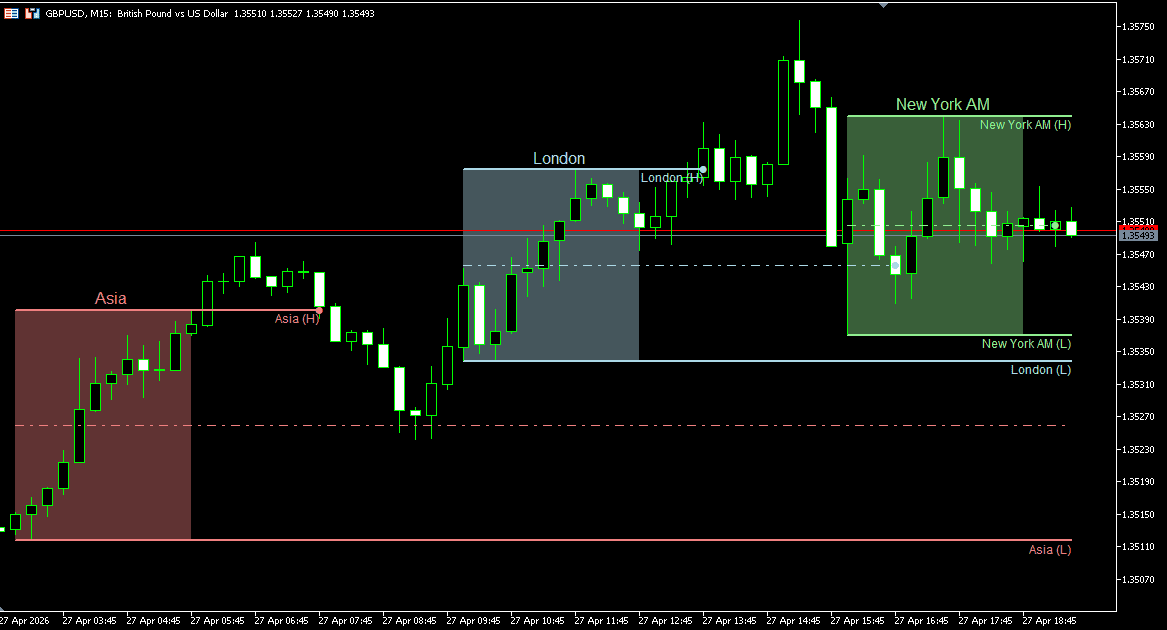
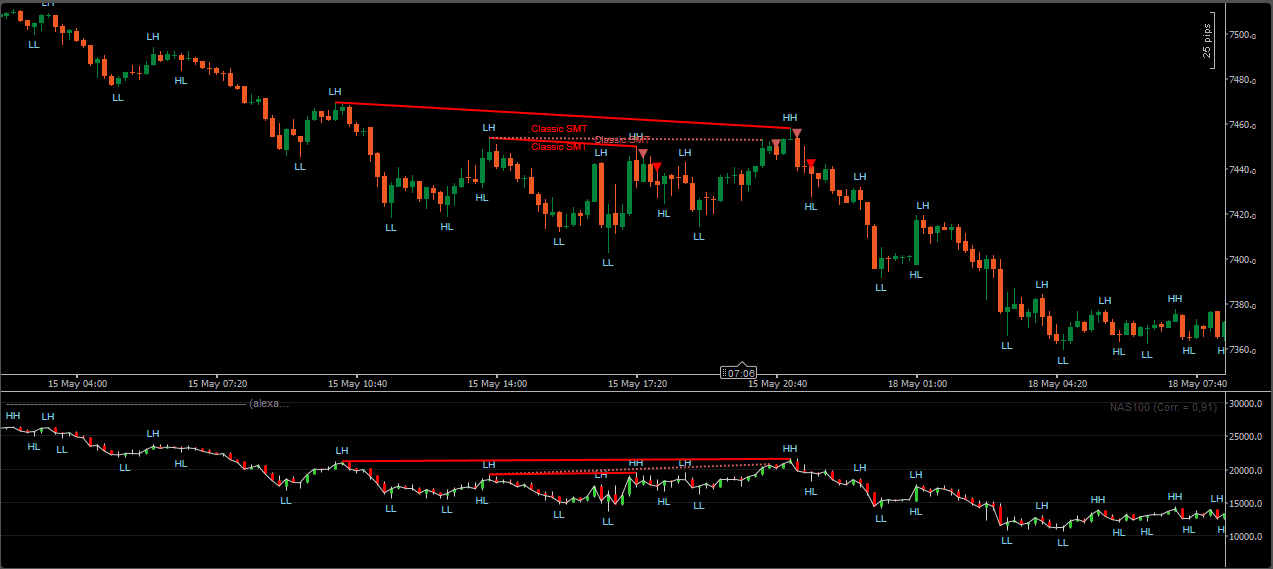
    Custom indicators for MT4, MT5 and cTrader: signals, market structure, key levels and alerts — with bar-close, non-repainting signals where the project calls for them.

    Forex Scanner & Dashboard Development

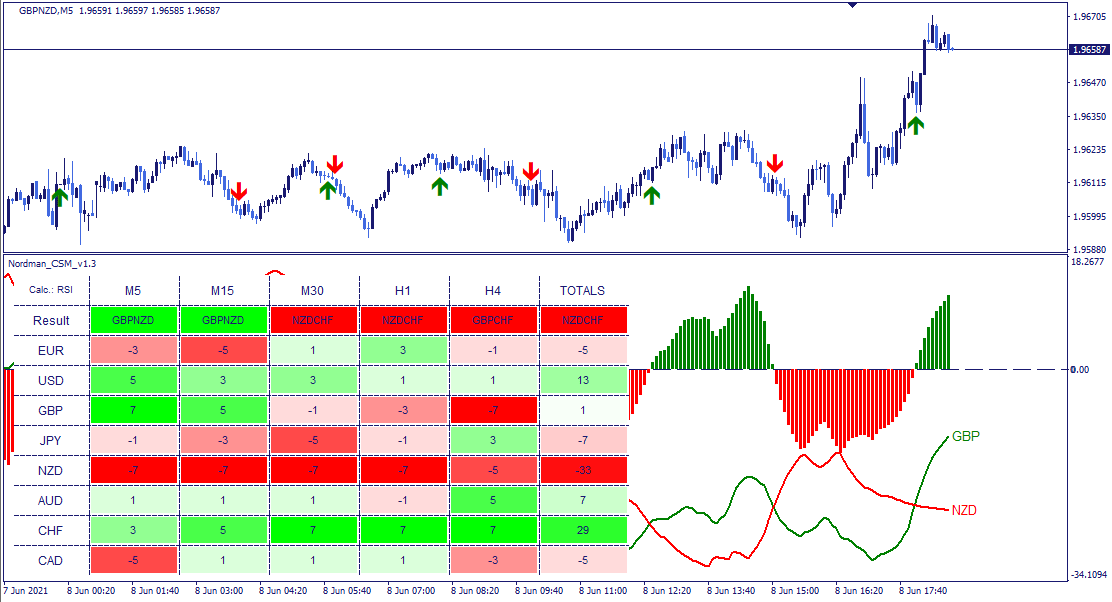
    Scanners and dashboards that watch many pairs and timeframes at once — currency strength, signal tables and alerts in one view.

    Forex Trade Panel Development

    On-chart trade panels for faster, safer manual trading: one-click orders, risk-based lot sizes, stop and target placement, partial closes and break-even.

    Prop Firm Forex EAs

    EAs with daily loss and maximum drawdown limits calculated the way your firm does — including the daily reset time — plus spread, slippage and news filters.

    Forex Trade Copiers

    Trades copied between MT4, MT5 and cTrader accounts, locally or through a server, with sizing per account, reverse copying and licence control.

    Forex Signal Copiers

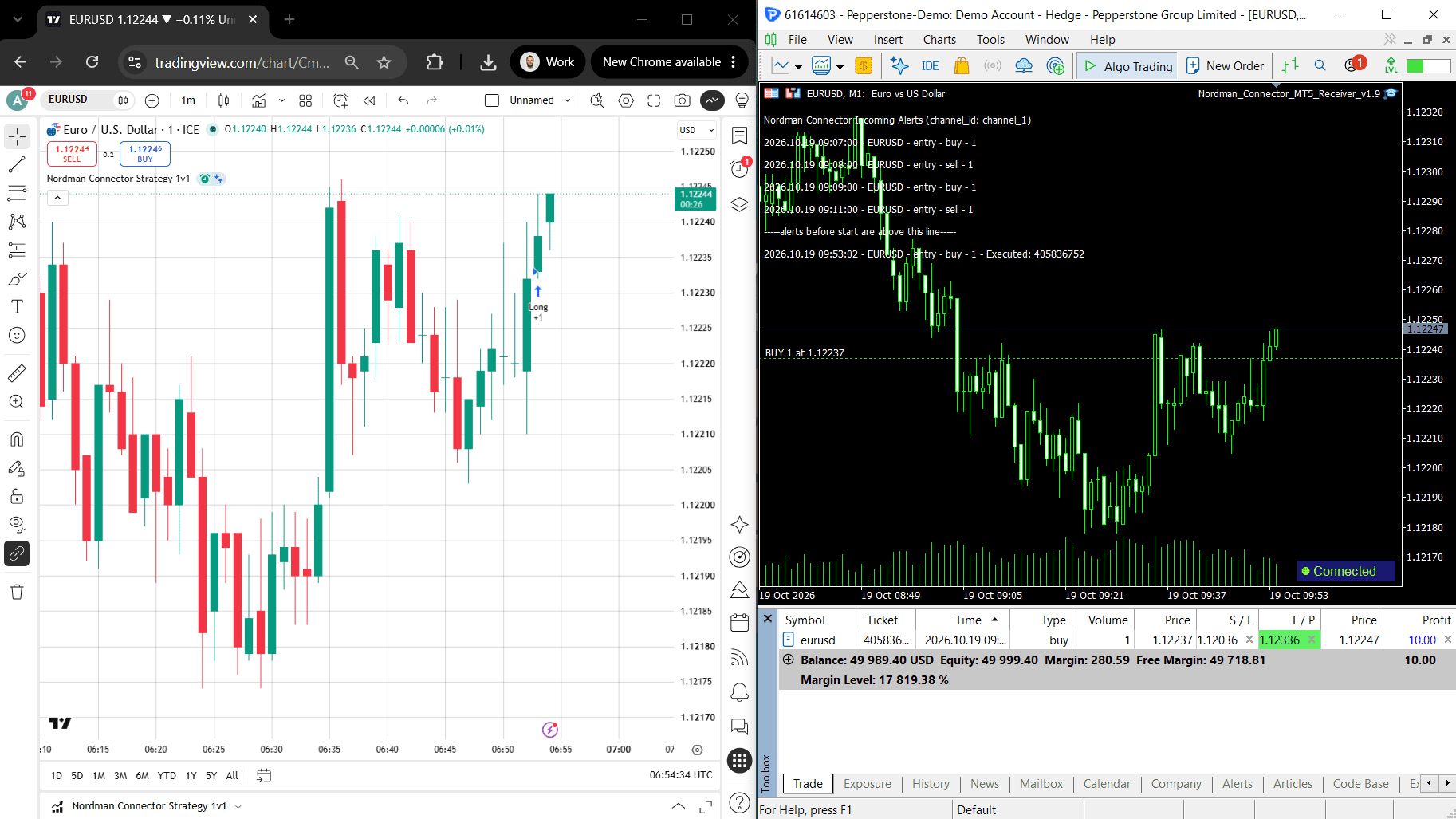
    Signals from TradingView alerts, Telegram channels or Discord servers read and executed in MT4, MT5 or cTrader, with symbol mapping, lot sizing and several take-profits.

    Cross-Platform EA & Indicator Conversion

    EAs, indicators and strategies moved between MT4, MT5, cTrader, TradingView, NinjaTrader and Python, with behaviour compared to the original.

    Forex EA Modification & Fixing

    Changes and fixes to EAs you already use — new rules or risk settings, orders that do not open, wrong lot sizes.

    Have a forex task that is not on this list?

    Describe what you need — a new tool, an integration or a change to something you already run. We will review it and tell you what it would take.

    Discuss Your Project
    Forex capabilities

    Forex Trading Automation Capabilities

    Every project is built around its own rules. These are the capabilities forex EAs, panels, copiers and tools commonly combine.

    Execution

    Order & Trade Management

    • Market and pending orders
    • Stop loss, take profit and trailing stops
    • Break-even and partial closes
    • Several take-profit levels
    • Close-all and basket exits
    Risk

    Risk & Money Management

    • Lot size from risk per pair
    • Fixed, balance or equity sizing
    • Daily loss and drawdown limits
    • Maximum trades and currency exposure
    • Equity stop
    Filters

    Session & Market Filters

    • Session and time windows
    • Spread and slippage limits
    • News filter
    • Volatility filters
    • Friday close and weekend protection
    • Broker time zone and daylight-saving adjustments
    Broker

    Broker & Account Handling

    • Symbol suffixes and prefixes
    • 4-, 5-digit and JPY pricing
    • Lot steps, minimum lots and stop levels
    • Hedging or netting accounts
    • Market or instant execution
    Portfolio

    Multi-Pair Logic

    • Several pairs in one EA
    • Multi-timeframe conditions
    • Currency strength and correlation
    • Basket trading
    • Exposure per currency
    Monitoring

    Alerts & Reporting

    • Push, email and Telegram alerts
    • On-chart status panel
    • Trade statistics and journal
    • CSV and report export
    • Licence and account locking
    Beyond currency pairs

    Gold, Indices & Other CFDs

    Forex brokers on MetaTrader and cTrader usually list CFDs beside currency pairs — gold and silver, stock indices, oil and other commodities. EAs for them follow the same logic, with a few differences that matter.

    Contract Size & Tick Value

    Gold, indices and oil each have their own contract size and tick value, which also differ between brokers. Lot sizing reads each symbol’s specification instead of reusing forex values.

    Trading Hours & Breaks

    Index and commodity CFDs trade shorter hours than currency pairs, often with daily breaks. Session filters follow each symbol’s own schedule.

    Swaps & Adjustments

    Overnight swaps apply to CFDs as well, and index CFDs can carry dividend adjustments. Holding logic takes these costs into account where the strategy keeps positions overnight.

    Index CFDs at a forex broker are not the same as index futures on an exchange. For ES, NQ and other futures contracts, see Futures Automation.

    Where forex runs

    Forex Platforms

    MetaTrader 4, MetaTrader 5 and cTrader are built around forex. NinjaTrader and Quantower reach it through a connected broker, Interactive Brokers through its API, and TradingView and thinkorswim cover analysis and alerts.

    cTraderCore platformAn FX and CFD environment; cBots and indicators are written in C# or Python.cTrader development →
    TradingViewAnalysis & alertsForex analysis in Pine Script; live execution depends on where the alert is sent.TradingView development →
    QuantowerThrough a brokerForex and CFDs through a connected broker, with its symbols, sizing and trading rules.Quantower development →
    thinkorswimStudies & scansCurrency pairs on a separately approved forex account; studies and scans, manual execution.thinkorswim development →
    Technology & connectivity

    Forex Development Technologies & Integrations

    Beyond the platform languages, these technologies build standalone forex tools, connect broker accounts, process market data and execute signals.

    MT5, broker APIs & research

    Python

    Research and backtests on forex data, bots on broker APIs, MetaTrader 5 through its official package, and cBots or indicators written in Python inside cTrader.

    MT5 packageBroker APIsResearch
    Explore Python →
    cTrader & standalone tools

    C# / .NET

    cBots and indicators for cTrader, code for NinjaTrader and Quantower, and standalone tools such as copiers and account monitors beside MetaTrader.

    cTrader cBotsCopiersDesktop tools
    Explore C# →
    Orders & account data

    REST API

    Orders, positions and account history through forex broker APIs such as OANDA.

    OrdersPositionsHistory
    Explore REST API →
    Live quotes & updates

    WebSocket

    Streaming prices and account updates, including through the cTrader Open API, with reconnection when a stream drops.

    QuotesAccount updatescTrader Open API
    Explore WebSocket →
    Session-based order routing

    FIX

    Order routing and execution reports through the FIX API of cTrader brokers or Interactive Brokers, where it is enabled for the account.

    OrdersExecution reportsSessions
    Explore FIX →
    Alerts to orders

    Webhooks

    TradingView alerts received on your server and passed to MT4, MT5 or cTrader once they pass your sizing and risk rules.

    TradingViewSignalsExecution
    Explore Webhooks →
    Development process

    How a Forex Development Project Works

    We agree the rules, your platform, broker and account type, the symbols and the acceptance checks with you before any code is written.

    Project workflow
    STEP 01
    Rules or Existing Tool
    Rules · existing code · examples
    STEP 02
    Scope & Broker
    Platform · broker · account type
    STEP 03
    Fixed Quote
    Scope · price · delivery schedule
    STEP 04
    Development
    MQL4 · MQL5 · C# · Python
    STEP 05
    Testing
    Strategy Tester · demo account
    STEP 06
    Delivery & Support
    Source · ready-to-use files · guidance
    To Get Started

    Send your trading rules or the tool that needs work, the platform, broker and account type you use, and the symbols it should trade.

    Rules or Existing ToolPlatform & BrokerAccount Type & Symbols
    At Delivery

    Receive the project source code, the ready-to-use files for your platform, set files where they are used, and a guide to every input. We walk through the specified behaviour and provide technical support under the agreed terms.

    Source CodeReady-to-Use FilesSet Files if usedInput Guide
    Why Nordman Algorithms

    Why Work With Nordman Algorithms

    Work with forex software developers who build MetaTrader and cTrader tools every day.

    Forex Indicators of Our Own

    We build and sell our own MetaTrader indicators for forex traders, so currency-pair logic and broker quirks are familiar ground.

    Straight About Results

    We build and test the strategy you bring. We do not sell “profitable” EAs or promise returns.

    Clear Scope and Pricing

    Requirements, deliverables, fixed price and acceptance examples are agreed before development begins.

    NDA and IP Ownership

    An NDA is available on request. Source code and full IP ownership are transferred on delivery.

    Support After Delivery

    Installation help, input explanations and technical answers within the agreed support scope.

    FAQ

    Forex Trading Automation Questions

    Practical answers about forex EAs, brokers and prop firm rules.

    Yes. Send the rules, a written specification or just a plain description — entries, exits, filters and risk. We agree the details, build it for MT4, MT5 or cTrader and test it before delivery.

    Both work for forex. MT5 adds netting accounts, multi-currency testing and more order types, and many brokers now favour it; MT4 is still common. If your broker offers both, we suggest one based on your strategy — and can convert an existing EA between them.

    It is written to read symbol names, price digits, lot steps and stop levels from the account instead of assuming them, and to handle hedging or netting accounts. We test it on a demo account with your broker where one is available.

    Yes. Daily loss and maximum drawdown limits can be calculated the way your firm does — including when the daily limit resets and whether drawdown is measured on balance or equity. Numeric limits and schedules are set as inputs; if a firm changes how it calculates a rule, the logic may need a code update.

    Yes. EAs for XAUUSD and index or commodity CFDs follow the same logic as forex EAs, with position sizing based on each symbol’s contract size and tick value, and filters for its trading hours.

    Yes, if you have the source code — .mq4, .mq5 or the cTrader project. We find why it misbehaves — orders that do not open, wrong lot sizes, results that differ from the Strategy Tester — and change or fix it. A compiled .ex4 or .ex5 file cannot be edited; the EA can only be rebuilt from its rules or observed behaviour.

    No. We check that the software does exactly what the agreed rules say. We do not guarantee that a strategy is profitable or predict future results.

    Yes. You receive the full source code with every project, together with all rights to it.

    Tell Us About Your Forex Project

    Send your strategy, tool requirements or existing code, and tell us your platform, broker and account type. We will review it and propose the scope and next steps.

    Free technical assessment
    Clear scope before development
    Post-delivery support