Delta Type
Selects the volume classification method.
- Up Down Tick — standard tick direction, no Tick Replay required
- Bid Ask — requires Tick Replay and bid/ask tick data from your data provider
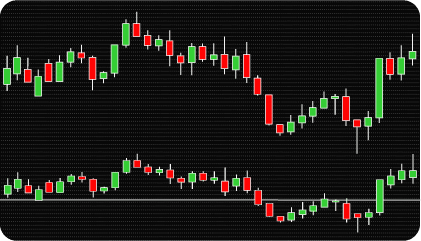
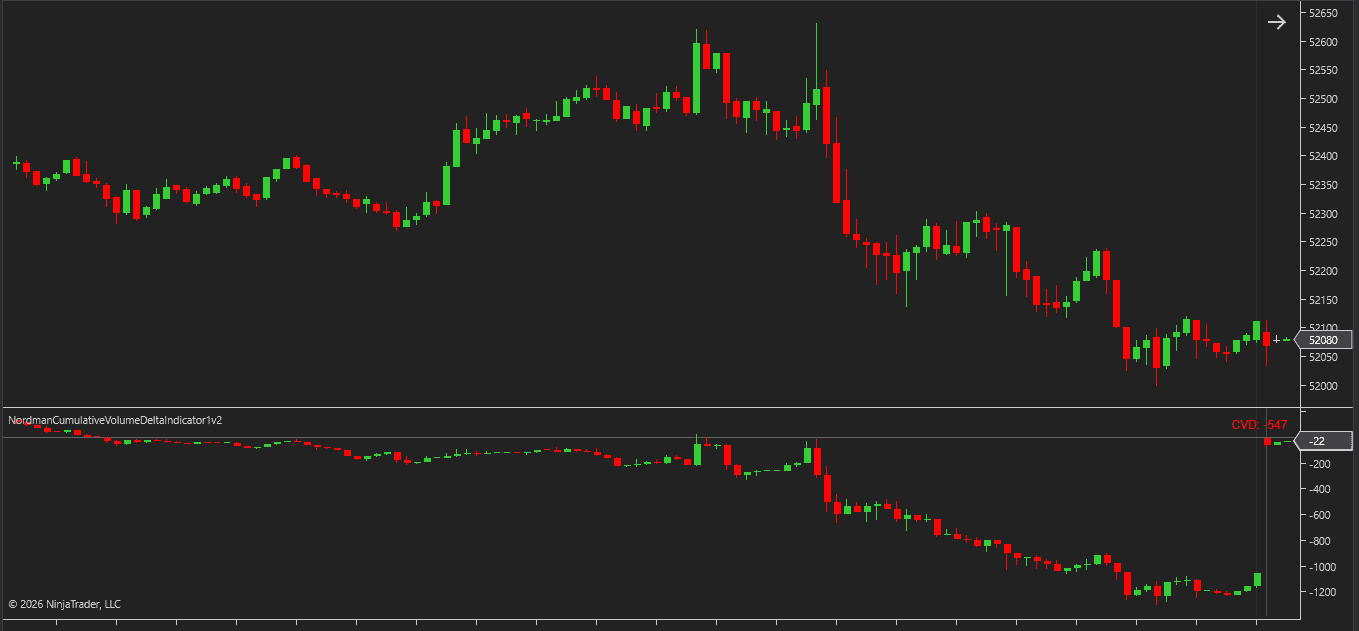
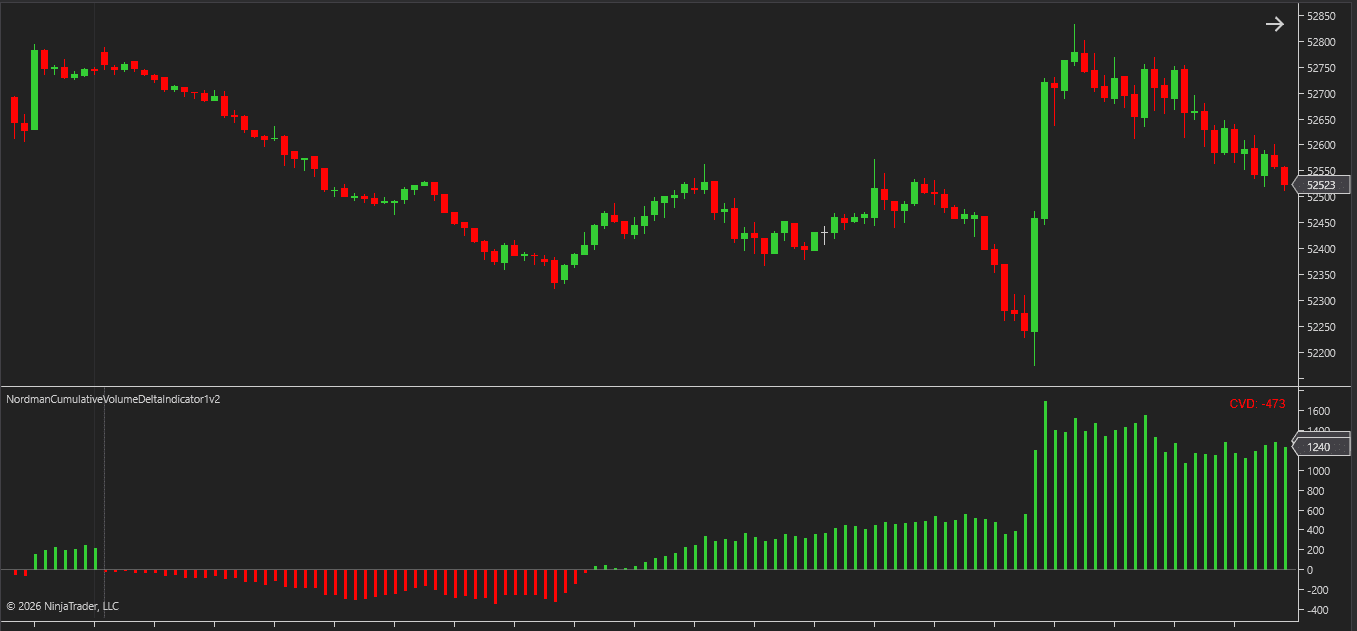
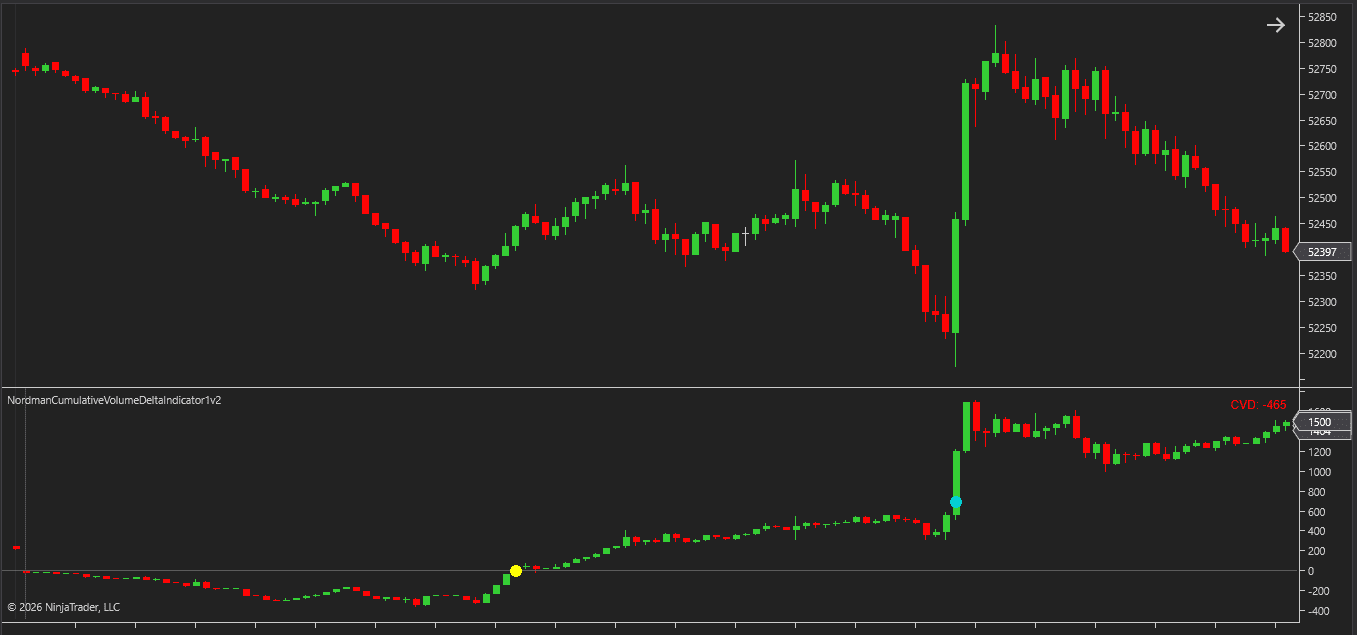
Cumulative Volume Delta (CVD) is a volume analysis tool that tracks the difference between buying and selling volume over time. Rather than showing total volume at a price level or within a bar, it focuses on the directional component — how much volume was driven by buyers versus sellers, and how that balance shifts.
Delta is calculated bar by bar: buying volume minus selling volume produces a value for each bar. How that value is then used depends on the calculation mode.
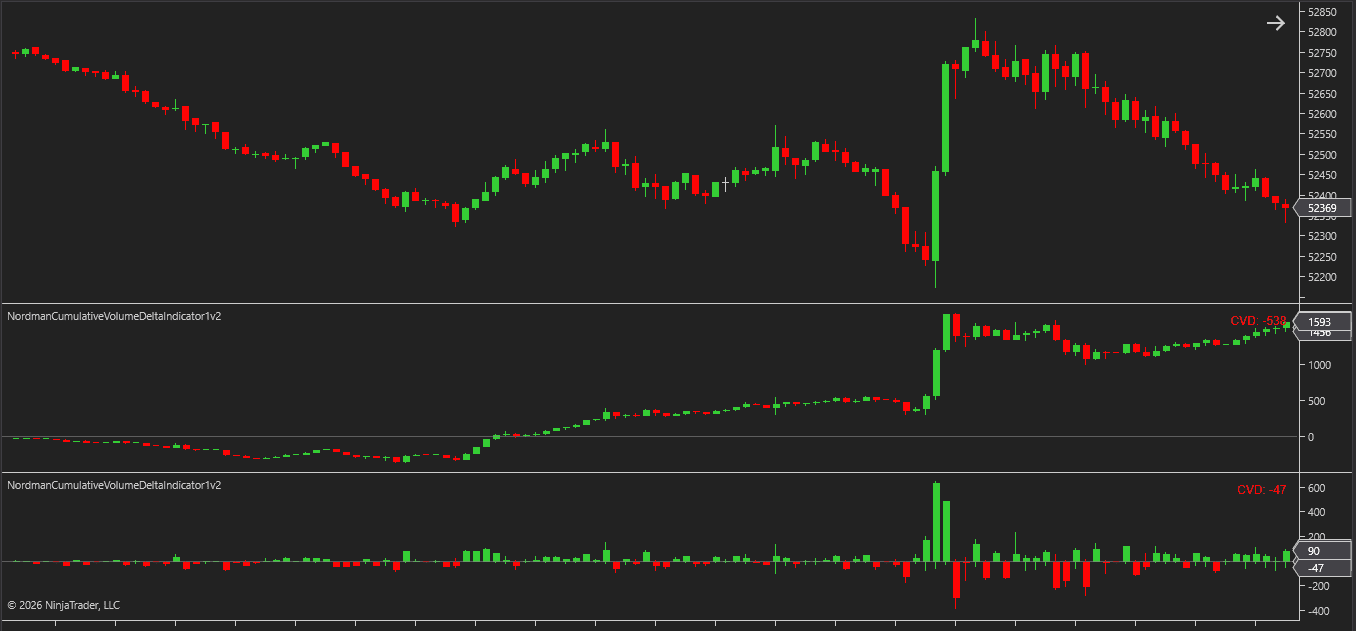
In Cumulative Delta mode, each bar’s delta is added to the running total from the previous bar. The result is a continuously accumulating line, histogram, or candle series that shows how the directional balance has shifted across the entire selected period. Positive cumulative delta indicates that buying volume has exceeded selling volume over the period.
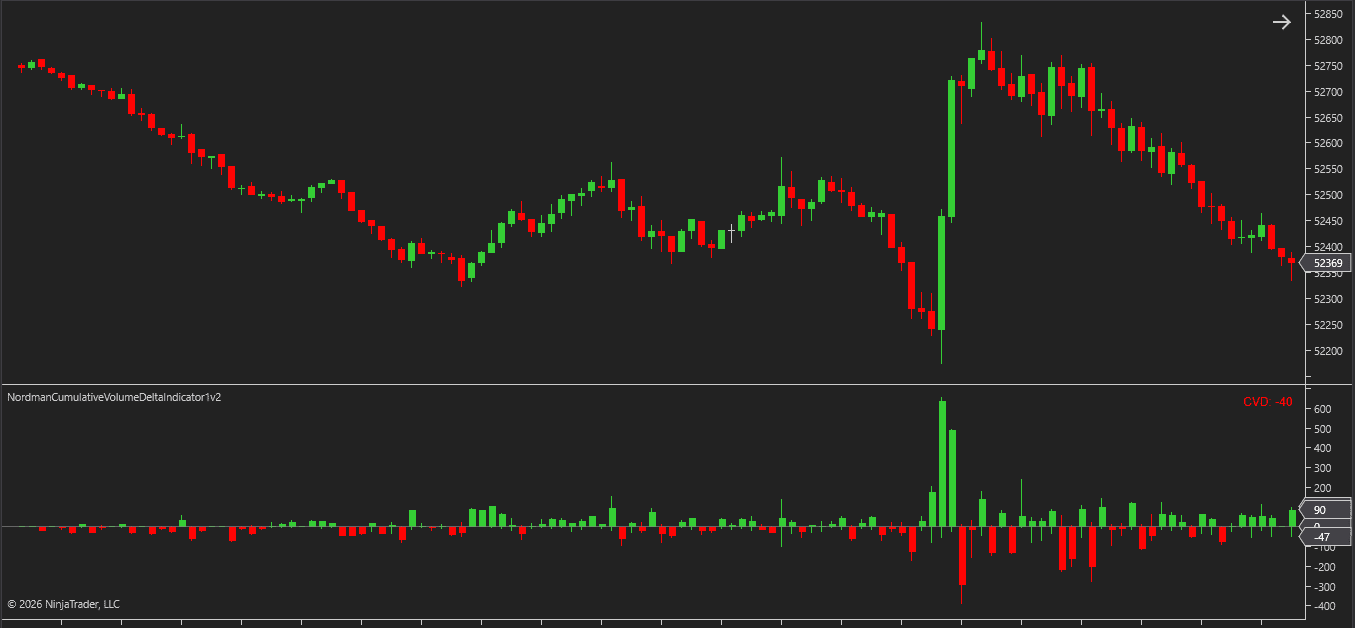
In Delta Per Bar mode, each bar’s delta is shown independently without accumulation. This provides a bar-by-bar view of directional pressure without the context of what came before.
The indicator supports two calculation modes that serve different analytical purposes.
Cumulative Delta accumulates the difference between buying and selling volume bar by bar within the selected period. The result builds continuously — each bar adds to or subtracts from the running total — producing a picture of how the buying and selling imbalance has developed across the entire accumulation window.
Delta Per Bar shows the buying and selling imbalance for each bar independently, without accumulation. Where Cumulative Delta reveals the overall directional build-up within a period, Delta Per Bar isolates where individual bars contributed the most directional pressure within that move.
Running two instances of the NinjaTrader Cumulative Volume Delta Indicator on the same chart — one in Cumulative Delta mode and one in Delta Per Bar mode — combines both perspectives without switching between layouts.
The period over which delta accumulates is fully configurable. Six options are available.
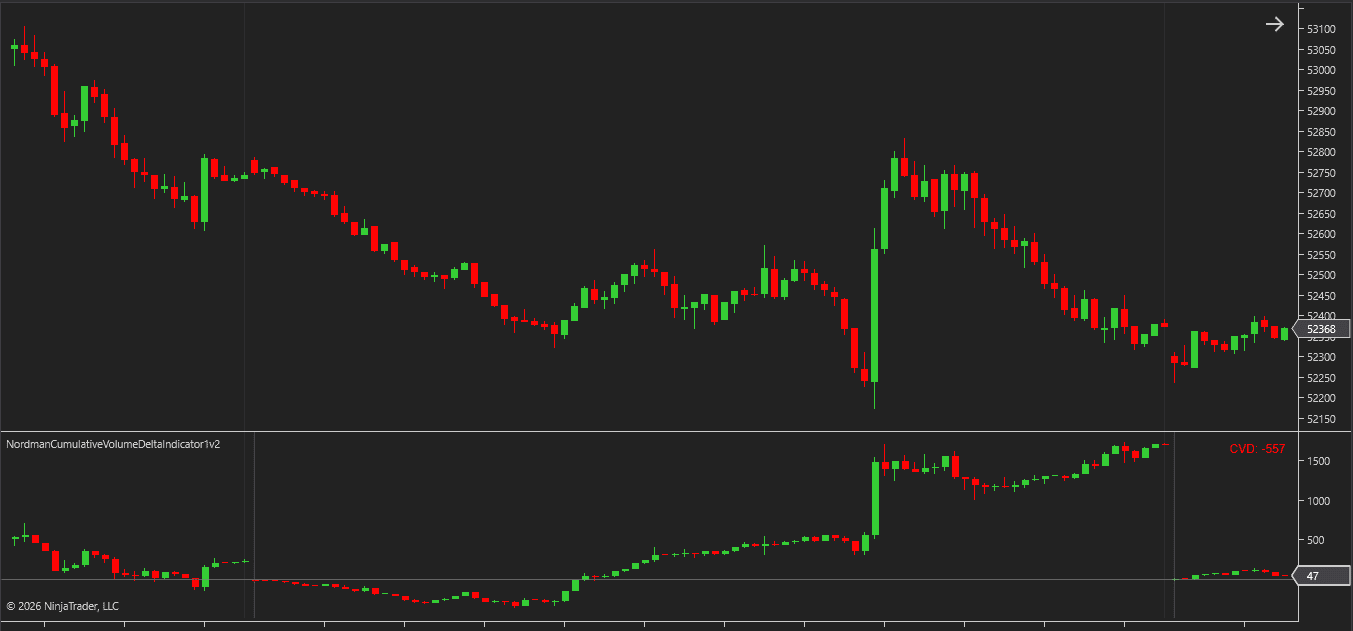
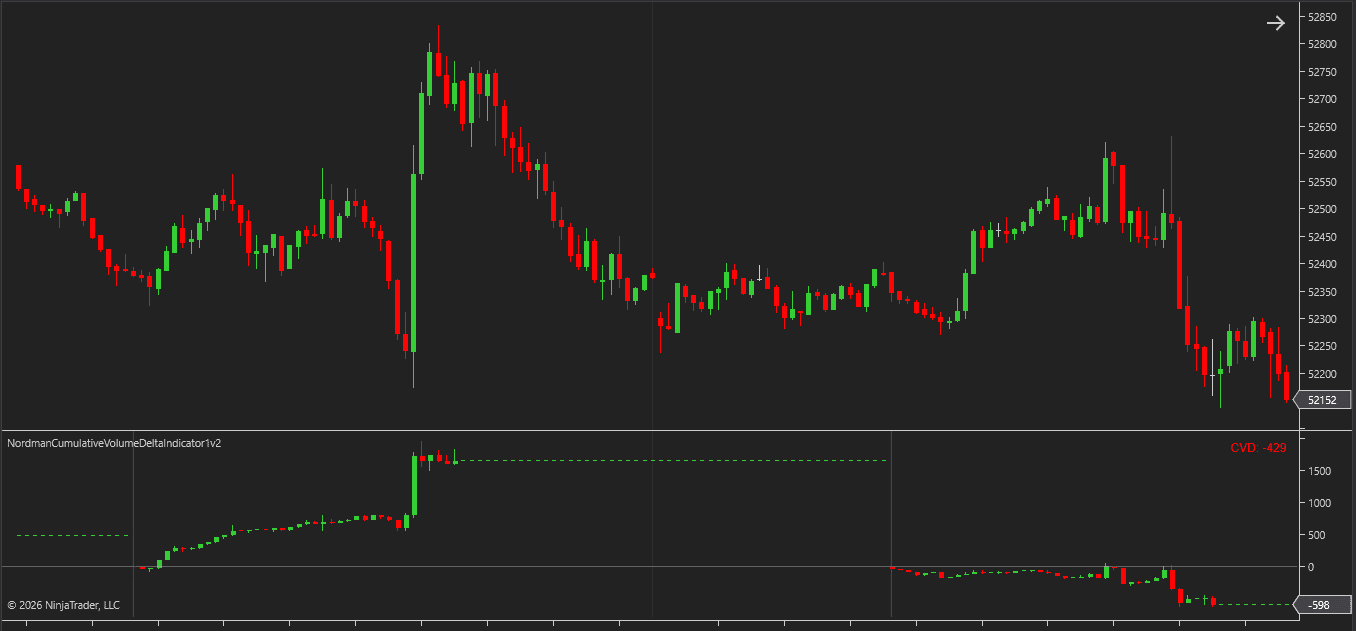
Session resets the cumulative total at the start of each trading session. Day resets at the start of each calendar day. Week resets at the beginning of each trading week. Custom allows a user-defined time window with a manual start and end time.
Fixed Bars Count accumulates delta over a set number of bars rather than a time-based boundary — useful on non-time charts such as range bars, volume bars, or tick charts where session boundaries don’t apply.
Unlimited never resets. Delta accumulates continuously from the first available bar across the entire chart history.
Reset Mode adds one more layer of control. Auto resets follow the selected period boundaries automatically. Manual Time allows the reset to be triggered at a specific time and day of the week.
The indicator supports two methods for classifying volume into buying and selling components.
Up Down Tick classifies volume based on tick direction. This mode works with standard tick data and does not require Tick Replay.
Bid Ask classifies volume based on where orders are filled relative to the bid/ask spread. Volume filled at or above the ask is classified as buying volume; volume filled at or below the bid as selling volume. This mode requires Tick Replay to be enabled in the Data Series settings and a data provider that supplies bid/ask tick data. Without Tick Replay enabled or without the necessary tick data from your provider, this mode will not function correctly.
Three display modes are available for visualizing delta values on the chart.
Line plots a continuous line connecting delta values across bars. This is the most compact view.
Histogram displays delta as vertical bars from the zero line, showing the magnitude and direction of each bar’s contribution to the cumulative total.
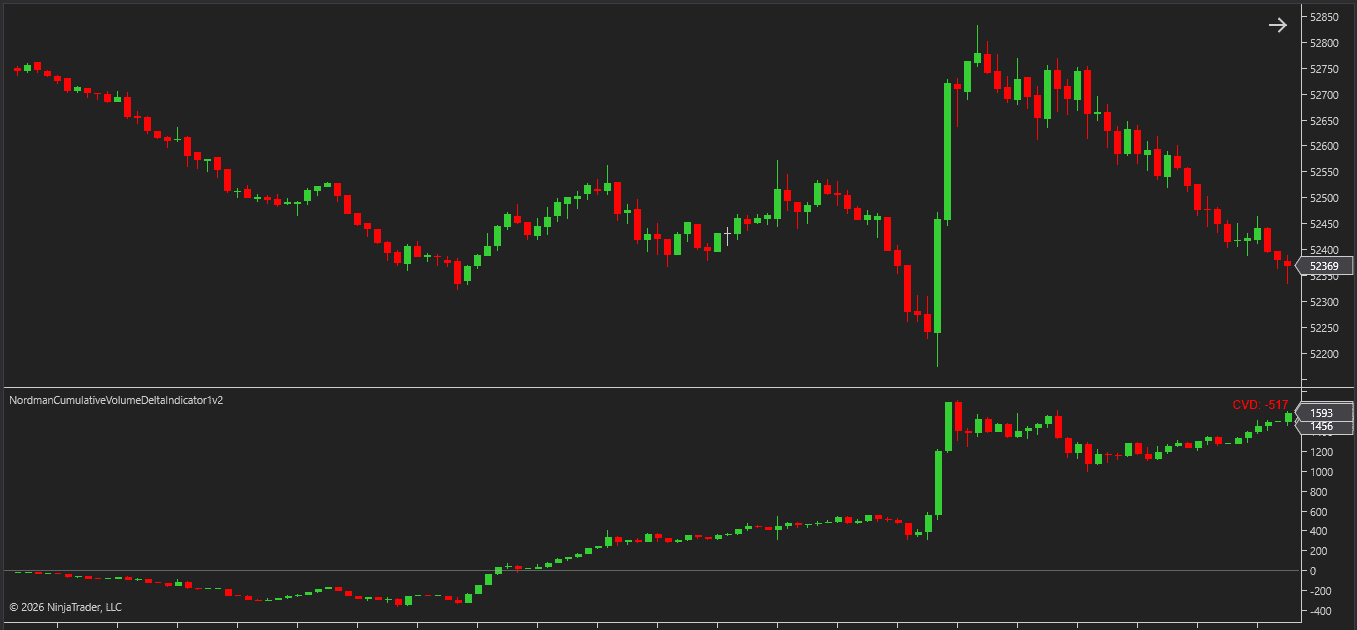
Candle renders delta as Open/High/Low/Close candles. In Cumulative Delta mode this shows how the cumulative total opened, moved, and closed within each bar — providing a more detailed view of intrabar delta movement than a single close value.
All three modes support positive and negative color settings independently, and a zero line can be displayed as a reference across all three modes.
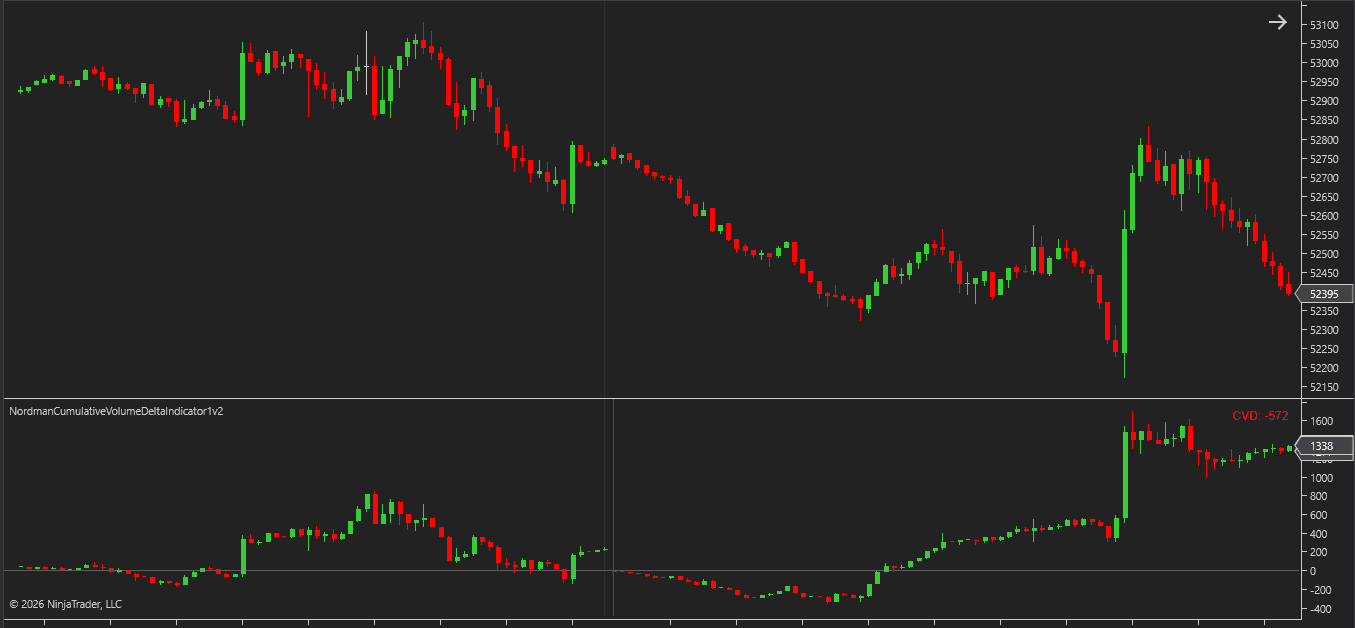
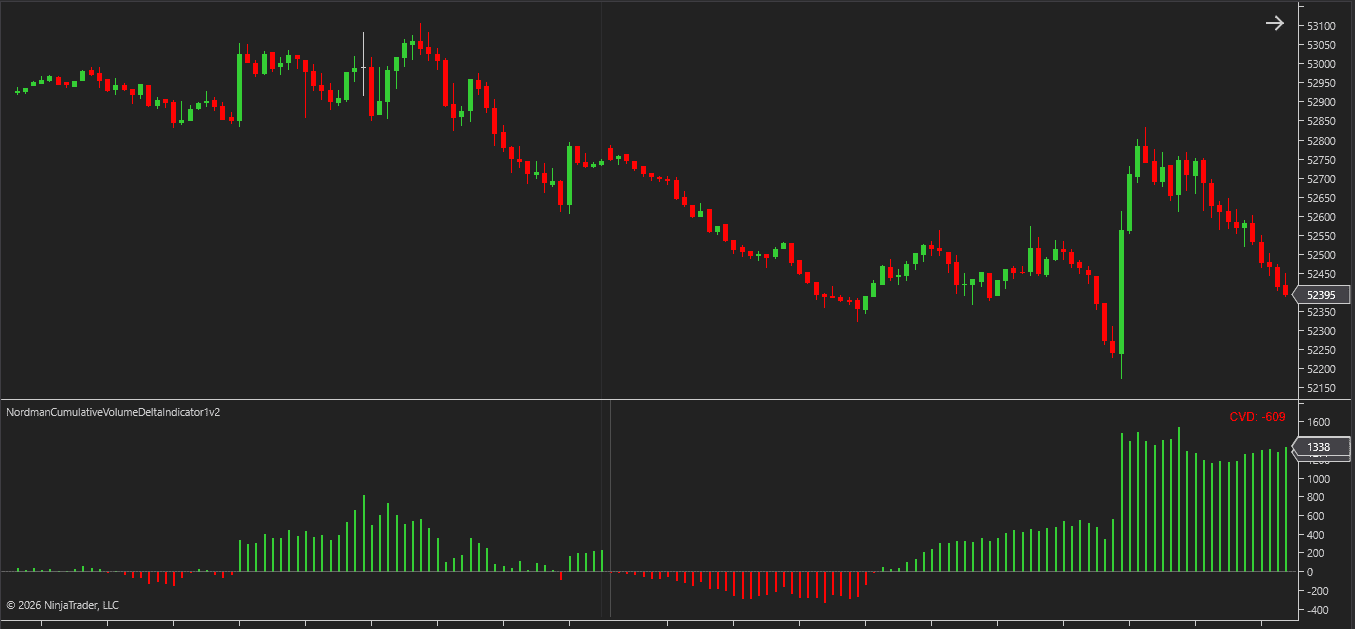
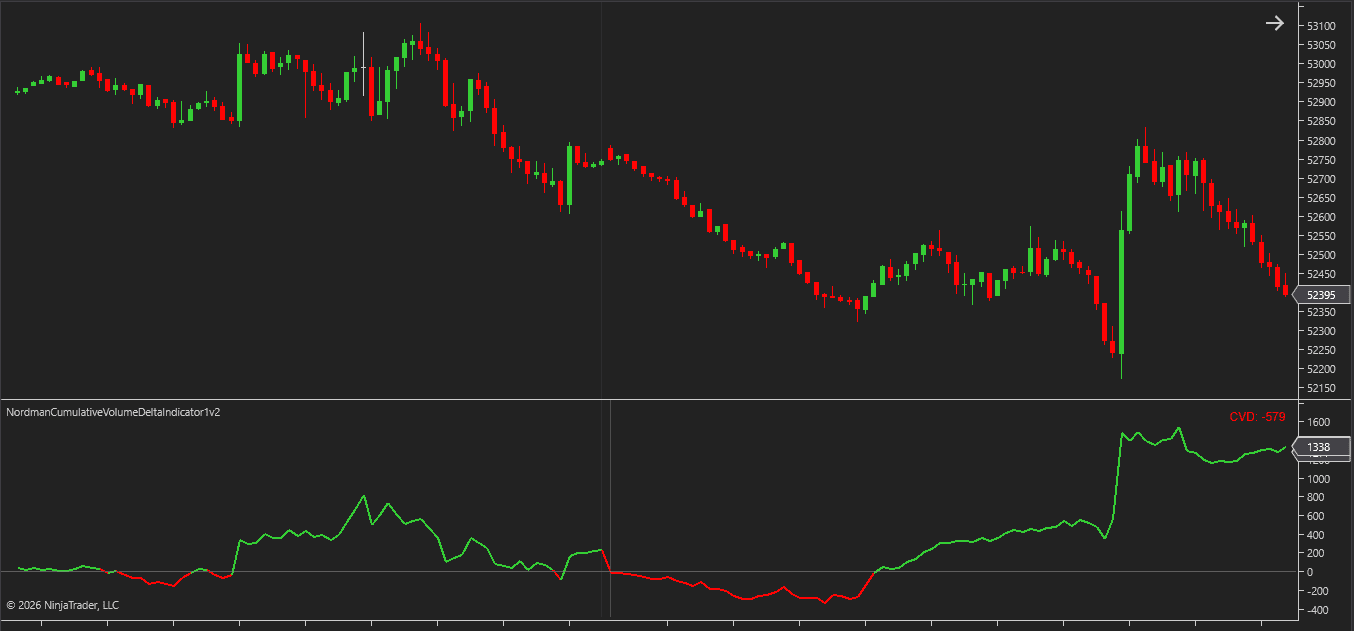
The indicator provides two event-based alert and marker types.
Zero Cross fires when cumulative delta crosses the zero line from either direction — transitioning from positive to negative or from negative to positive.
Delta Threshold fires when cumulative delta reaches the configured absolute value.
Both events support popup, sound, and email alerts, as well as optional chart markers on the indicator panel.
The indicator also exposes analytical plot outputs that can be accessed by NinjaTrader strategies, Strategy Builder workflows, BloodHound, and other compatible automation frameworks — allowing delta-based events to be used as inputs in automated analysis and trading systems.
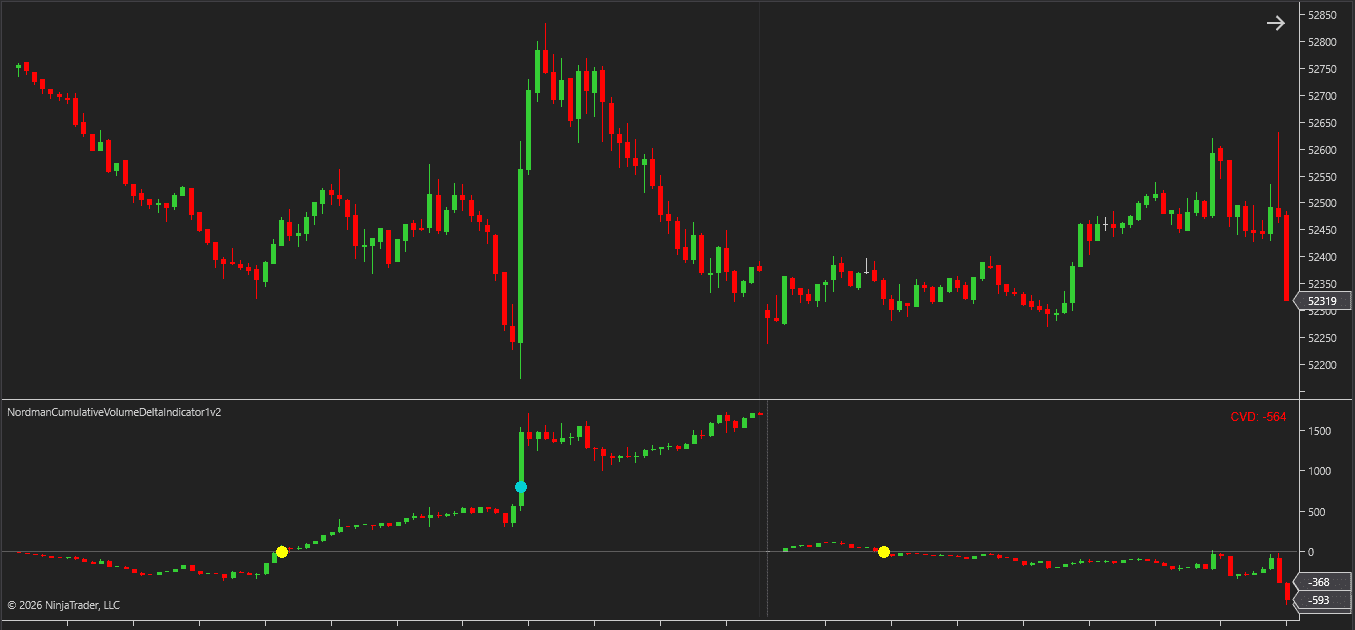
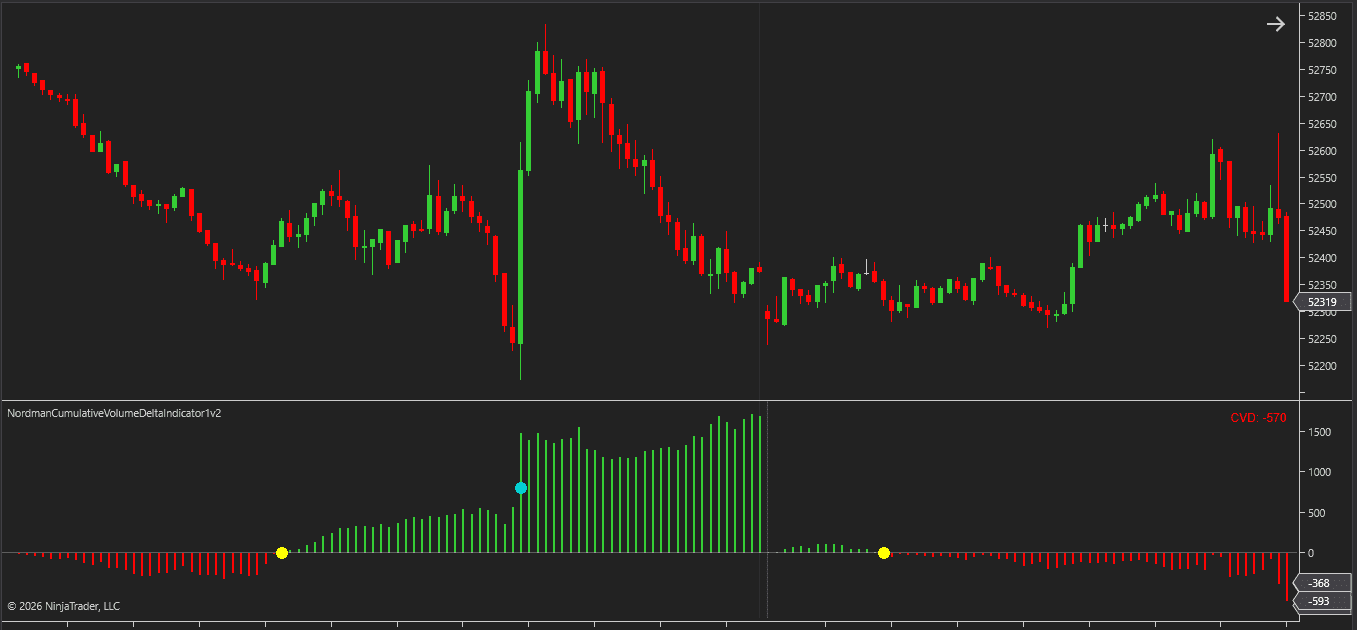
Cumulative delta builds throughout the selected period — each bar either adds to or reduces the running total depending on whether buying or selling volume exceeded the other on that bar.
A rising cumulative delta indicates that buying volume has exceeded selling volume across the period. A falling line indicates the opposite. The zero line acts as a natural reference point — delta above zero means buying volume has exceeded selling volume in the period so far, delta below means selling volume has.
Delta Per Bar adds bar-level detail to the broader cumulative picture — showing where within a cumulative move individual bars made their contribution.
The accumulation period determines the scope of what cumulative delta is measuring. Session and Day periods keep the context short-term. Week and Unlimited shift it to longer cycles. Fixed Bars Count works best on non-time charts where calendar boundaries don’t apply.
A zero cross marks a transition — the period’s accumulated balance shifting from one side of zero to the other. A threshold event marks when cumulative delta has reached a defined absolute value.
Both can be monitored visually through chart markers, tracked via alerts, or used as inputs in automated strategies through analytical plot outputs.
Line mode tracks the overall trend cleanly. Histogram mode emphasizes individual bar contributions. Candle mode adds intrabar detail — showing how the cumulative total moved within each bar, not just where it closed. In Delta Per Bar mode, candle mode shows the intrabar range of that individual bar’s delta.
Selects the volume classification method.
Selects between Cumulative Delta (running total within the period) and Delta Per Bar (each bar’s delta shown independently).
Defines the period over which delta accumulates before resetting.
Controls how the accumulation period resets.
Selects how delta is visualized on the chart.
Need changes to this indicator? We can customize it to your specifications — adding new functions, modifying logic, refining visuals, or integrating it with other NinjaTrader tools.
We also convert indicators into Automated Trading Strategies with advanced features such as trailing stops, position parameter controls, execution filters, and rule-based automation built to your technical specifications.
Request a free consultation to discuss the technical scope, timeline, and available development options.
We are committed to the ongoing development and refinement of our indicators. If you’ve spotted a bug, feel that something essential is missing, or have ideas that could make the indicator even better, just send us a message. Your feedback helps us improve and deliver tools that truly meet traders’ needs.
The indicator provides a set of exposed analytical plot outputs designed for structured integration with third-party strategy builders and automation tools such as BloodHound and BlackBird (SharkIndicators), as well as other algorithmic trading environments.
| Analytical Plot Name | Output Values |
| Open | Value |
| High | Value |
| Low | Value |
| Close | Value |
| ZeroCrossSignal | Value |
| ThresholdSignal | Value |
Plot output names and descriptions are technical identifiers intended solely for software integration purposes and do not constitute trading advice, signals, or recommendations.
Cumulative Volume Delta (CVD) tracks the difference between buying and selling volume accumulated over a selected period. Rather than showing total volume, it isolates the directional component — how much of the traded volume came from buyers versus sellers, and how that imbalance accumulated over time.
Cumulative Delta accumulates the buying and selling imbalance bar by bar within the selected period, producing a running total. Delta Per Bar shows each bar’s directional imbalance independently without accumulation. Cumulative Delta shows the overall directional build-up; Delta Per Bar shows where individual bars contributed the most pressure.
Yes. Two instances of the NinjaTrader Cumulative Volume Delta Indicator can be placed on the same chart — one in Cumulative Delta mode and one in Delta Per Bar mode — to combine both perspectives in a single view.
Up Down Tick classifies volume based on tick direction and works with standard tick data. Bid Ask classifies volume based on where orders are filled relative to the bid/ask spread, and requires Tick Replay to be enabled in the Data Series settings along with bid/ask tick data from your data provider.
The zero line is the point where buying and selling volume within the accumulation period are equal. Delta above zero indicates buying volume has exceeded selling volume in the period so far; delta below zero indicates the opposite. The zero cross event fires when cumulative delta transitions from one side to the other.
The Delta Threshold alert fires when cumulative delta reaches a configured absolute value — either positive or negative — independent of the zero line.
Yes. The indicator exposes analytical plot outputs that can be accessed by NinjaTrader strategies, Strategy Builder workflows, BloodHound, and other compatible automation frameworks — allowing delta-based events to be used as inputs in automated analysis and trading systems.
This indicator combines Cumulative Delta and Delta Per Bar modes in one tool, supports six accumulation periods including Fixed Bars Count for non-time charts and Unlimited for long-term views, provides three display modes, includes a Minimum Trade Size filter for delta calculation, and includes zero cross and threshold alerts alongside analytical plot outputs for strategy integration. Two instances can also be run simultaneously on the same chart to combine both calculation modes in a single layout.
Nordman Algorithms is a trade name of Nordman Algorithms OÜ (Reg. No. 14435535), registered in Tallinn, Estonia.
Software Nature & User Responsibility — Nordman Algorithms provides algorithmic software tools for technical analysis. Nordman Algorithms is not a financial advisor and is not liable for any losses. All trades conducted based on the software’s output are executed at the user’s sole discretion and risk.
Visual Markers & Signal Disclosure — This software may display visual markers (such as arrows, dots, or alerts) when predefined mathematical conditions are met. These markers are provided for educational and analytical purposes only, must not be interpreted as financial guidance, and do not constitute a recommendation to buy, sell, or hold any financial instrument. Users must independently validate all visual cues within their own trading methodology.
No Financial Advice — Nordman Algorithms does not provide discretionary trading signals, investment advice, or managed signal services. Our software represents a mathematical visualization of historical and real-time data. The appearance of a visual marker does not guarantee a profitable trade or predict future market behavior.
Trading Risk Warning — Futures, Forex, and options trading involve significant risk. Risk capital is money that can be lost without jeopardizing financial security. Only risk capital should be used for trading. Past performance is not indicative of future results. View Full Risk Disclosure: https://www.nordman-algorithms.com/risk-disclosure/
ESMA Risk Warning — Financial instruments, especially those involving leverage such as CFDs and Forex, are complex and carry a high risk of rapid financial loss. Our software provides analytical outputs and visual markers based on predefined mathematical conditions and does not mitigate or reduce inherent market risks. You should carefully consider whether you understand how leveraged financial instruments work and whether you can afford the high risk of losing your capital.
CFTC Rule 4.41 — Hypothetical or simulated performance results have inherent limitations. Unlike actual performance records, simulated results do not represent real trading. Because trades have not actually been executed, these results may under- or over-compensate for the impact of market factors such as liquidity. No representation is being made that any account will achieve profits or losses similar to those shown.
Trademark Notice — NinjaTrader® is a registered trademark of NinjaTrader Group, LLC. No NinjaTrader company has any affiliation with the owner, developer, or provider of the products or services described herein, or any interest, ownership or otherwise, in any such product or service, or endorses, recommends or approves any such product or service.