 Is There a Right Way to Trade Order Blocks? We Tested 10,986 TouchesRead article →
MT4 to NinjaTrader 8: Running an MQL4 EA on a Futures Account
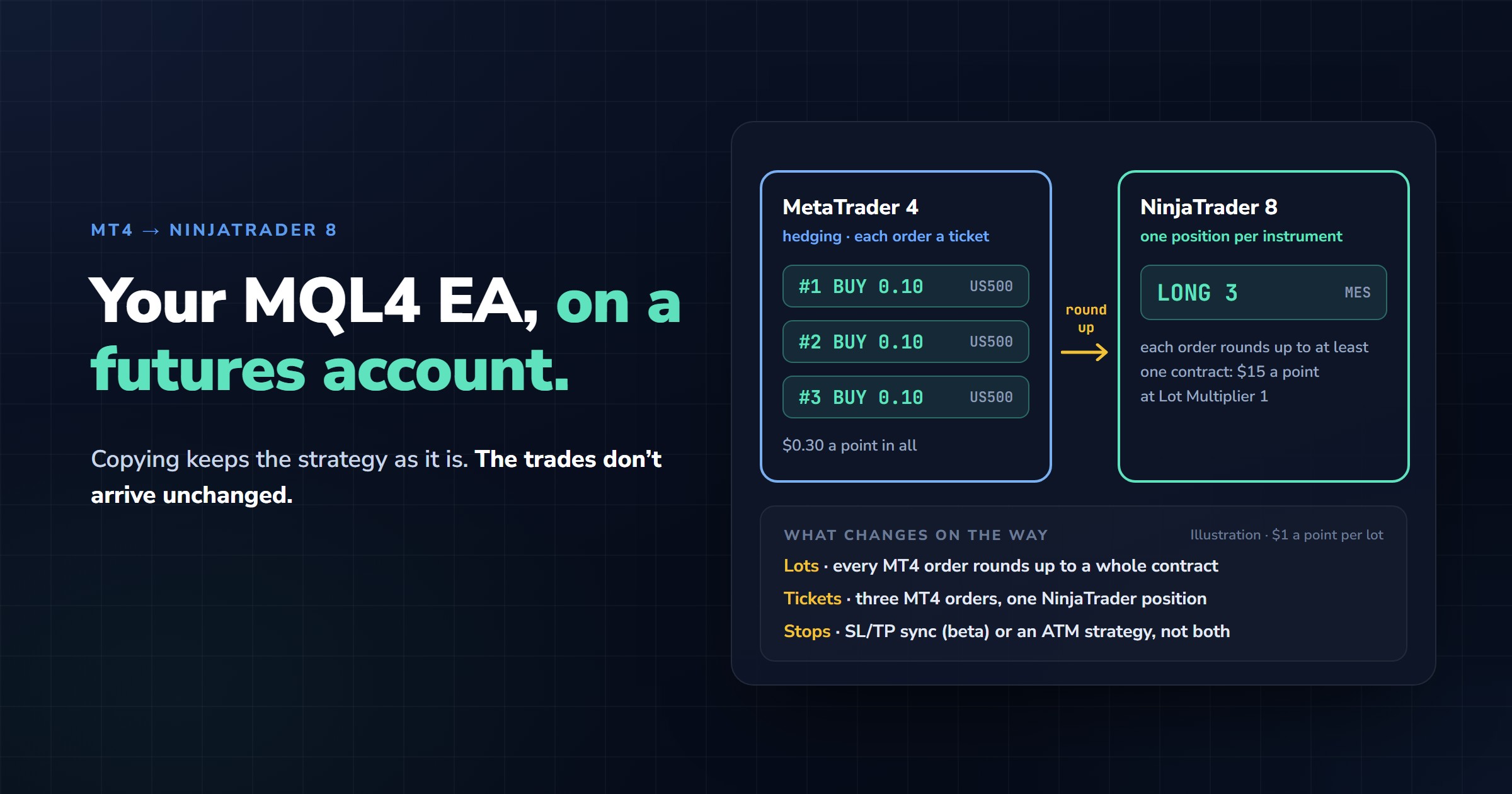
An MT4 Expert Advisor that trades 0.10 lots of an S&P 500 CFD has nothing it can send to a futures exchange as it stands. The smallest S&P 500 contract at CME, the Micro E-mini, trades in whole contracts, and MT4 can’t place a futures order at all. On the MQL5 forum, a moderator answered a question about EAs on futures in two lines: “MT4 doesn’t support trading Futures. Futures doesn’t allow to trade 0.01 volume” (Alain Verleyen, MQL5 Forum, Dec 2023).
So the EA either gets rewritten in NinjaScript or stays in MT4 while a copier sends its trades to NinjaTrader 8. Copying leaves the strategy untouched, but the trades don’t arrive unchanged. Their size is counted differently, hedged tickets collapse into one position, and the stop may or may not exist on the futures side. Each of those can cost a funded account money if you notice it only after the first trade.
In This Guide
Rewrite or copy
A NinjaScript version of the EA is the better end state if you own the source code and the logic is short. It has to be redesigned rather than translated, though. NinjaScript is C#, NinjaTrader keeps one net position per instrument, and an EA built around separate MT4 tickets loses the structure it relies on. A rewrite also needs weeks of side-by-side testing against the original before it goes near a funded account. If you bought the EA without source, or its logic took years to tune, copying is the route that keeps it as it is.
Lots become whole contracts
Start with the contract specification in MT4, under the symbol’s properties. Brokers define a US500 lot differently, so the number you need is what one lot moves per index point at your broker. Say it’s $1 a point. The Micro E-mini moves $5 a point and can’t be split, so one MES carries the risk of five MT4 lots. The screenshots in this guide were taken with ES, the full-size E-mini, which moves $50 a point: ten times MES.
| EA order in MT4 | Risk at $1 a point per lot | NinjaTrader contracts at Lot Multiplier 0.2 | Risk in NinjaTrader |
|---|---|---|---|
| 0.10 lots | $0.10 a point | 1 MES (0.02, rounded up) | $5 a point, 50 times the EA |
| 1.00 lot | $1 a point | 1 MES (0.2, rounded up) | $5 a point, five times the EA |
| 5.00 lots | $5 a point | 1 MES | $5 a point, the same as the EA |
| 7.00 lots | $7 a point | 2 MES (1.4, rounded up) | $10 a point, about 1.4 times the EA |
The copier’s Lot Multiplier on the NinjaTrader side sets how many contracts each MT4 lot becomes. Each MT4 order is rounded up to whole contracts, at least one per order, so a small order is never skipped: at 0.2, a 0.10-lot order still becomes 1 MES. With small EA sizes no multiplier gives you an exact match, so you choose between trading bigger than the EA in NinjaTrader and raising the EA’s own size. The other option is Lot Size Mode Fixed, which makes every copied order a set number of contracts, whatever its MT4 lot size. Work out the dollar risk of one NinjaTrader trade before the first one goes through, and compare it with the funded account’s daily loss limit.
Three tickets in MT4, one position in NinjaTrader
MT4 has no netting mode. Every order is its own ticket, so an EA can hold two buys and a sell on the same symbol at once. NinjaTrader keeps one position per instrument, and a NinjaTrader forum regular explained what that means for two entries in the same contract: “the account has one net position: long 20. A filled sell of 10 reduces that to long 10. It does not preserve separate broker positions labelled “long-term” and “intraday”” (StratCoreAlpha, NinjaTrader Forum, Oct 2026).
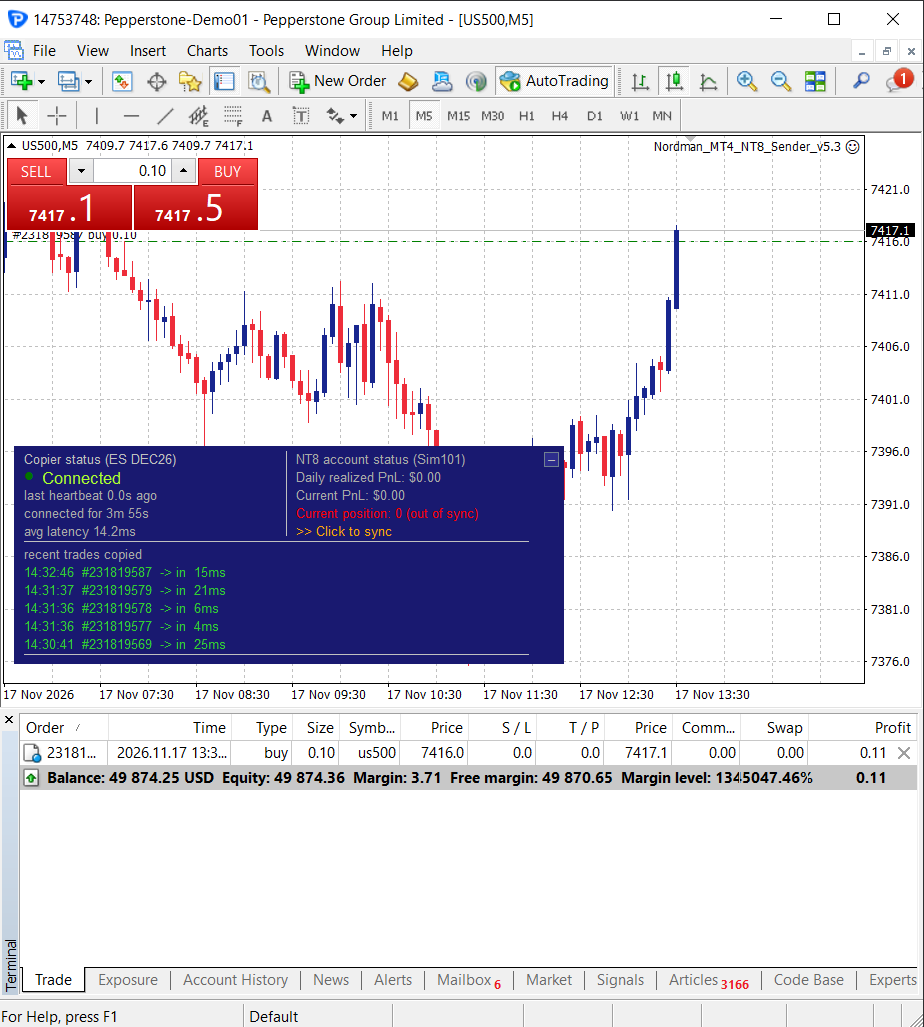
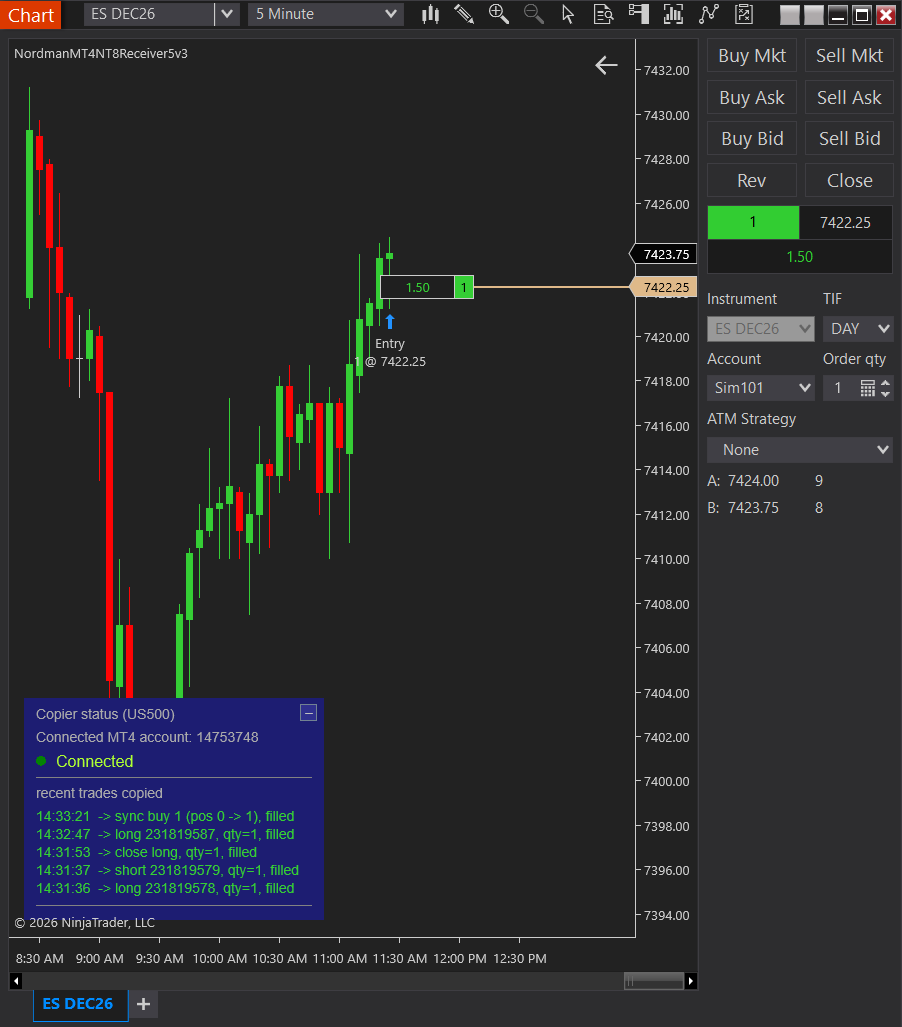
Our copier converts each MT4 order to contracts on its own, rounding up, and adds them into a single NinjaTrader position. Two buys of 1.00 and a sell of 1.00 become long 1 MES at a multiplier of 1. Small orders add up faster than their lots suggest: three buys of 0.10 at a multiplier of 1 become 3 MES, not 1. A close in MT4 only ever reduces the NinjaTrader position. If closing one hedged ticket leaves MT4 net in the other direction (a buy and a sell open, then the buy closes), NinjaTrader stays flat until you press Sync or the out-of-sync protection re-syncs it. The per-ticket history stays in MT4, so if you judge the EA by its individual trades, read those statistics there and not in the NinjaTrader account.
Your EA and the copier on the same symbol
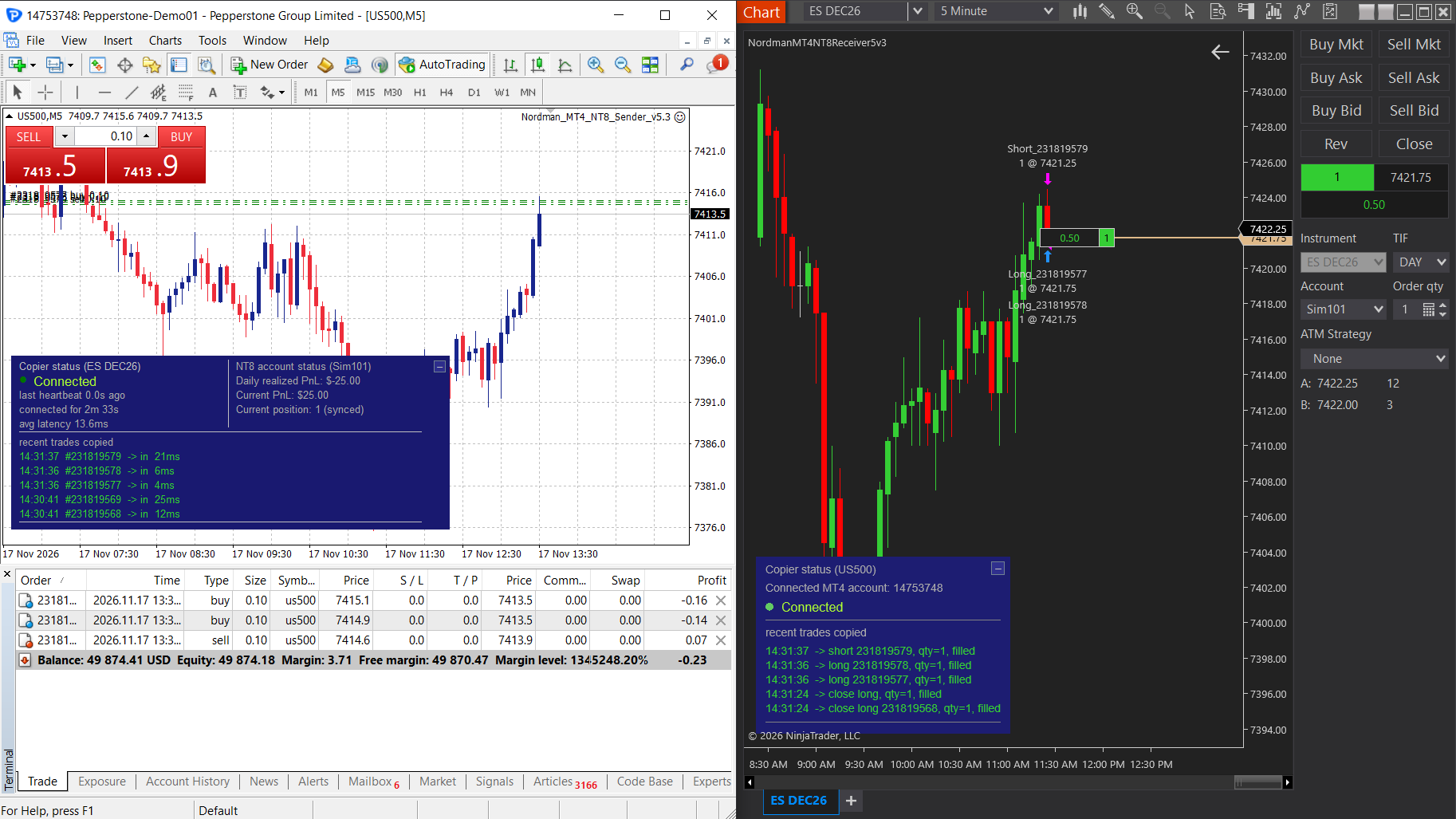
In MT4 the copier’s Sender is itself an Expert Advisor, and MT4 runs one EA per chart. Your trading EA therefore goes on a second chart of the same symbol, and the Sender copies its trades from there. If other EAs or your own manual trades share that symbol, the Magic Number filter limits copying to one EA, or to manual trades only. The Sender also needs DLL imports allowed on its Common tab and an up-to-date MT4 terminal.
Pending orders take a detour. A buy limit the EA places in MT4 isn’t copied when it’s placed. It reaches NinjaTrader as a market order once it fills in MT4, so both platforms agree on whether a trade is open. The NinjaTrader entry then lands at the futures price a moment later, which differs from the EA’s CFD entry anyway.
Where the stop lives
There are two ways to protect the NinjaTrader position, and they can’t be combined. SL/TP Sync copies the EA’s stop loss and take profit to NinjaTrader as OCO orders and moves them when the EA moves them, by default as a distance from the current price rather than as a CFD price. It’s still marked beta, so check on demo that every stop the EA sets appears in NinjaTrader. The other way is an ATM strategy. The copier then copies entries only, and the ATM strategy handles every exit, so the EA’s own exit logic stops reaching the futures account.
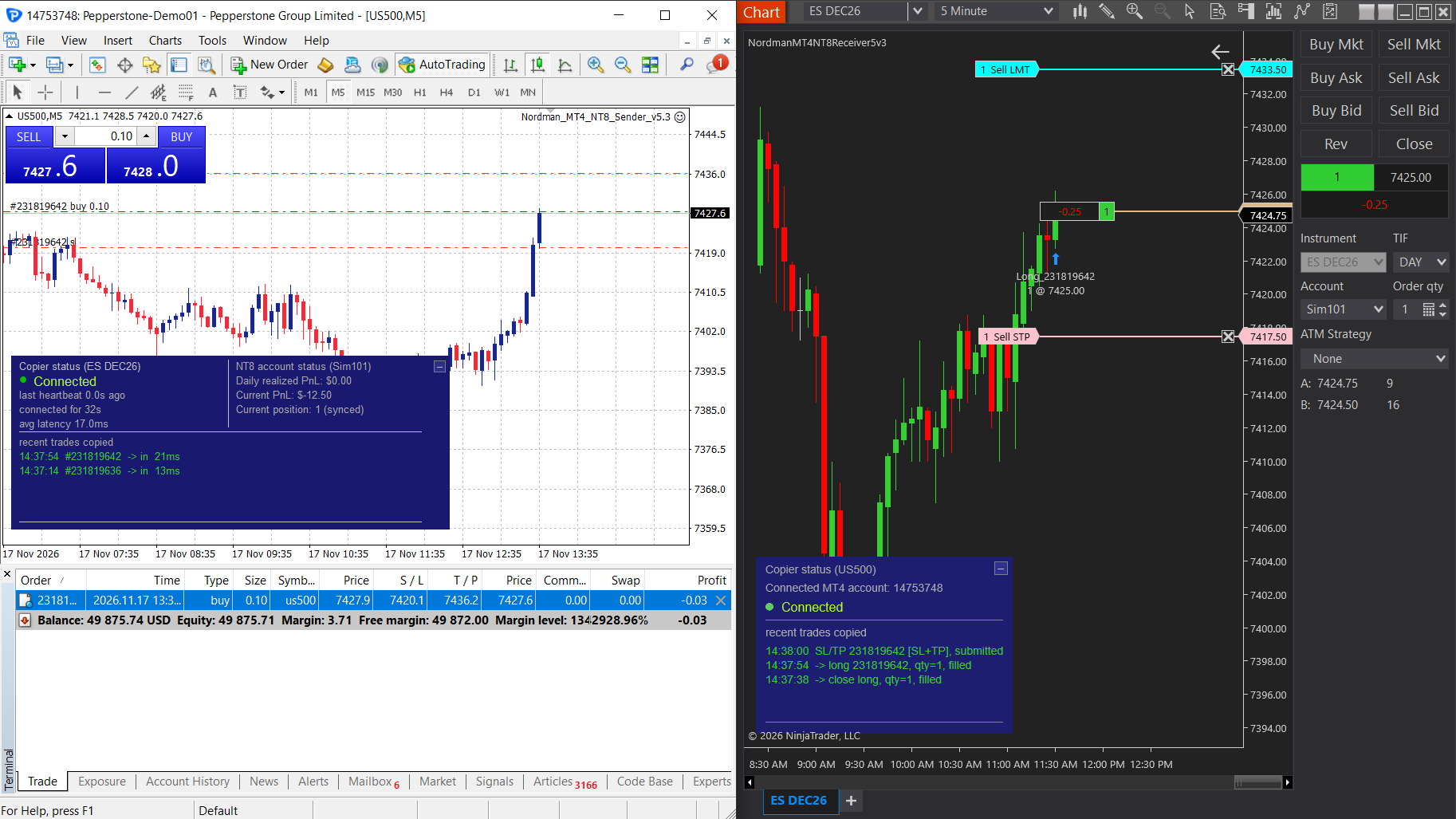
With neither of them, the NinjaTrader position closes only when the EA closes in MT4, so its protection depends on both terminals and the computer staying up. That’s the setup we’d avoid on a funded account. Until SL/TP Sync leaves beta, the ATM route is the fully released one, at the cost of the EA’s own exits.
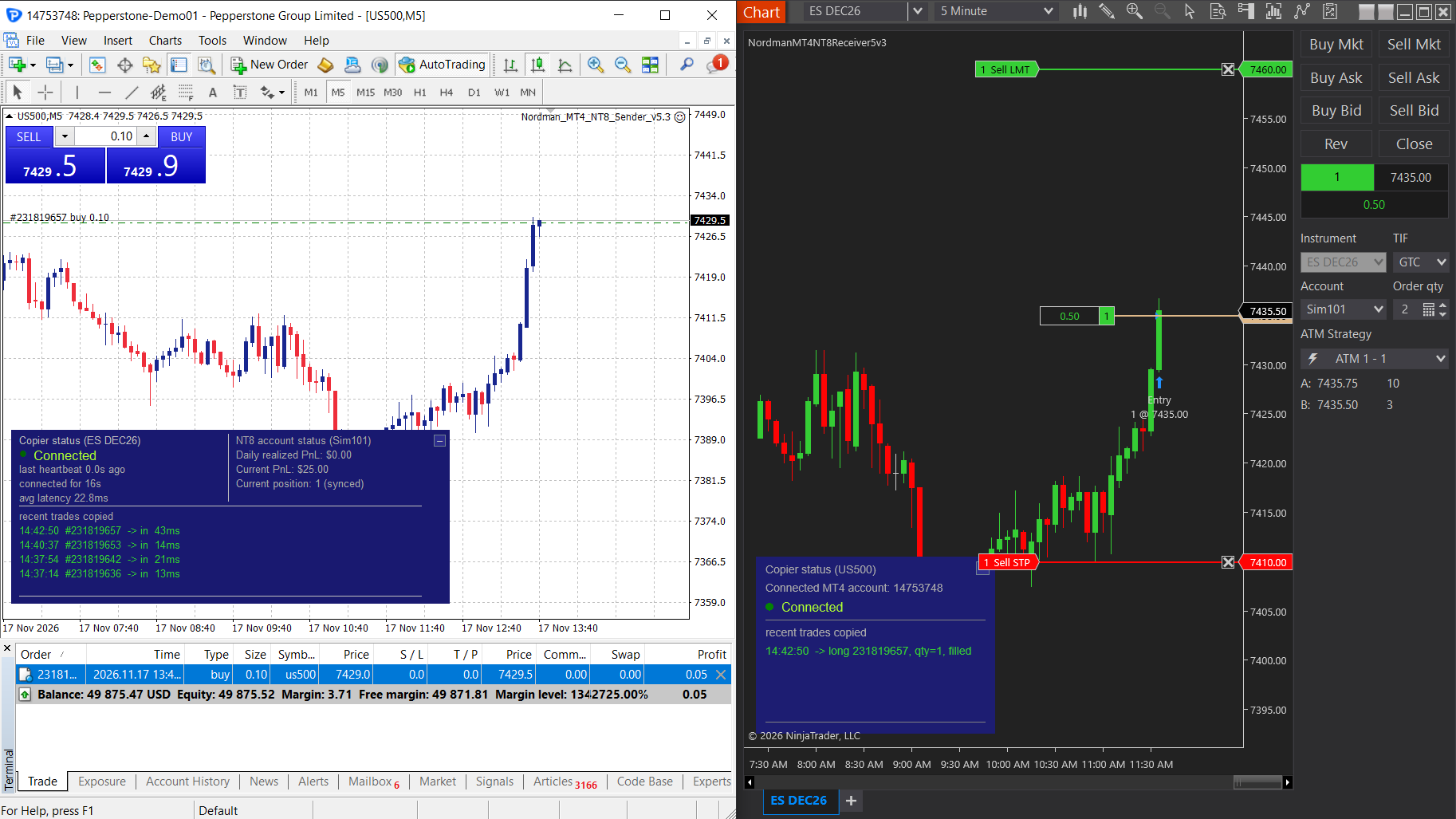
The optional prop limits on the NinjaTrader side, from a daily loss limit to a news filter, block new entries and, if you choose, flatten the position on a breach; by default the daily loss, minimum balance and trading-hours limits do. Exits from MT4 always go through, so a limit can’t trap you in a trade. Whether your firm allows copying at all is in its terms, not in the copier’s settings.
Speed and what the panel shows
Every copy fills after the original, so in a fast market it usually fills at a worse price. In our test on 17 November 2026, from a demo MT4 account into a NinjaTrader simulation account on the same PC, the copier’s panel showed 39, 25, 4, 12 and 25 ms for five trades, 21.0 ms on average (screenshot below). Across that session, 18 copied trades visible in our screenshots took 4 to 43 ms. That is only the copier’s part: the simulation account fills instantly, and on a live account the broker’s and the exchange’s fill time comes on top.
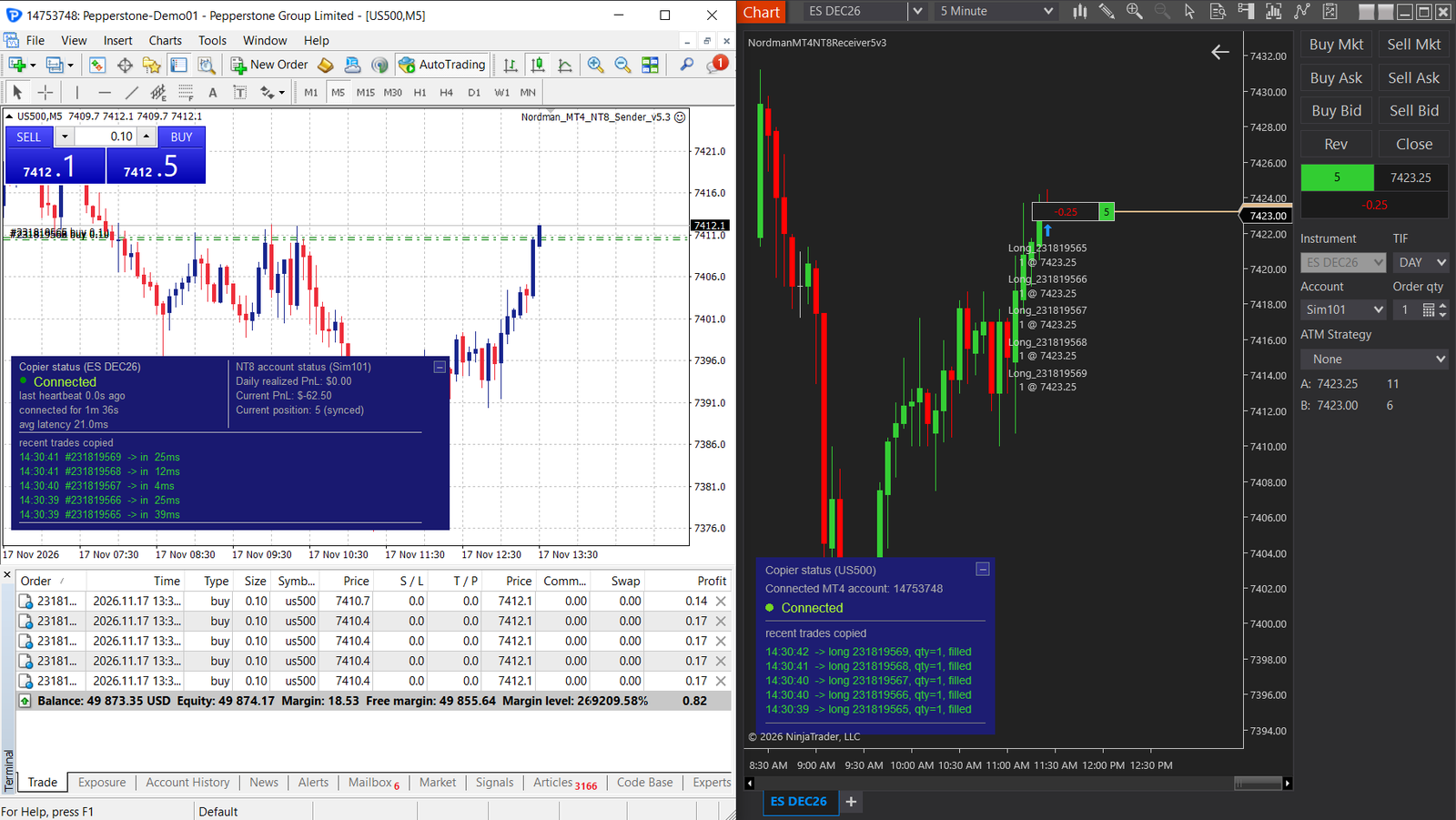
The MT4 panel shows the delay of every copied trade and the average of the last five, so during a trial you read the figure for your own machine. It also shows the NinjaTrader position. If the two sides drift apart, say after a manual close in NinjaTrader, the panel turns the position red, and two clicks bring NinjaTrader back in line with MT4. The out-of-sync protection on the NinjaTrader side can also act for you: alert only, re-sync automatically, or flatten and pause. On a funded account we’d switch it on. It is off in ATM mode, where the ATM closes positions on its own.
Our view: if the EA is yours and short, rewrite it and retire the MT4 terminal. If it’s someone else’s code or years of tuning, copy it, but size it in dollars, keep a stop on the futures side and expect the per-ticket picture to stay in MT4.
The MT4 to NinjaTrader 8 Trade Copier is included in the €25 monthly plan with all our indicators and trade copiers, and the plan starts with five free days.
See the MT4 to NinjaTrader 8 Trade Copier →
Need something custom built? We develop automation to order → NinjaTrader developers
FAQ
Can MT4 trade futures directly?
No. MT4 at a CFD broker trades the broker’s CFDs, which follow futures or index prices but aren’t exchange contracts. To get an MQL4 strategy’s trades onto CME futures, you rewrite it for a futures platform or copy its trades to one.
Can I copy one MT4 account to several NinjaTrader accounts?
Yes. Each NinjaTrader account needs its own Sender and Receiver pair with its own Sender ID, so you attach another Sender to a second MT4 chart of the same symbol and its Receiver to a chart of the other NinjaTrader account.
Can my EA run on the same chart as the copier?
No. The Sender is an Expert Advisor and needs its own chart. Put your EA on another chart of the same symbol, and use the Magic Number filter if you want only that EA’s trades copied.
Sources referenced in this article:
- MQL5 Forum, “is it possible to develop EA for Futures contracts?”, post by Alain Verleyen (Dec 2023): mql5.com
- NinjaTrader Forum, “Will NT8 close the correct position?”, post by StratCoreAlpha (Oct 2026): discourse.ninjatrader.com
- Nordman Algorithms. MT4 to NinjaTrader Trade Copier, product documentation: nordman-algorithms.com
Nordman Algorithms provides software infrastructure for trade automation and does not offer financial advice, trading signals, or managed trading services. The trade copier replicates trades the user or the user’s own Expert Advisor places and does not generate trading decisions. Position-size examples are illustrative; contract specifications differ between brokers. Prop firm rules on trade copying vary and change; check your firm’s current terms. This article is for informational and educational purposes only. Forum quotations are reproduced verbatim from public threads for illustration and do not constitute endorsement. Trading leveraged instruments such as Forex, CFDs and futures carries a high level of risk and may not be suitable for all investors. Only risk capital should be used. Full Risk Disclosure
Related Articles
Is There a Right Way to Trade Order Blocks? We Tested 10,986 TouchesRead article →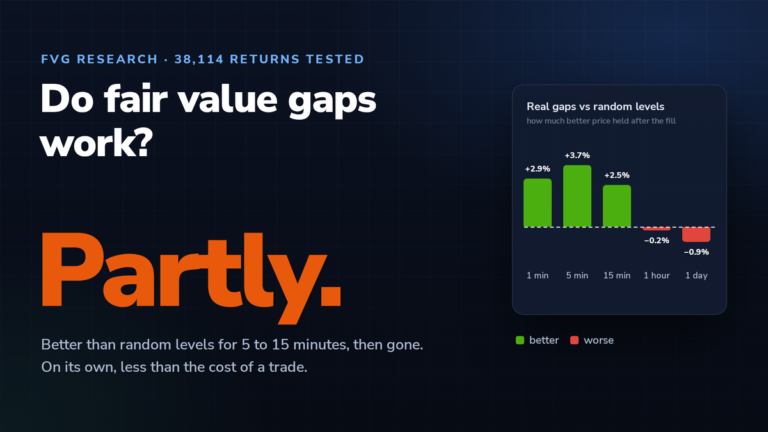 Do Fair Value Gaps Work? We Tested 38,114 Returns to FVGsRead article →
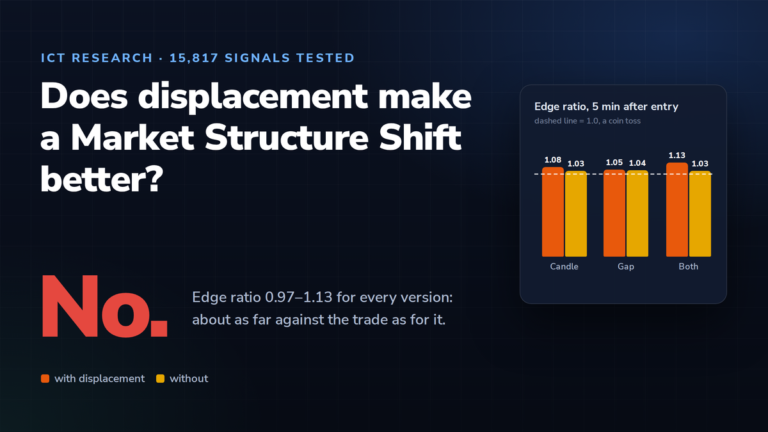 ICT Displacement and the Market Structure Shift: We Tested 15,817 SignalsRead article →