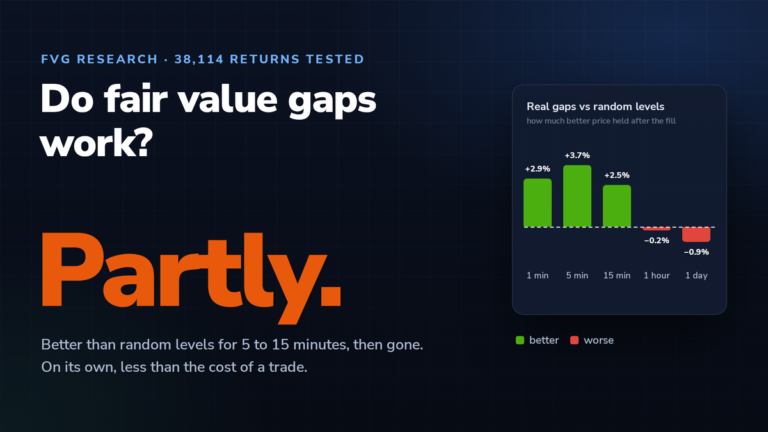
 Do Fair Value Gaps Work? We Tested 38,114 Returns to FVGsRead article →
Converting an MT4 Indicator into an EA: What the Indicator Never Told You
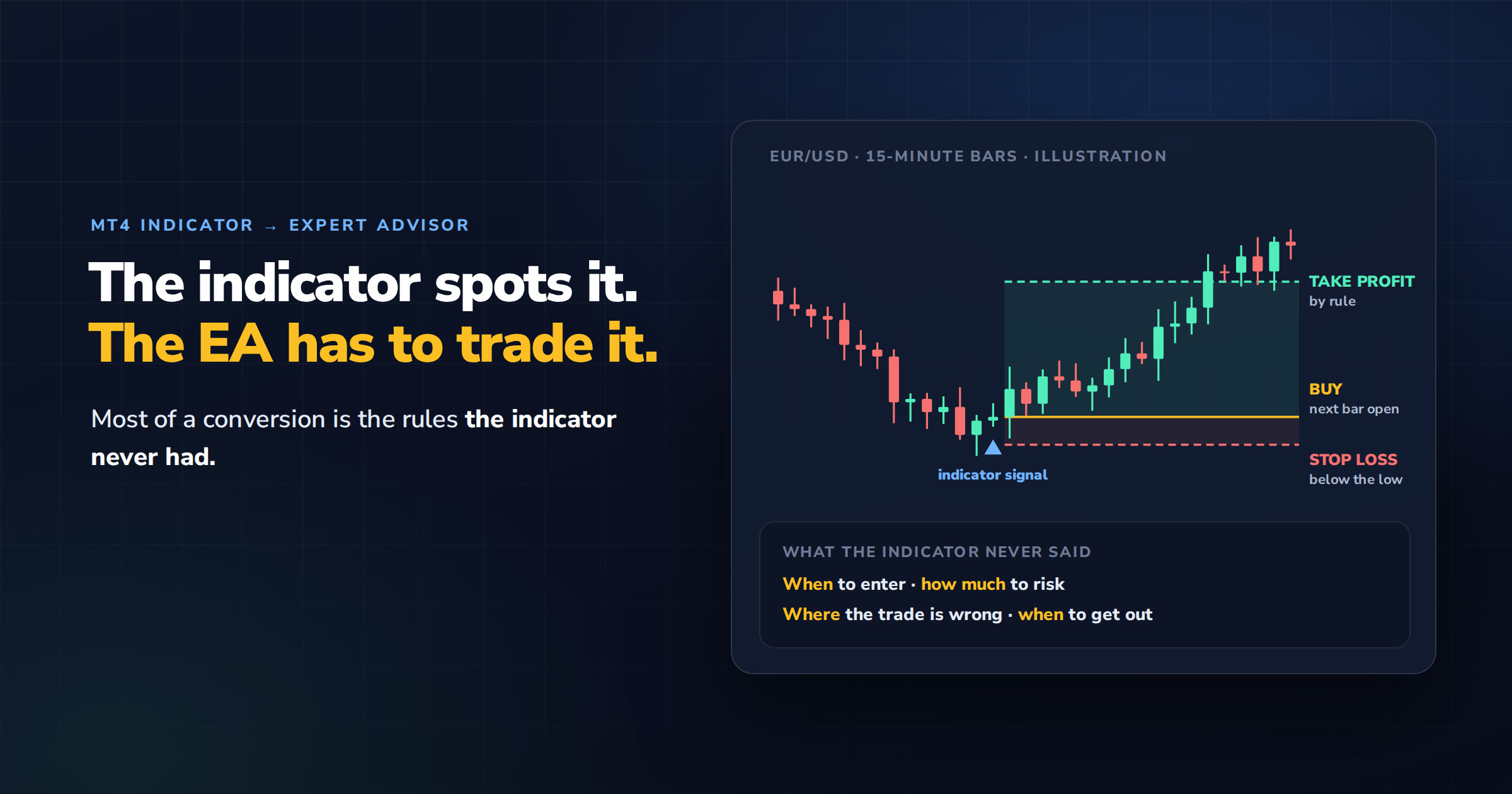
An indicator draws an arrow, changes a colour or crosses a line. It tells you that something happened. It doesn’t tell you when to enter, how much to risk, where the trade is wrong or when to get out. Converting an MT4 indicator into an Expert Advisor means writing all of that, and making sure the EA sees the same signal you see on the chart.
The second part is where most conversions go wrong. An EA doesn’t look at the chart. It reads numbers from the indicator’s buffers, bar by bar, and some indicators keep rewriting those numbers after the fact. An EA built on such an indicator can trade signals that its own backtest never shows.
Below are the two ways to put an indicator inside an EA, what the EA can and can’t read from it, how to spot a repainting indicator, the trade rules a conversion has to add, and how to test the result. At the end is a list of what to prepare before you order one.
In This Guide
Two ways to put an indicator inside an EA
Call the compiled indicator.The EA calls the indicator’s .ex4 file through iCustom() and reads its values. Works without the source code, as long as the signals are stored in buffers. The indicator stays a black box, and the EA depends on that exact file being present on every terminal it runs on.
Rewrite the calculation inside the EA.The indicator’s logic becomes part of the EA’s own code. Needs the source code or a precise description of the calculation. The EA is self-contained, usually faster in the Strategy Tester, and much easier to move to MetaTrader 5 or another platform later.
If you have the source code, rewriting is usually the better choice. If you only have the compiled file, iCustom() is the only route, and the next section decides whether it can work at all.
What the EA reads: buffers, not arrows
iCustom() calculates a custom indicator and returns one value from one of its buffers for one bar. The inputs have to be passed in the same order and with the same types as the indicator declares them, and the buffer index has to match the one the indicator fills (MQL4 Reference). Get either wrong and the EA reads a different line, or the same line calculated with different settings, without any error.
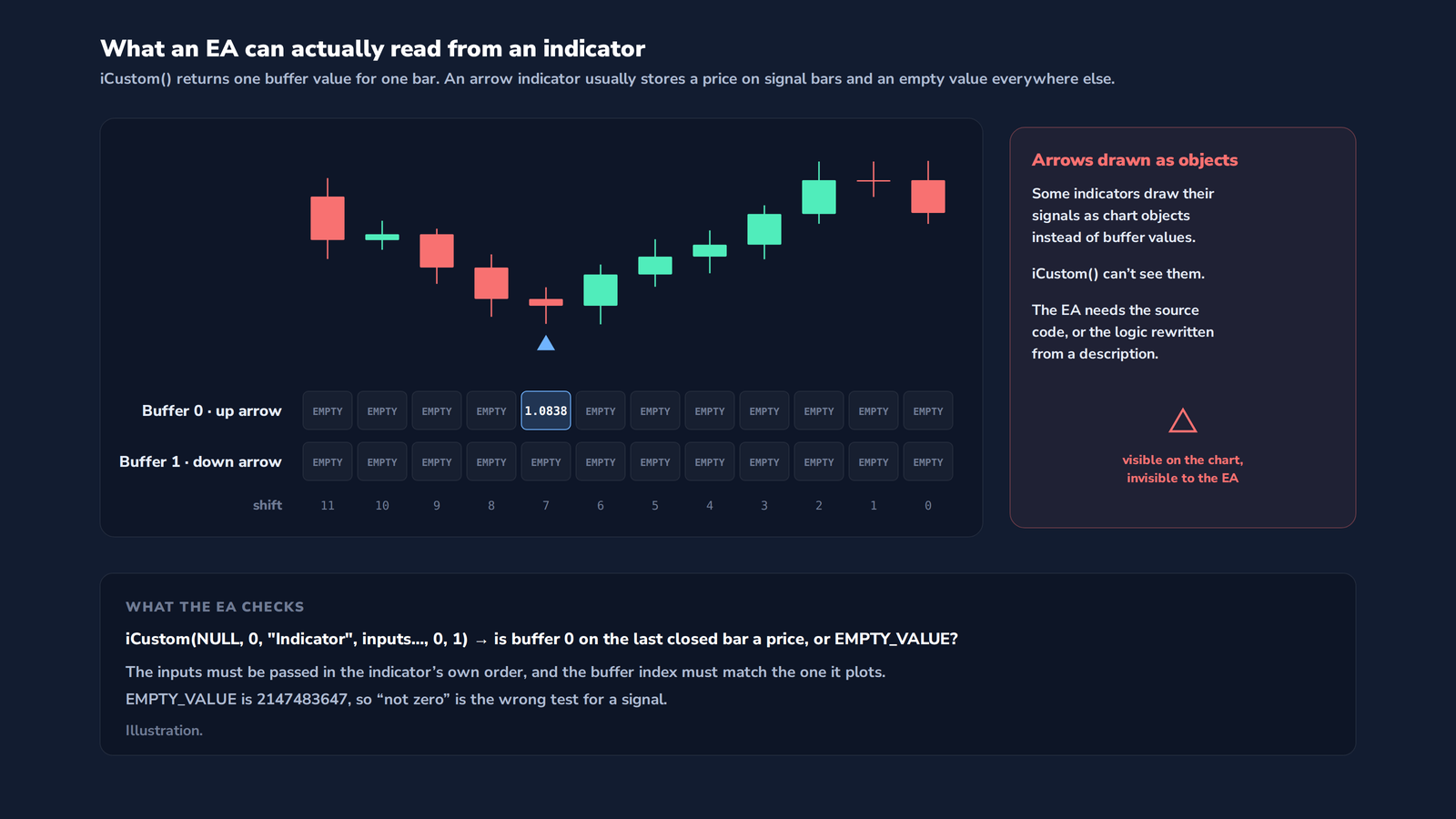
Arrow indicators usually store a price in a buffer on signal bars and an empty value on all the others. In MQL4 that empty value is EMPTY_VALUE, 2147483647, not zero. An EA that treats “not zero” as a signal will see a signal on every bar. Three more cases need care:
Arrows drawn as objectsSome indicators draw their arrows with chart objects instead of filling a buffer. They’re visible on the chart and invisible to iCustom(). Without the source code, the logic has to be rewritten from a description.
Line crossingsA crossing isn’t stored anywhere. The EA has to compare the two lines on two consecutive closed bars and decide that a cross happened between them.
Colour changesA line that turns from green to red is usually two buffers, one filled while the other is empty. The EA reads which buffer holds a value, not the colour.
Repainting: when the history isn’t what you saw
Some indicators rewrite values on bars that have already closed. A swing-low arrow appears on the current bar, and when price makes a lower low later, the arrow moves there and disappears from the bar where you first saw it. Indicators built on future bars do the same by design: a ZigZag, a centred moving average, or a fractal, which needs two bars to its right before it’s confirmed.
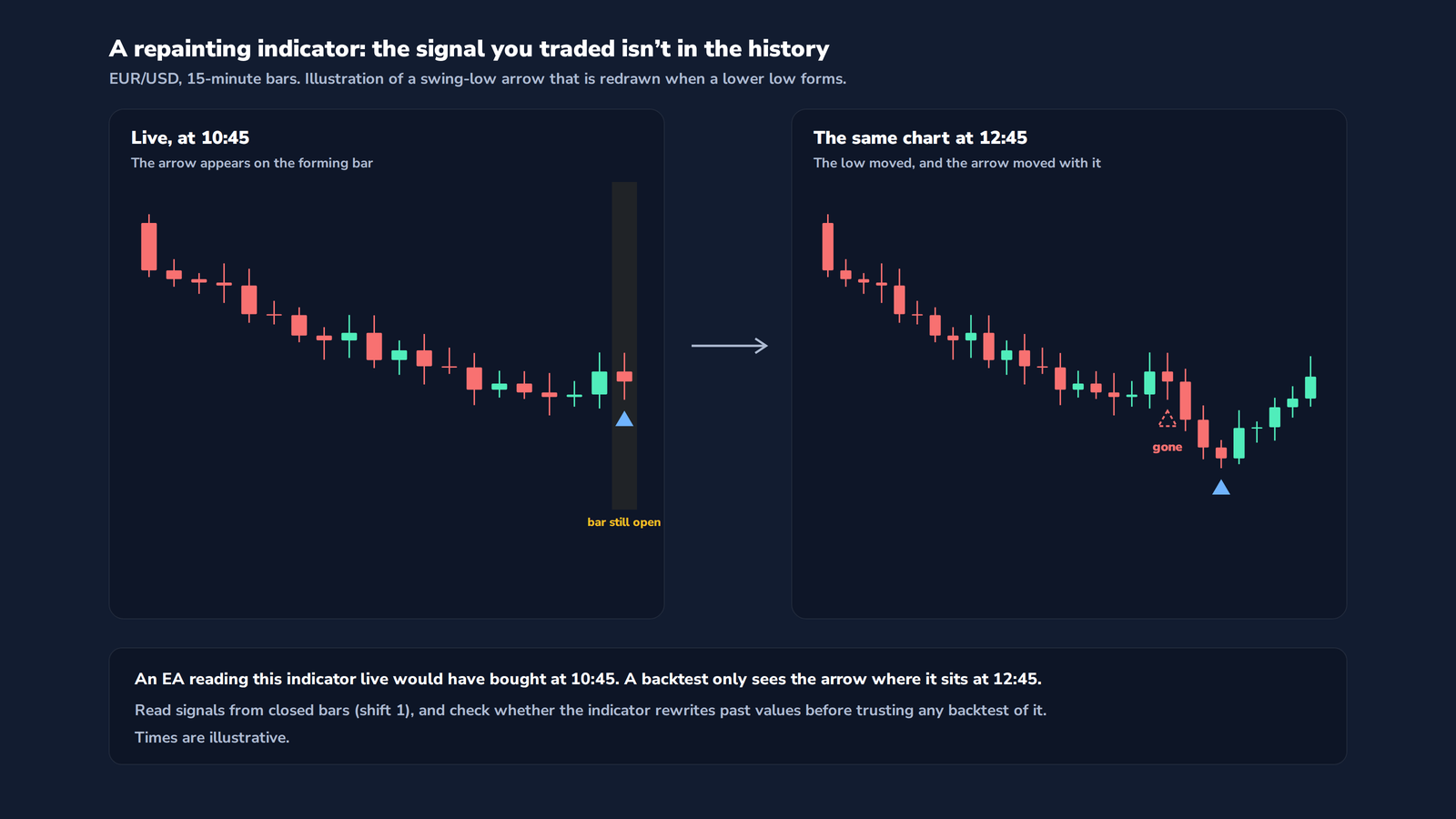
For an EA this is serious. Live, it trades the arrow it saw. The backtest, run later on the rewritten history, only sees the arrow in its final position, which is usually a much better entry. The result is a strategy that looks excellent in the tester and can’t be reproduced live.
Before converting an indicator, check whether it repaints. Watch it live for a session and screenshot every signal, then compare with the same bars an hour later. Or run it in the Strategy Tester’s visual mode and watch whether arrows appear and vanish as bars form. If past signals move, the EA has to wait for confirmation, and the backtest has to be judged with that delay in mind.
When exactly is there a signal?
An indicator’s value on the current bar, shift 0, changes with every tick until the bar closes. An arrow can appear at 10:03 and be gone by 10:14. That’s why most converted EAs read signals from the last closed bar, shift 1, and act once at the start of the next bar.
The choice has to be explicit in the specification. Reading the current bar gives earlier entries and signals that may not survive the bar. Reading the closed bar gives fewer, final signals, one bar later. The EA also needs a rule against acting twice on the same signal, for example after a restart, and a way to read higher-timeframe indicators without using a higher-timeframe bar that hasn’t closed yet.
The rules the indicator never had
Once the signal is read correctly, the EA needs everything a trader would otherwise decide by hand. These are the options we’re asked for most often, and any of them can be built in.
Order managementTake profit fixed, by ATR or with partial closes in set proportions. Stop loss fixed, by ATR or as a percentage of the deposit. Trailing stop, break-even, virtual stops hidden from the broker, OCO orders, and separate limits on long and short positions.
Position sizing and riskFixed lot or a percentage of balance or equity. A drawdown limit that pauses new trades or closes everything. Lot multipliers and averaging are possible too, with the risks we describe in our Grid EA article.
Entry and exit conditionsLong only, short only or both. A maximum number of open positions overall and per direction. Exit on the opposite signal, on a second indicator, or only by stop and target.
Time and sessionsA trading window by hours and minutes, chosen days of the week, separate Asian, European and American sessions, and a news pause. Times defined in a fixed time zone, with daylight saving handled automatically.
Alerts and controlPop-up, sound, e-mail and push notifications. An optional manual confirmation before a trade opens, and a chart screenshot saved at every entry.
BookkeepingIts own magic number, so it never touches other trades. Recovery of its positions after a restart, and a log of every signal and why it was or wasn’t traded.
Testing the converted EA
Match the arrows.Run the EA in visual mode with the indicator on the chart and check that every trade starts where the signal is, on the bar you specified. Mismatches here mean a wrong buffer, wrong inputs or wrong timing.
Forward test before you trust the backtest.Run the EA on a demo account for at least a few weeks and compare its trades with the signals you saw live. With a repainting indicator, this is the only test that tells the truth.
Model the costs.Include spread, commission and swap. MetaTrader 4’s tester runs the whole test with one spread value, so for short-term signals, check the results again on a MetaTrader 5 version with real ticks or on a demo.
Check the speed.A heavy indicator called through iCustom() on every tick can make a long backtest very slow. Rewriting the calculation, or only reading it once per bar, usually fixes that.
Other platforms
The same indicator can drive an EA on MetaTrader 5, where iCustom() returns a handle and the values are read with CopyBuffer(), or a strategy on NinjaTrader, cTrader or TradeStation. We don’t use automatic converters for this. The indicator and the trading logic are rewritten by hand in the target platform’s own language, and checked against the original signal by signal.
What to prepare before you order
| Item | What to provide or decide |
|---|---|
| The indicator | The .mq4 source if you have it, otherwise the .ex4 file and a description of what it calculates. |
| The signal | Which arrow, line, crossing or colour change counts as a buy or a sell, with screenshots of a few examples. |
| Timing | Current bar or closed bar, and whether to wait for any confirmation if the indicator repaints. |
| Entry | Market or pending order, symbols, timeframe, and what happens on a new signal while a trade is open. |
| Exit | Stop loss, take profit, trailing or break-even rules, and whether an opposite signal closes the trade. |
| Sizing | Fixed lot or risk-based, with the maximum position size. |
| Filters | Trading hours, days, sessions, news pause and maximum spread. |
| Alerts | Which events should notify you, and how. |
| Platform | MetaTrader 4 only, or also MetaTrader 5 or another platform. |
Building one with us
We convert MT4 indicators into Expert Advisors to the client’s own rules, from a single arrow indicator with a fixed stop to multi-indicator systems with filters and risk controls. You talk directly with the developer who writes your code. Before any code is written we check the indicator with you, including how it stores its signals and whether it repaints, and that first consultation is free.
You receive the EA with full source code, and bugs found after delivery are fixed at no extra cost. Since 2018 our team has completed over 3,000 development projects for traders in more than 120 countries.
Discuss your indicator conversion →
Need it on another platform? → MetaTrader 5 developers · NinjaTrader developers
FAQ
Can you convert an indicator without its source code?
Often, yes. If the compiled .ex4 file stores its signals in buffers, the EA can read them through iCustom(). If it draws its signals as chart objects, the logic has to be rewritten from a description of how the indicator works.
Why does my EA trade differently from the arrows on my chart?
The usual causes are reading the current bar instead of the closed one, a wrong buffer index or input order in iCustom(), testing for zero instead of EMPTY_VALUE, or an indicator that repaints its past signals.
How can I tell if an indicator repaints?
Screenshot its signals live, then compare with the same bars later, or watch it in the Strategy Tester’s visual mode. If arrows appear and disappear on bars that have already closed, it repaints.
Can the EA run on MetaTrader 5?
Yes. The indicator and the EA are rewritten in MQL5 by hand. MetaTrader 5 also brings a tester with real tick data, which helps for short-term signals.
Sources referenced in this article:
- MQL4 Reference, iCustom: docs.mql4.com
Nordman Algorithms provides software infrastructure for trade automation and does not offer financial advice, trading signals, or managed trading services. This article is for informational and educational purposes only. Charts and prices in the examples are illustrations, not recorded trades. An EA executes the rules it is given, including the signals of the indicator it is built on, and does not adapt to market conditions outside them. Trading leveraged instruments such as Forex, CFDs and futures carries a high level of risk and may not be suitable for all investors. Only risk capital should be used. Full Risk Disclosure
Related Articles
Do Fair Value Gaps Work? We Tested 38,114 Returns to FVGsRead article →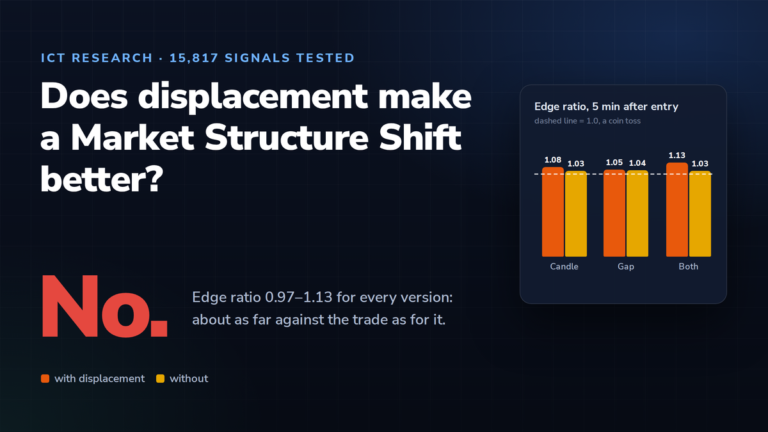 ICT Displacement and the Market Structure Shift: We Tested 15,817 SignalsRead article →
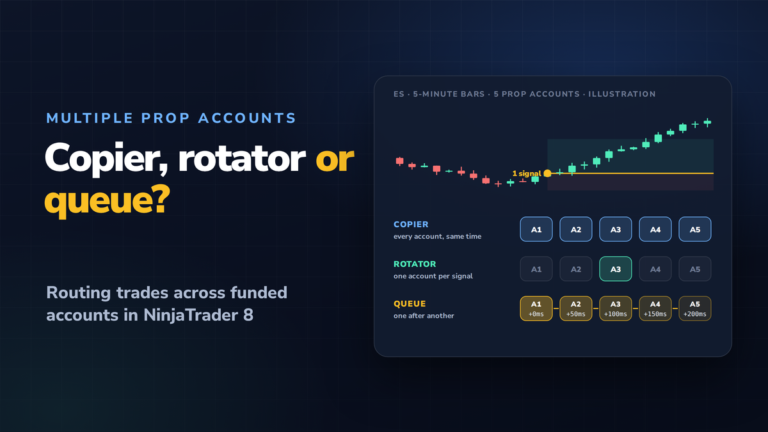 Trade Copier, Account Rotator or Trade Queue: Running Multiple Prop Accounts in NinjaTrader 8Read article →