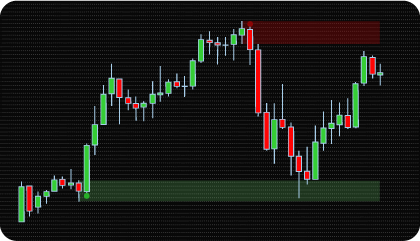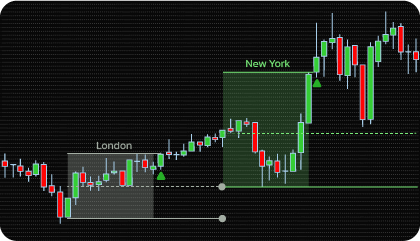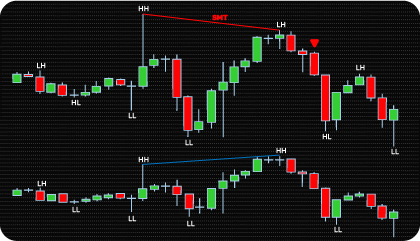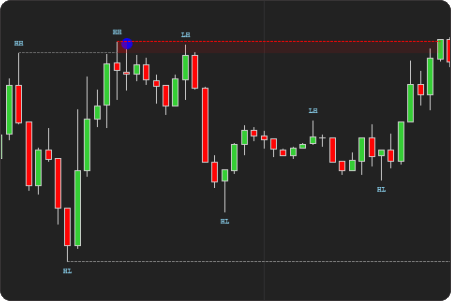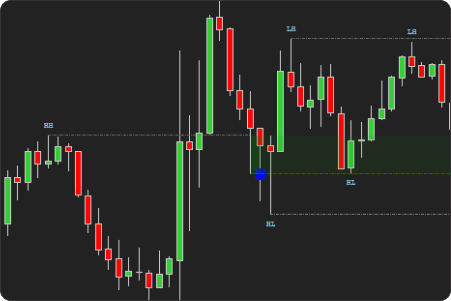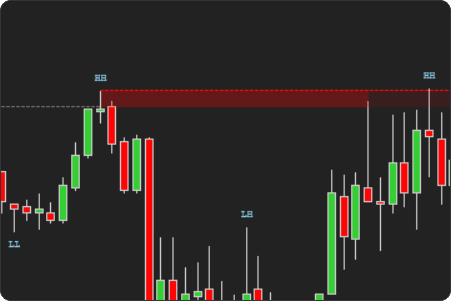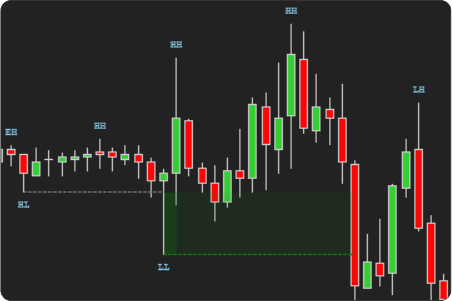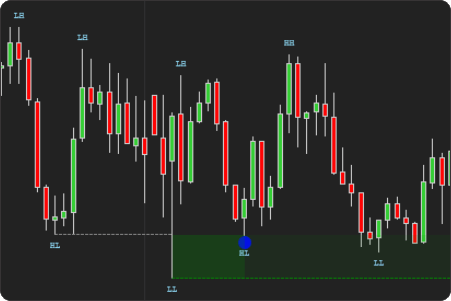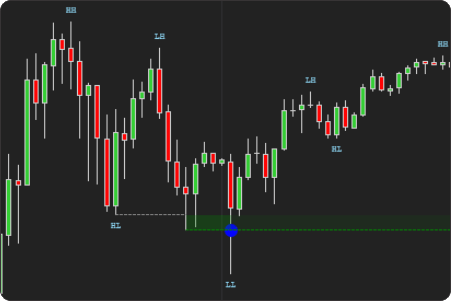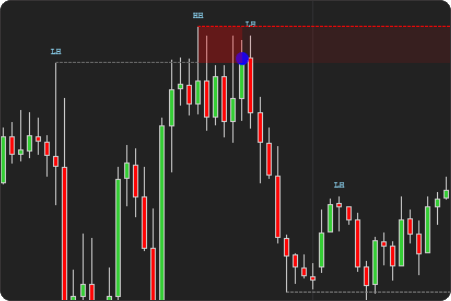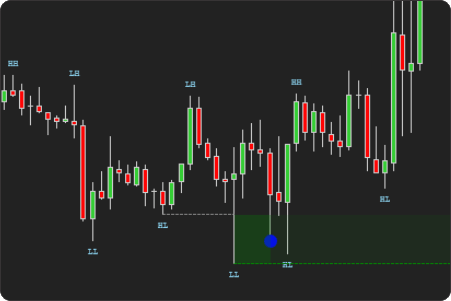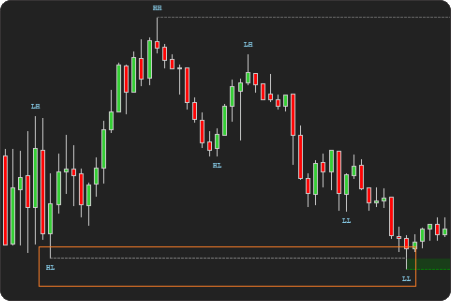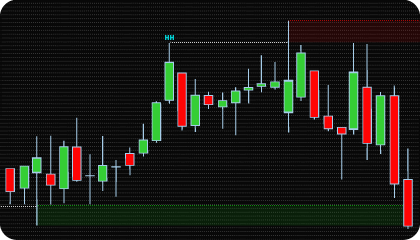
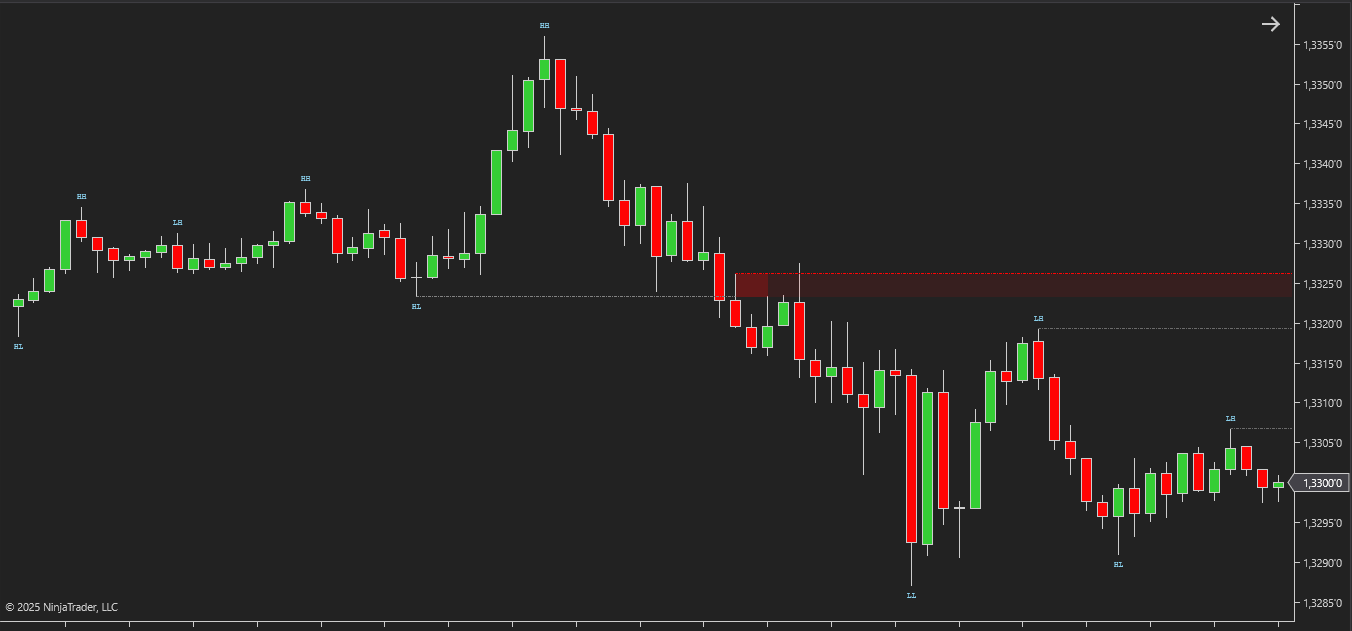
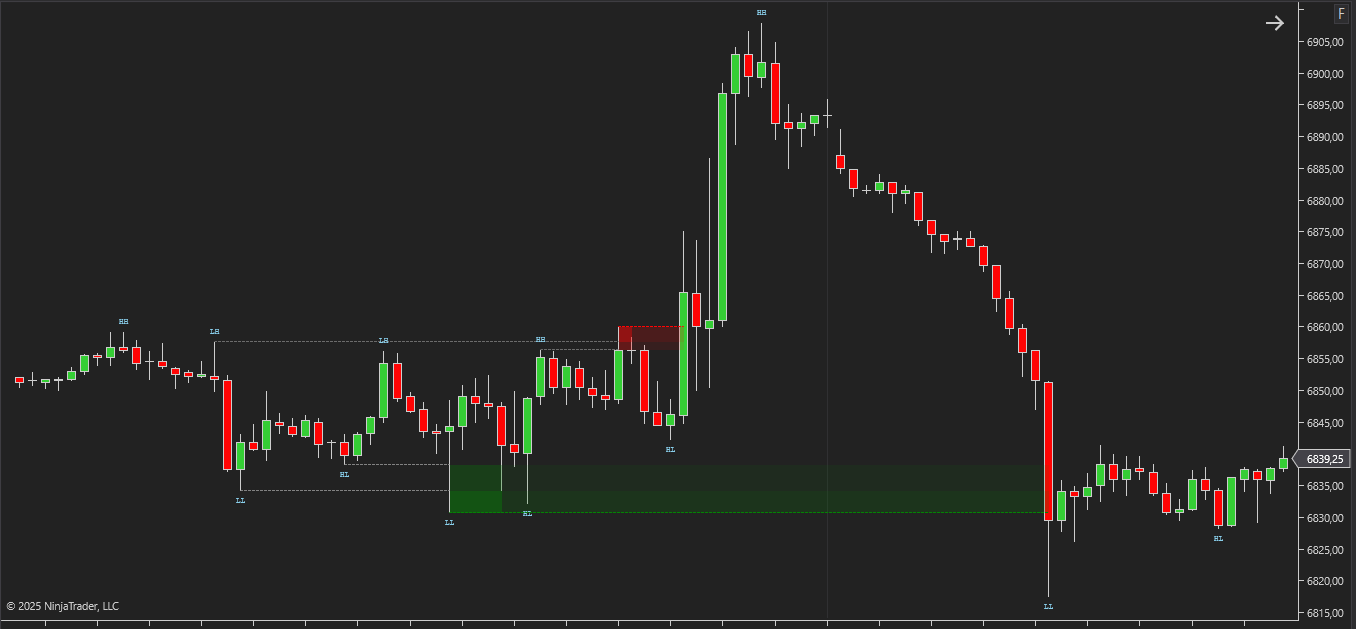
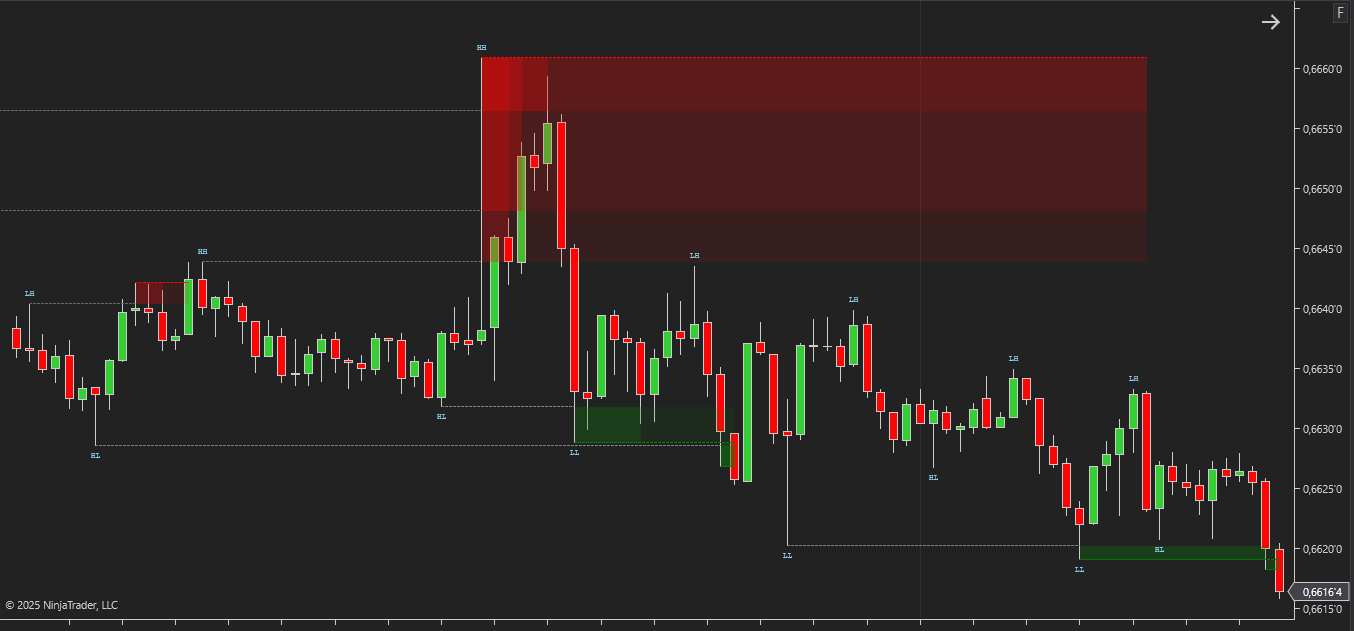
The NinjaTrader Liquidity Sweeps Indicator is based on the concept of liquidity capture — a market behavior rooted in price action and market microstructure, and widely used in ICT and Smart Money methodologies. Liquidity sweeps occur when price intentionally moves beyond a clearly defined high or low to trigger resting stop orders, only to reverse shortly after. These events are not random spikes; they reflect moments when larger market participants seek to access liquidity before initiating or continuing a directional move.
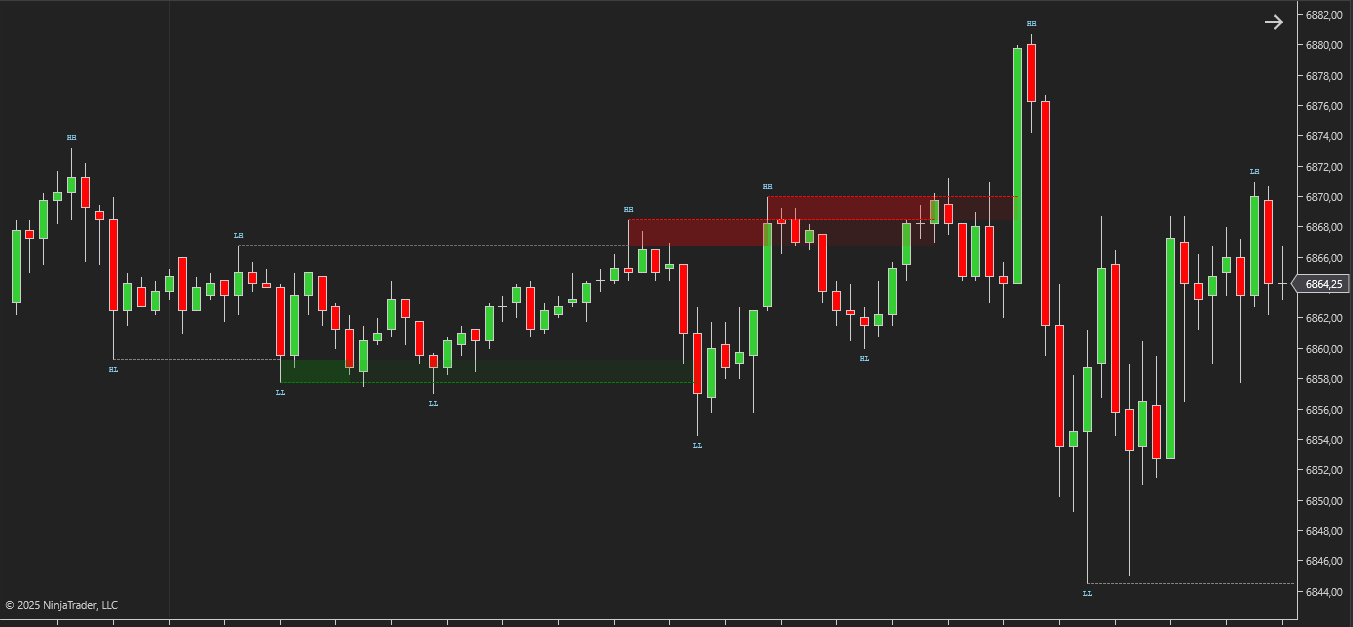
From a market mechanics perspective, liquidity marks areas where sufficient resting orders exist to facilitate large-scale execution. Stop-loss orders and breakout entries tend to accumulate above highs and below lows, forming identifiable liquidity pools. When price approaches these areas, larger market participants can execute significant volume by accessing this resting liquidity. Once the required orders are absorbed, price often loses acceptance beyond the level and reacts in the opposite direction.
Unlike traditional breakout analysis, liquidity sweep logic focuses on false acceptance. A brief violation of a level does not signal strength, but rather the completion of liquidity collection. Recognizing this behavior helps traders avoid chasing impulsive moves and instead analyze price action after liquidity has been taken and order flow conditions change.
The NinjaTrader Liquidity Sweeps Indicator automates the identification of these events by detecting price movements that sweep prior highs or lows and subsequently fail to hold beyond them. By marking liquidity sweeps directly on the chart, the indicator removes subjective interpretation and provides a consistent framework for analyzing stop runs, failed breakouts, and liquidity-driven market reactions.
In practical analysis, Liquidity Sweeps serve several important purposes:
• they highlight areas where stop liquidity has been absorbed;
• they help distinguish genuine breakouts from liquidity-driven false moves;
• they provide contextual insight for reversal or continuation scenarios when combined with market structure and imbalance analysis.
Rather than treating highs and lows as static support or resistance, the liquidity sweep methodology views them as objectives for price. The NinjaTrader Liquidity Sweeps Indicator supports this perspective by explicitly highlighting liquidity-taking events, allowing traders to focus on moments when price completes stop execution and highlights potential directional shifts.
The NinjaTrader Liquidity Sweeps Indicator provides practical and convenient tools, allowing traders to adjust settings for different trading styles and approaches. These features include:
The indicator supports three sweep detection modes that describe how price behaves around swing highs and lows, where breakout attempts often occur. Each mode is designed to help traders distinguish genuine continuation moves from failed breakouts, reducing false signals and improving decision-making around key swing levels.
Combined Mode detects both immediate rejections and slower, multi-bar sweep formations within a single detection logic. This flexibility allows traders to adapt to different market conditions and timeframes while focusing on validated interactions with liquidity instead of raw price breakouts.
This parameter defines the minimum distance price must move beyond a swing high or swing low for a sweep to be considered valid. It can be configured in ticks or percentages. The filter removes minor price spikes and market noise, allowing traders to focus on meaningful liquidity events and avoid false sweep signals, especially on lower timeframes and during periods of high volatility.
Mitigation Mode determines how price must interact with a sweep zone for it to be considered mitigated. Available modes include Touch (High/Low), Full Fill (High/Low), Body Close Inside (Close), and % Fill (High/Low or Close). An additional Skip Immediate Mitigation (Bars) parameter allows traders to ignore premature zone interactions immediately after a sweep, helping to filter out weak or noisy reactions.
Swing Expiration limits the maximum number of bars between a swing point and the sweep event, preventing the use of outdated market structure. Sweep Zone Expiration controls how long a detected sweep zone remains active on the chart. These parameters help traders avoid working with stale liquidity and maintain a clean, relevant market context.
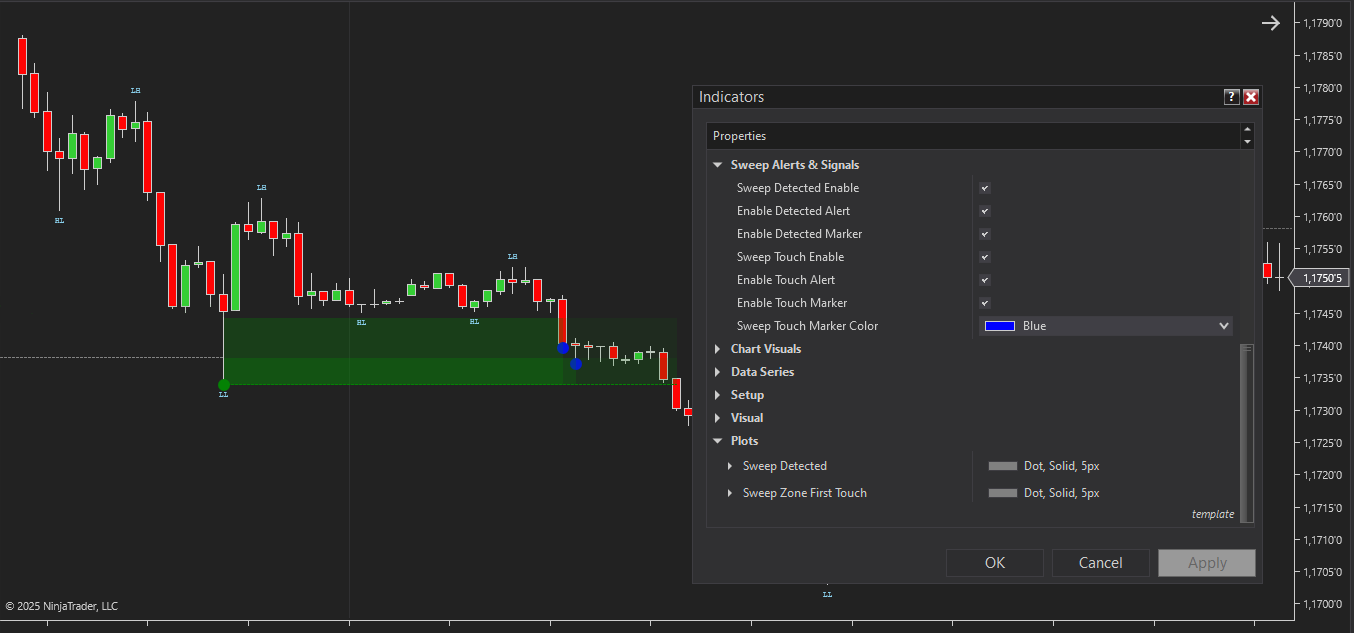
The indicator provides visual markers and configurable alerts for confirmed sweep events and initial zone interactions (mitigation). Alerts can be individually managed, and corresponding analytical plot outputs are exposed for integration with NinjaTrader strategies.
The indicator has the following parameters:
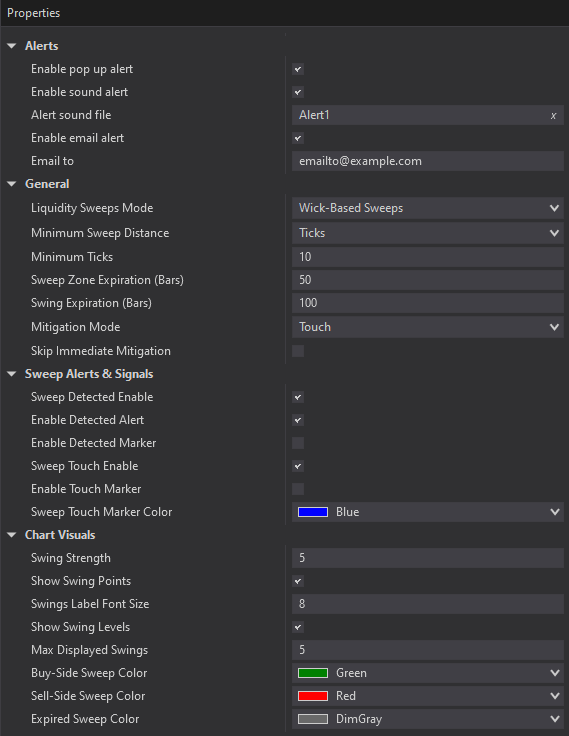
Alerts – Configure various types of alerts.
Liquidity Sweeps Mode – selects the sweep detection logic used by the indicator. Wick-Based Sweeps identify fast false breakouts where price briefly trades beyond a swing level and returns into the range. Break-and-Retest Sweeps confirm a sweep only if price fails to hold acceptance beyond the level and returns back through it after the initial break. Combined Mode detects both behaviors, allowing traders to adapt the logic to different market conditions and volatility profiles.
Retest Max Bars – defines the maximum number of bars the indicator will wait for a retest after the initial break of a swing level in Break-and-Retest and Combined modes.
Minimum Sweep Distance – defines the minimum distance price must move beyond a swing high or low to validate a sweep, configurable in ticks or percentages.
Sweep Zone Expiration (Bars) – sets how many bars a sweep zone remains active if it is not mitigated.
Swing Expiration (Bars) — limits the maximum number of bars that can pass between the formation of a swing point and the sweep event, preventing the use of outdated market structure levels.
Mitigation Mode – defines how price must interact with a sweep zone to be considered mitigated. Touch marks mitigation on the first entry into the zone using the High or Low price. Full Fill requires price to fully pass through the zone using High and Low. Body Close Inside requires the candle close to occur within the zone. % Fill considers mitigation once a specified portion of the zone is filled, using either High/Low or Close price, depending on the selected setting.
Skip Immediate Mitigation (Bars) – ignores sweep zone interactions occurring within the first N bars after a confirmed sweep, filtering premature or noise-driven reactions.
Sweep Detected Enable – enables sweep detection along with related alerts and chart markers.
Sweep Touch Enable – enables alerts and markers for the first valid interaction with a sweep zone based on the selected Mitigation Mode.
Swing Strength – controls swing sensitivity by defining how many bars on each side must confirm a swing high or low.
Show Swing Points – toggles the display of detected swing highs and lows on the chart.
Swing Labels Font Size – adjusts the font size of swing labels for better readability.
Max Displayed Swings – limits the number of most recent swing points displayed on the chart.
Sell-Side Sweep Color – sets the color for sell-side sweeps above swing highs.
Buy-Side Sweep Color – sets the color for buy-side sweeps below swing lows.
Expired Sweep Color – sets the color for sweep zones that are no longer active.
We can customize this indicator to your needs — adding functions, modifying logic, or integrating it with other tools for your workflow.
We also convert indicators into Automated Trading Strategies with advanced functions (trailing stops, risk management, filters) tailored to your trading style strictly according to your specifications.
Request a free consultation to discuss the technical scope and timeline of your project.
We are committed to the ongoing development and refinement of our indicators. If you’ve spotted a bug, feel that something essential is missing, or have ideas that could make the indicator even better, just send us a message. Your feedback helps us improve and deliver tools that truly meet traders’ needs.
The indicator provides a set of exposed analytical plot outputs designed for structured integration with third-party strategy builders and automation tools such as BloodHound and BlackBird (SharkIndicators), as well as other algorithmic trading environments.
| Analytical Plot Name | Output Values | Description |
| Bullish Sweep High | Value | |
| Bullish Sweep Low | Value | |
| Bearish Sweep High | Value | |
| Bearish Sweep Low | Value | |
| Bullish Zone First Touch High | Value | |
| Bullish Zone First Touch Low | > 0 | Bullish Zone First Touch |
| Bearish Zone First Touch High | > 0 | Bearish Zone First Touch |
| Bearish Zone First Touch Low | Value | |
| Swing HH | Value | |
| Swing LH | Value | |
| Swing EH | Value | |
| Swing LL | Value | |
| Swing HL | Value | |
| Swing EL | Value |
Plot output names and descriptions are technical identifiers intended solely for software integration purposes and do not constitute trading advice, signals, or recommendations.
Nordman Algorithms is a trade name of Nordman Algorithms OÜ (Reg. No. 14435535), registered in Tallinn, Estonia.
Software Nature & User Responsibility — Nordman Algorithms provides algorithmic software tools for technical analysis. Nordman Algorithms is not a financial advisor and is not liable for any losses. All trades conducted based on the software’s output are executed at the user’s sole discretion and risk.
Visual Markers & Signal Disclosure — This software may display visual markers (such as arrows, dots, or alerts) when predefined mathematical conditions are met. These markers are provided for educational and analytical purposes only, must not be interpreted as financial guidance, and do not constitute a recommendation to buy, sell, or hold any financial instrument. Users must independently validate all visual cues within their own trading methodology.
No Financial Advice — Nordman Algorithms does not provide discretionary trading signals, investment advice, or managed signal services. Our software represents a mathematical visualization of historical and real-time data. The appearance of a visual marker does not guarantee a profitable trade or predict future market behavior.
Trading Risk Warning — Futures, Forex, and options trading involve significant risk. Risk capital is money that can be lost without jeopardizing financial security. Only risk capital should be used for trading. Past performance is not indicative of future results. View Full Risk Disclosure: https://www.nordman-algorithms.com/risk-disclosure/
ESMA Risk Warning — Financial instruments, especially those involving leverage such as CFDs and Forex, are complex and carry a high risk of rapid financial loss. Our software provides analytical outputs and visual markers based on predefined mathematical conditions and does not mitigate or reduce inherent market risks. You should carefully consider whether you understand how leveraged financial instruments work and whether you can afford the high risk of losing your capital.
CFTC Rule 4.41 — Hypothetical or simulated performance results have inherent limitations. Unlike actual performance records, simulated results do not represent real trading. Because trades have not actually been executed, these results may under- or over-compensate for the impact of market factors such as liquidity. No representation is being made that any account will achieve profits or losses similar to those shown.
Trademark Notice — NinjaTrader® is a registered trademark of NinjaTrader Group, LLC. No NinjaTrader company has any affiliation with the owner, developer, or provider of the products or services described herein, or any interest, ownership or otherwise, in any such product or service, or endorses, recommends or approves any such product or service.