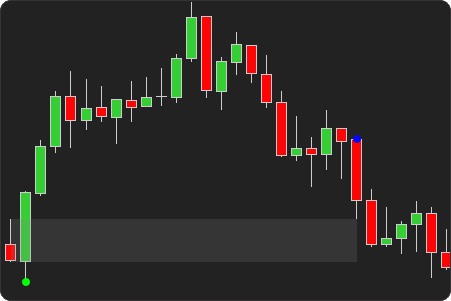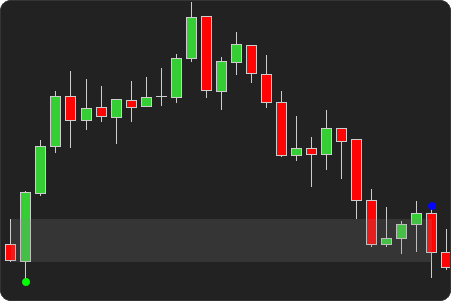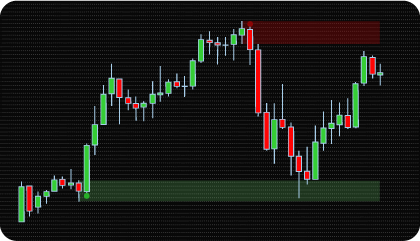
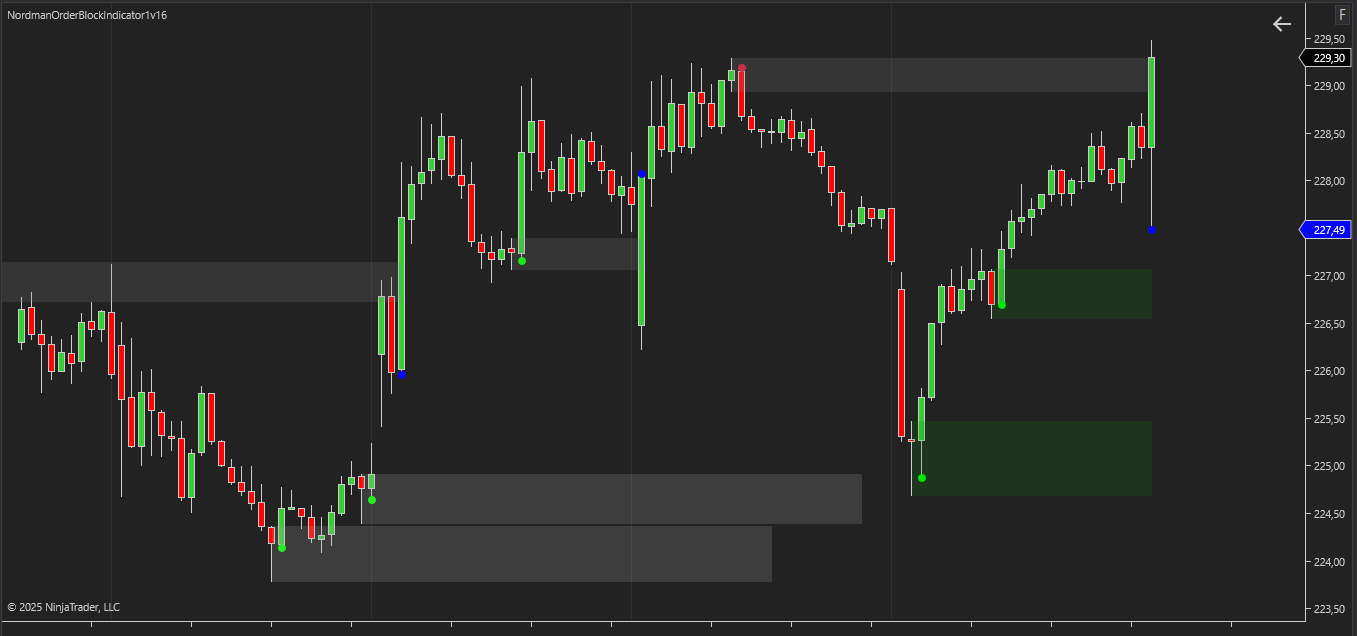
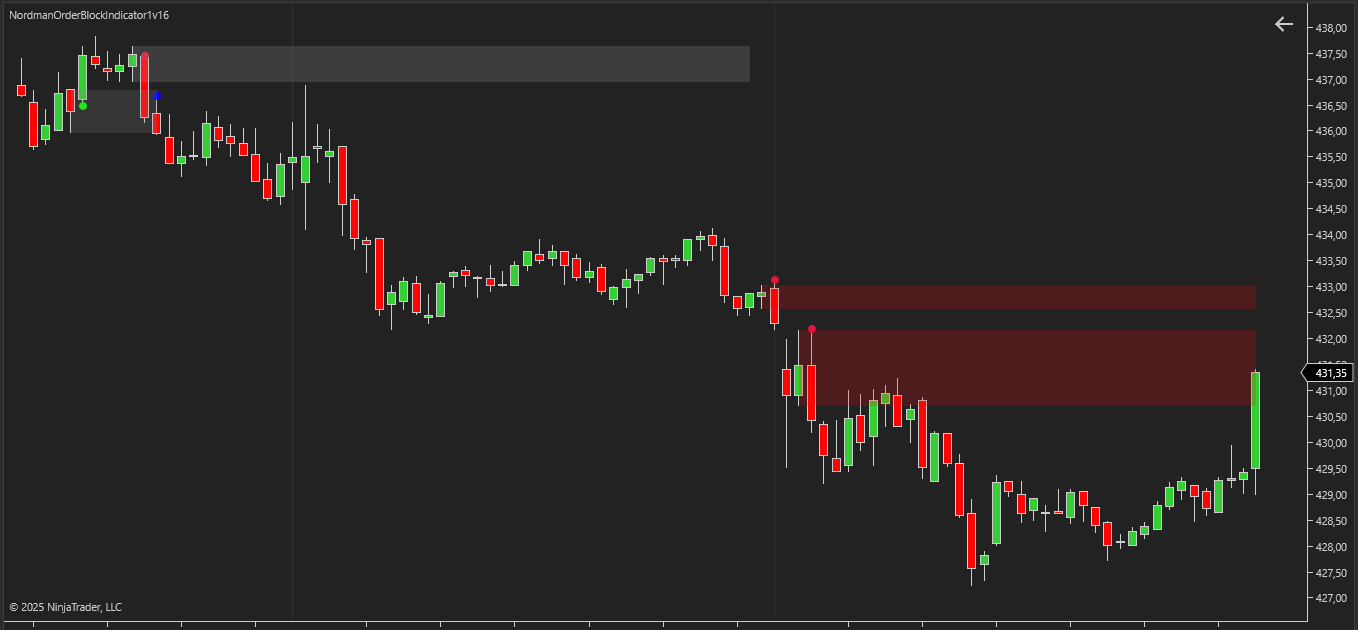
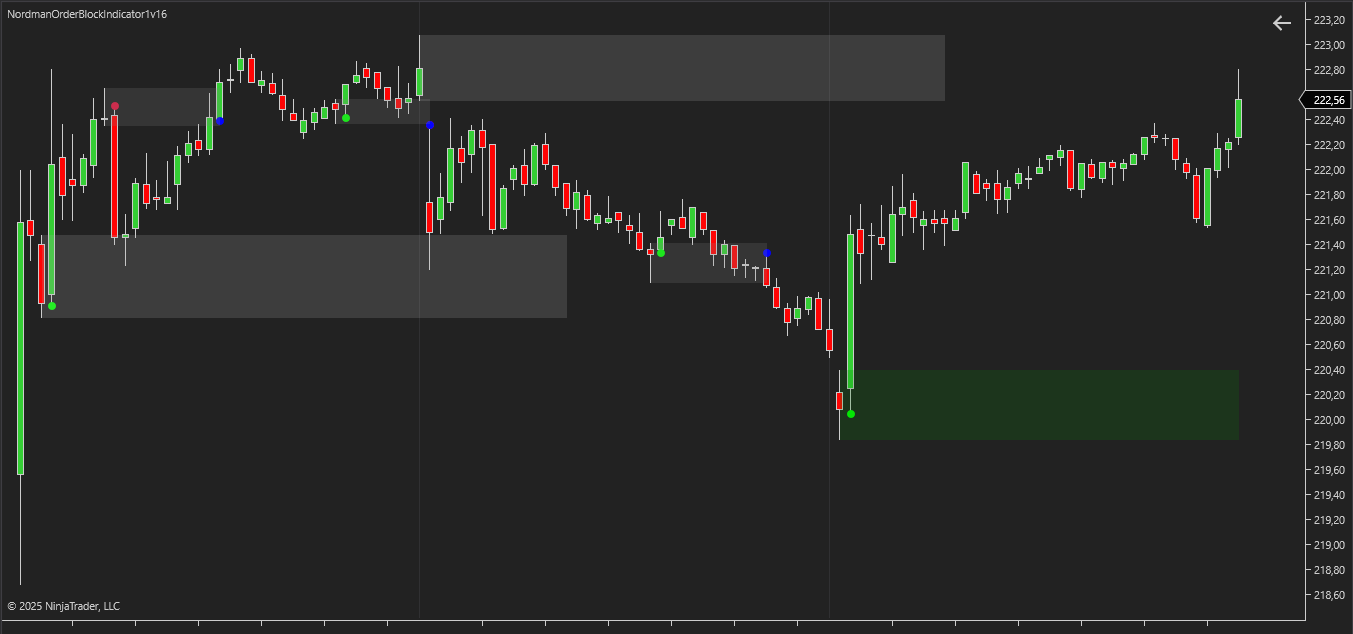
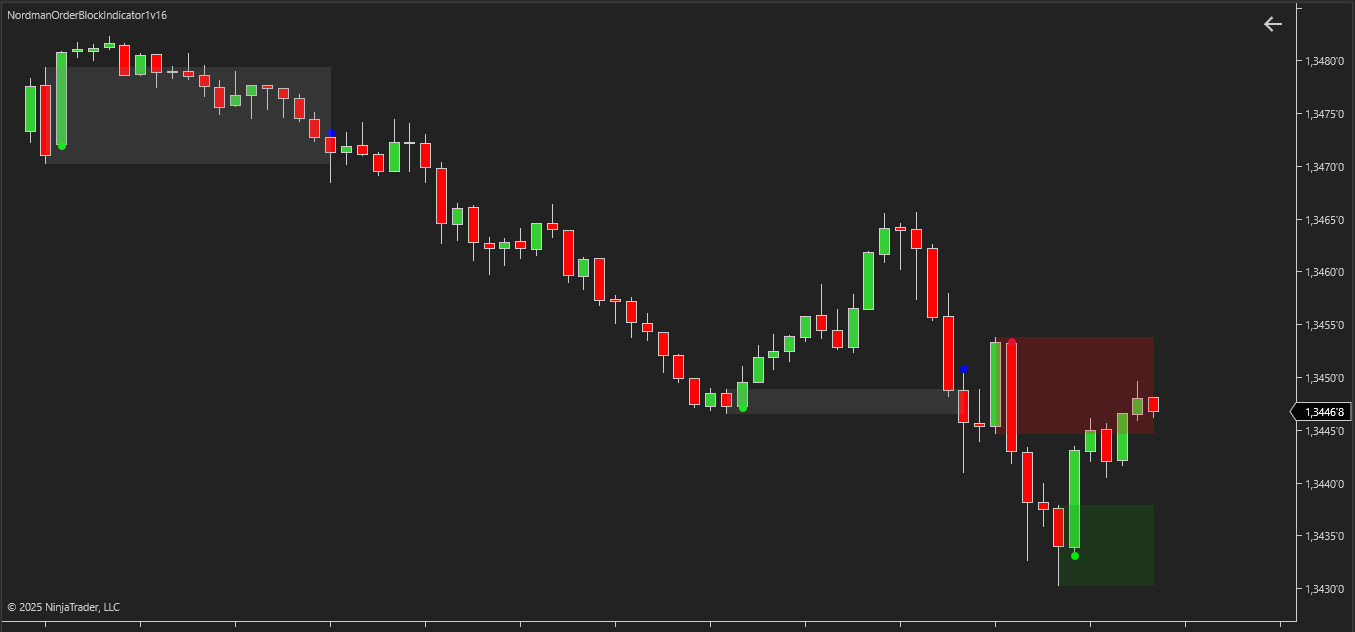
NinjaTrader Order Block Indicator is based on one of the key concepts of the ICT and Smart Money methodologies — the analysis of Order Blocks. These zones are formed in areas where large market participants (banks, funds, institutional players) are active and create a visible imbalance between supply and demand. Later, the price often returns to these areas to test them before continuing its movement.
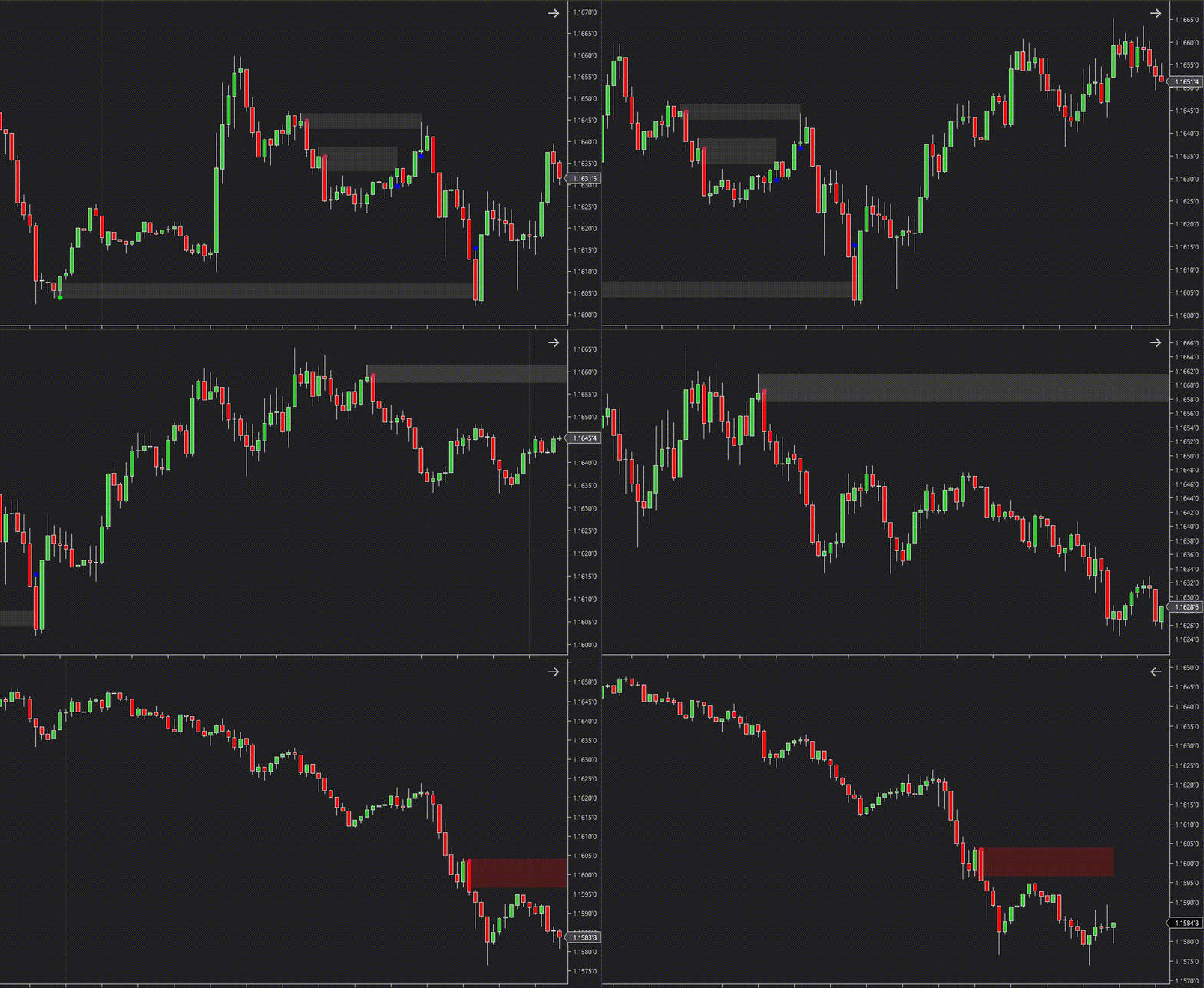
For traders, understanding the concept of Order Blocks provides access to a deeper view of market structure. Unlike traditional support and resistance levels, Order Blocks do not simply highlight local extremes, but instead point to real areas of institutional interest where liquidity was concentrated. Working with them allows traders to integrate institutional logic into their market analysis and better understand the underlying mechanics of price action.
From the perspective of market mechanics, an Order Block is not just a candlestick formation, but a reflection of liquidity. Institutional participants rarely execute their full position at once. Instead, they build it in stages, creating liquidity clusters that remain important reference points for future price action. This is why, after an impulsive move, the price often returns to the area of initial liquidity accumulation, making these zones essential for analysis.
The importance of Order Blocks can be summarized in several key points:
For practical use, the parameters of how these zones are defined and managed are crucial. NinjaTrader Order Block Indicator provides flexible settings: choosing the calculation method (based on highs/lows or open/close prices), defining the conditions for Mitigation (full or partial), and setting limits for zone size and lifetime. A particularly valuable feature is the ability to adjust mitigation thresholds, which makes it possible to control when a block is considered absorbed. These tools help filter out insignificant formations and focus on truly meaningful market imbalances.
The NinjaTrader Order Block Indicator combines advanced tools and features specifically designed to help traders identify, analyze, and manage Order Blocks with algorithmic consistency. Its functions allow traders to control and calibrate Order Block settings, finely adjusting parameters to adapt the indicator to diverse trading strategies, individual approaches, and varying market conditions. These features include:
Order Block Range & Size Definition
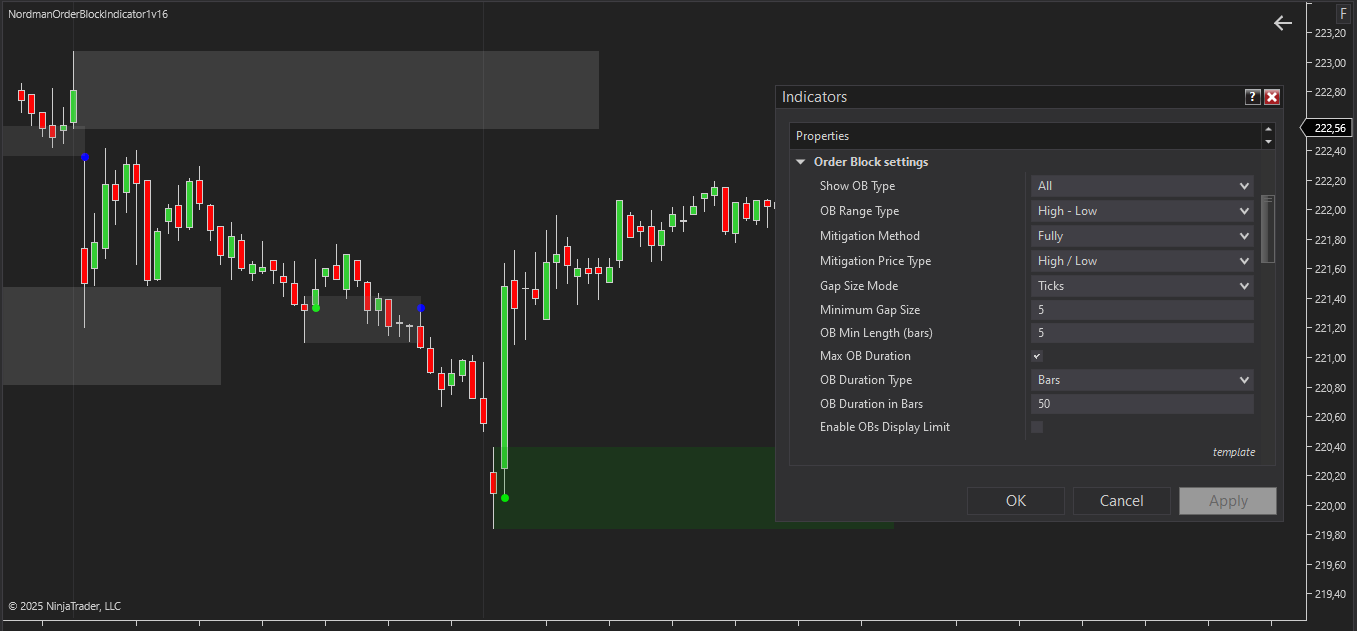
These settings allow traders to define what constitutes a valid Order Block, selecting range type (High–Low, Open–Close, or Open–High/Low depending on bullish or bearish block), minimum price movement (Gap Size Mode), and minimum number of bars (OB Min Length). This ensures only significant zones reflecting institutional activity are highlighted.
Complete & Partial Mitigation Control
Traders can choose between full or partial mitigation, as well as define the price type (Close or High/Low) that validates the event. This flexibility allows precise alignment with different trading strategies and risk management approaches.
Threshold-Based Mitigation Tuning
Traders can set percentage thresholds to define when a block is considered mitigated, choose to trigger alerts only, or simply display a reference line. This feature allows for the precise adjustment of detection sensitivity, supporting the objective validation of impactful institutional zones based on predefined price thresholds.
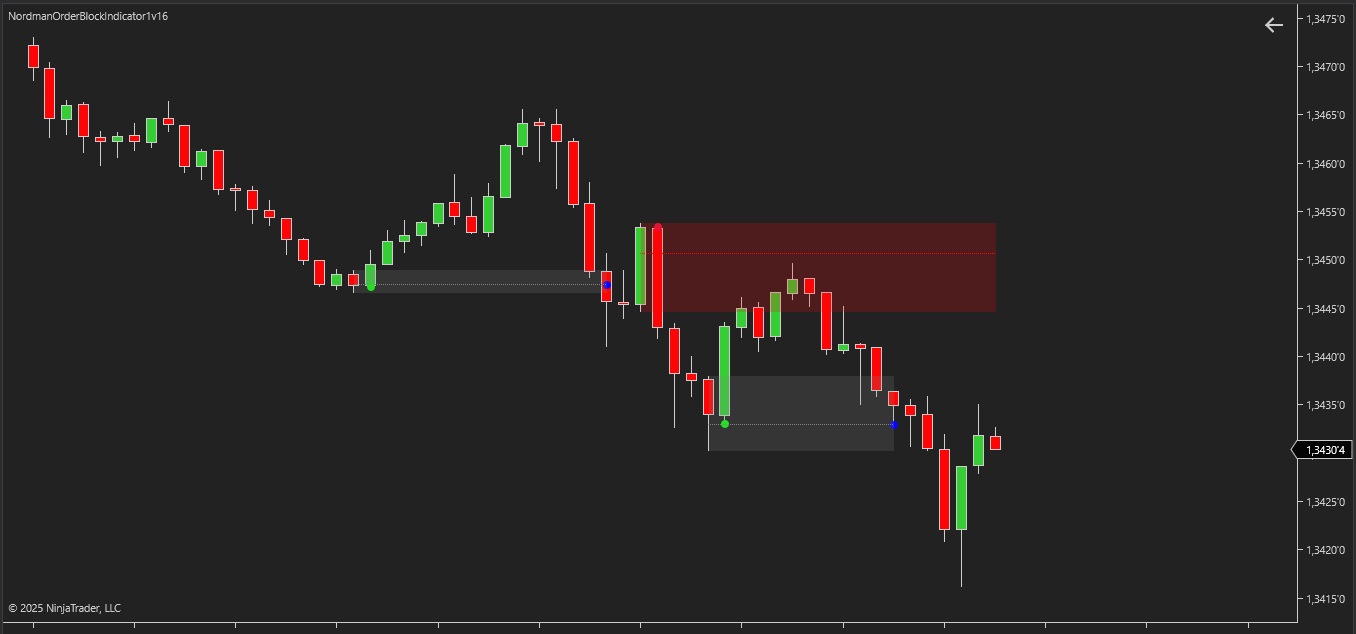
Event-Specific Alert System
Alerts notify traders of key Order Block events — formation, price entry, and mitigation. This ensures that important developments in market structure are observed in real time, assisting in the systematic monitoring of price action developments.
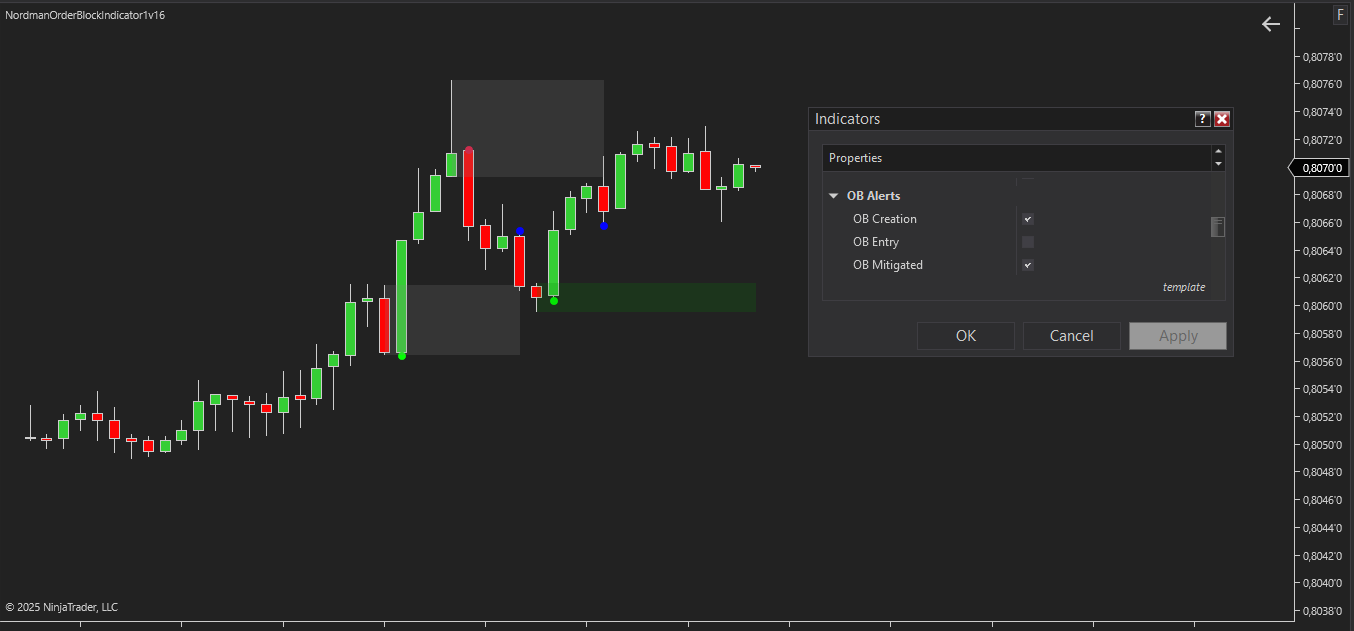
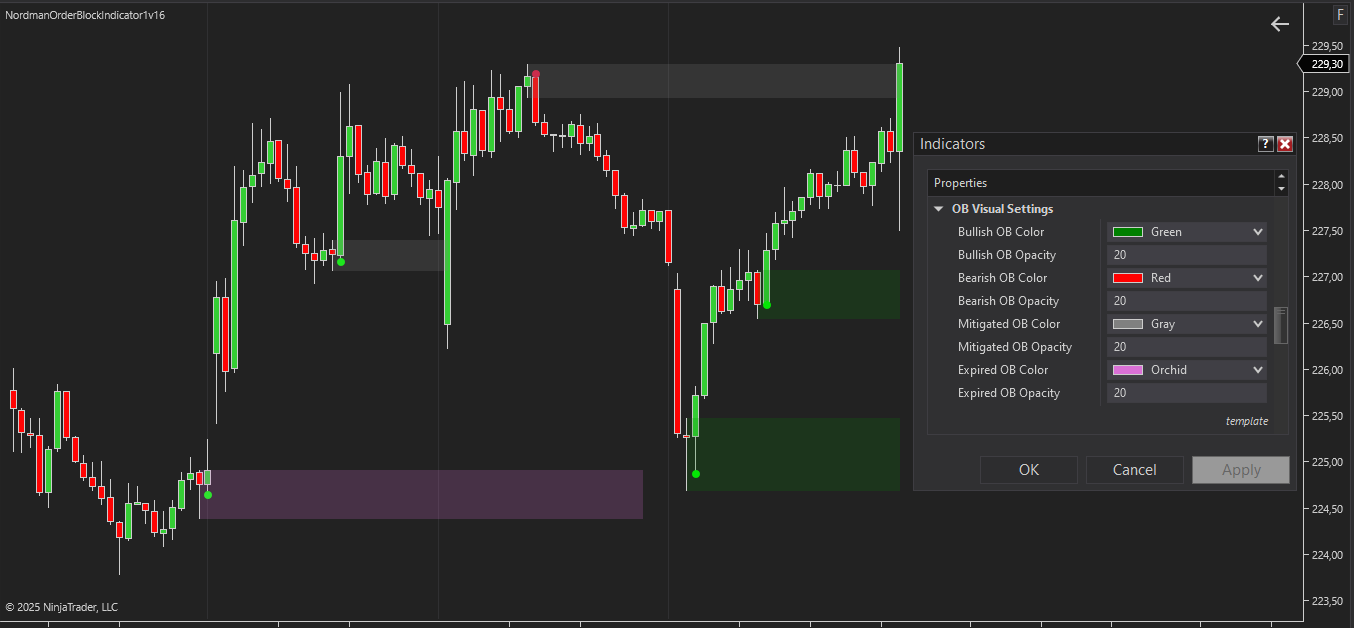
Enhanced Order Block Visualization
Traders can customize colors for bullish, bearish, active, mitigated, and expired Order Blocks. Flexible filters allow displaying all, only active, or specific inactive blocks, improving chart clarity and focusing attention on relevant zones.
Built-In MFE/MAE Tracker
The indicator includes an MFE/MAE Tracker module that measures how price has moved after each signal — how far it moved in the favorable direction and how far it moved against it, tracked across several configurable holding periods at once.
Results are shown directly on the chart as a dashboard and can be exported to CSV, giving a way to review signal behavior across a large sample rather than relying on visual impression from scrolling the chart. See how the MFE/MAE Tracker is calculated and how to read the dashboard →
The indicator has the following parameters:
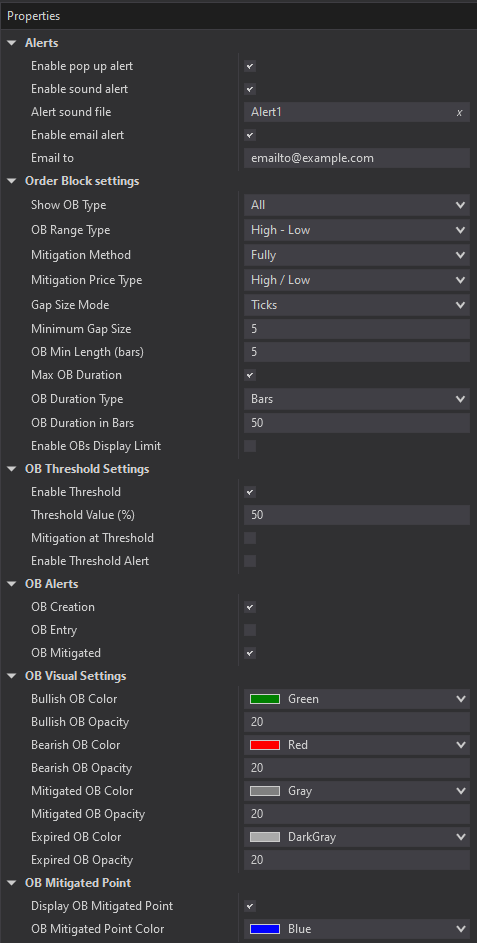
Alerts – Configure various types of alerts.
Show OB Type – defines which types of Order Blocks will be displayed on the chart: only active, all inactive (mitigated/expired), or both. This allows traders to focus on current zones of interest or review historical price action data.
OB Range Type – defines the method for drawing the boundaries of an Order Block. The range can be determined using High/Low, Open/Close, or a combined option Open + High/Low.
Mitigation Method – defines when an Order Block is considered mitigated: either after the price fully passes through it or upon a partial touch. This setting allows adaptation to different trading approaches.
Mitigation Price Type – specifies which candle price confirms the block’s mitigation: Close or High/Low.
Gap Size Mode / Minimum Gap Size – filters the minimum size of an Order Block in ticks or percentages, helping to eliminate insignificant zones.
OB Min Length (bars) – sets the minimum number of bars required to form a block, excluding overly short zones that have little practical relevance.
Max OB Duration – the maximum time an Order Block can remain active before it is considered expired. If Mitigation does not occur within the set period (e.g., 50 bars), the block automatically changes to expired.
OB Duration Type – defines the unit of measurement for Max OB Duration, either bars or minutes.
Enable OB Display Limit – limits the number of Order Blocks displayed on the chart.
Enable Threshold – activates a threshold line within the block to monitor the depth of price entry. If the additional settings (Mitigation at Threshold and Enable Threshold Alert) are disabled, the line can serve as a visual reference (for example, as a simple midpoint of the OB).
Threshold Value (%) – sets the threshold line level as a percentage of the block’s size.
Mitigation at Threshold – when enabled, the block is considered mitigated when the price touches the specified Threshold level. In this mode, the Mitigation Method setting is ignored. This feature allows traders to configure more flexible rules for block mitigation.
Enable Threshold Alert – activates an alert when the price touches the threshold line.
OB Creation Alert – activates an alert when a new Order Block is formed.
OB Entry Alert – activates an alert when the price enters the block zone.
OB Mitigated Alert – activates an alert when a block is mitigated.
OB Visual Settings – visual display settings, including colors for active and inactive (mitigated and expired) blocks, as well as transparency. These settings allow traders to customize the indicator’s appearance to their preferences and make the chart as clear and convenient for analysis as possible.
We can customize this indicator to your needs — adding functions, modifying logic, or integrating it with other tools for your workflow.
We also convert indicators into Automated Trading Strategies with advanced functions (trailing stops, risk management, filters) tailored to your trading style strictly according to your specifications.
Request a free consultation to discuss the technical scope and timeline of your project.
We are committed to the ongoing development and refinement of our indicators. If you’ve spotted a bug, feel that something essential is missing, or have ideas that could make the indicator even better, just send us a message. Your feedback helps us improve and deliver tools that truly meet traders’ needs.
The indicator provides a set of exposed analytical plot outputs designed for structured integration with third-party strategy builders and automation tools such as BloodHound and BlackBird (SharkIndicators), as well as other algorithmic trading environments.
| Analytical Plot Name | Output Values |
| Bullish OB Detected | Value |
| Bullish OB Upper Boundary | Value |
| Bullish OB Lower Boundary | Value |
| Bullish OB Touched | Value |
| Bullish OB Mitigated | Value |
| Bullish OB Expired | Value |
| Bearish OB Detected | Value |
| Bearish OB Upper Boundary | Value |
| Bearish OB Lower Boundary | Value |
| Bearish OB Touched | Value |
| Bearish OB Mitigated | Value |
| Bearish OB Expired | Value |
| Long MFE/MAE Period 1 | Value |
| Short MFE/MAE Period 1 | Value |
| Long MFE/MAE Period 2 | Value |
| Short MFE/MAE Period 2 | Value |
| Long MFE/MAE Period 3 | Value |
| Short MFE/MAE Period 3 | Value |
| Long MFE/MAE Period 4 | Value |
| Short MFE/MAE Period 4 | Value |
| Long MFE/MAE Opposite | Value |
| Short MFE/MAE Opposite | Value |
Plot output names and descriptions are technical identifiers intended solely for software integration purposes and do not constitute trading advice, signals, or recommendations.
Nordman Algorithms is a trade name of Nordman Algorithms OÜ (Reg. No. 14435535), registered in Tallinn, Estonia.
Software Nature & User Responsibility — Nordman Algorithms provides algorithmic software tools for technical analysis. Nordman Algorithms is not a financial advisor and is not liable for any losses. All trades conducted based on the software’s output are executed at the user’s sole discretion and risk.
Visual Markers & Signal Disclosure — This software may display visual markers (such as arrows, dots, or alerts) when predefined mathematical conditions are met. These markers are provided for educational and analytical purposes only, must not be interpreted as financial guidance, and do not constitute a recommendation to buy, sell, or hold any financial instrument. Users must independently validate all visual cues within their own trading methodology.
No Financial Advice — Nordman Algorithms does not provide discretionary trading signals, investment advice, or managed signal services. Our software represents a mathematical visualization of historical and real-time data. The appearance of a visual marker does not guarantee a profitable trade or predict future market behavior.
Trading Risk Warning — Futures, Forex, and options trading involve significant risk. Risk capital is money that can be lost without jeopardizing financial security. Only risk capital should be used for trading. Past performance is not indicative of future results. View Full Risk Disclosure: https://www.nordman-algorithms.com/risk-disclosure/
ESMA Risk Warning — Financial instruments, especially those involving leverage such as CFDs and Forex, are complex and carry a high risk of rapid financial loss. Our software provides analytical outputs and visual markers based on predefined mathematical conditions and does not mitigate or reduce inherent market risks. You should carefully consider whether you understand how leveraged financial instruments work and whether you can afford the high risk of losing your capital.
CFTC Rule 4.41 — Hypothetical or simulated performance results have inherent limitations. Unlike actual performance records, simulated results do not represent real trading. Because trades have not actually been executed, these results may under- or over-compensate for the impact of market factors such as liquidity. No representation is being made that any account will achieve profits or losses similar to those shown.
Trademark Notice — NinjaTrader® is a registered trademark of NinjaTrader Group, LLC. No NinjaTrader company has any affiliation with the owner, developer, or provider of the products or services described herein, or any interest, ownership or otherwise, in any such product or service, or endorses, recommends or approves any such product or service.